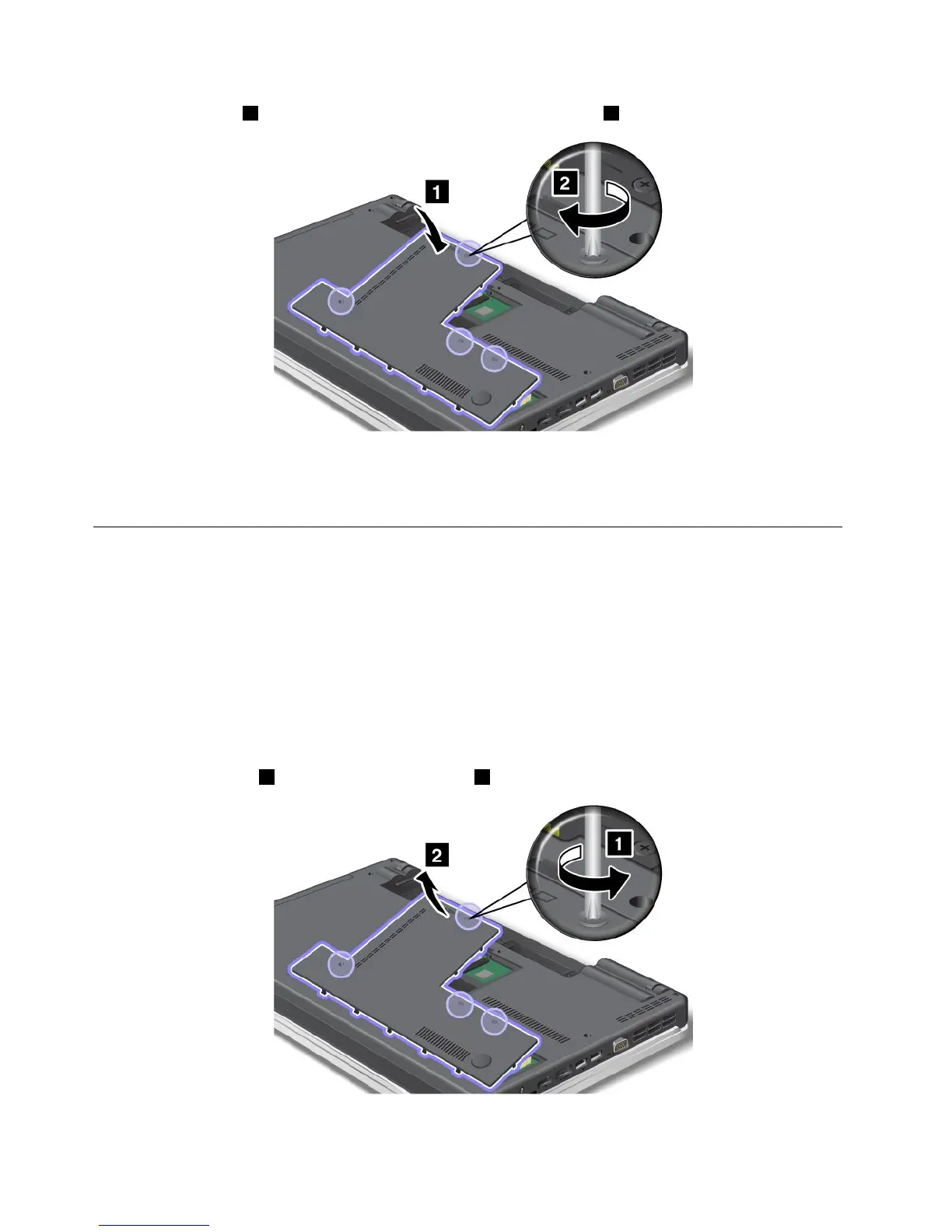
9.Attachthecover1,pivotitdownwards,andthentightenthescrews2.
10.Reinstallthebattery.Formoreinformationabouthowtoreinstallthebattery,referto“Replacingthe
battery”onpage77
.
11.Turnthecomputeroveragain.Connecttheacpoweradapterandthecablestothecomputer.
Replacingtheopticaldrive
ThinkPadEdgeE420
Beforeyoustart,printtheseinstructions.
Anopticaldriveispreinstalledinthebay.Ifitneedstoberepaired,removeitasfollows:
1.Turnoffthecomputer;thendisconnecttheacpoweradapterandallcablesfromthecomputer.Waitfor
afewminutes,tilltheinsideofthecomputercools,beforeyoustartthefollowingprocedures.
2.Removethebattery.
3.Closethecomputerdisplay,andturnthecomputerover.
4.Loosenthescrews1,andthenremovethecover2.
82UserGuide















 To Next Page