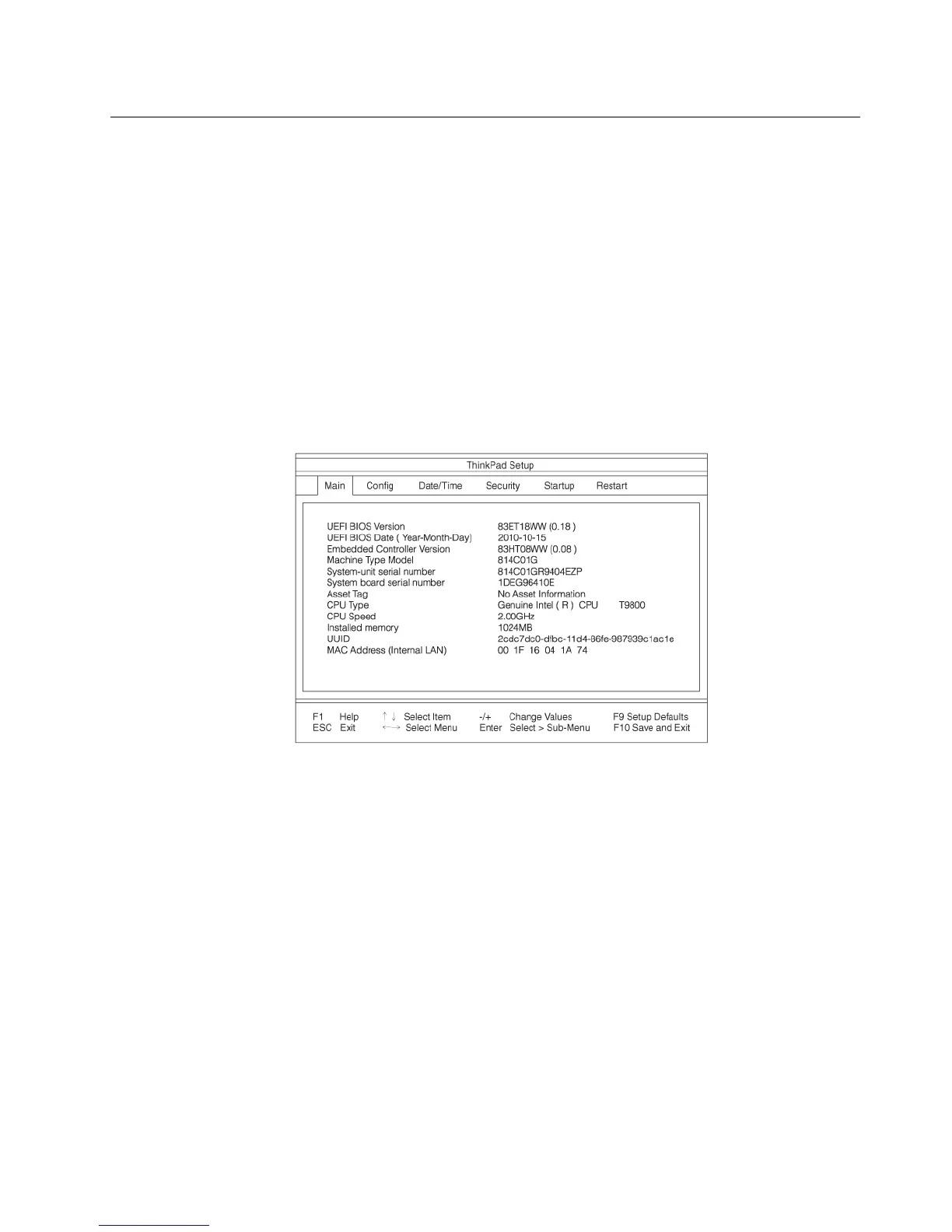
ThinkPadSetup
Yourcomputerprovidesaprogram,calledThinkPadSetup,thatenablesyoutoselectvarioussetup
parameters.
TostartThinkPadSetup,doasfollows:
1.Toprotectyourselfagainstaccidentallossofdata,backupyourcomputerregistry.See“Performing
backupandrecoveryoperations”onpage71.
2.Ifthediskettedriveisconnectedtothecomputer,removeanydiskettefromthediskettedrive,and
thenturnoffthecomputer.
3.Turnonthecomputer.Whenthelogoscreenisdisplayed,presstheF1key.TheThinkPadSetupopens.
Ifyouhavesetasupervisorpassword,theThinkPadSetupmenuappearsafteryouenterthepassword.
YoucanstarttheThinkPadSetupbypressingEnterinsteadofenteringthesupervisorpassword.
However,youcannotchangetheparametersthatareprotectedbythesupervisorpassword.Formore
information,referto“Usingpasswords”onpage59
.
AnexampleoftheThinkPadSetupmenuisshownasbelow:
4.Usingthecursorkeys,movetoanitemyouwanttochange.Whentheitemyouwantishighlighted,
pressEnter.Asubmenuisdisplayed.
5.Changetheitemsyouwishtochange.Tochangethevalueofanitem,press+/-.Iftheitemhasa
submenu,youcandisplayitbypressingEnter.
6.PressEsctoexitfromthesubmenu.
7.Ifyouareinanestedsubmenu,pressEscrepeatedlyuntilyoureachtheThinkPadSetupmenu.
Note:Ifyouneedtorestorethesettingstotheiroriginalstateasofthetimeofpurchase,pressF9to
loadthedefaultsettings.YoucanalsoselectanoptionintheRestartsubmenutoloadthedefault
settingsordiscardthechanges.
8.SelectRestart.Movethecursortotheoptionyouwantforrestartingyourcomputer;thenpressEnter.
Yourcomputerrestarts.
Congmenu
Ifyouneedtochangethecongurationofyourcomputer,selectCongfromtheThinkPadSetupmenu.
Notes:
•Thedefaultsettingsarealreadyoptimizedforyou.Ifyouconsiderchangingthecomputerconguration,
proceedwithextremecaution.Settingthecongurationincorrectlymightcauseunexpectedresults.
Chapter8.Advancedconguration113















 To Next Page