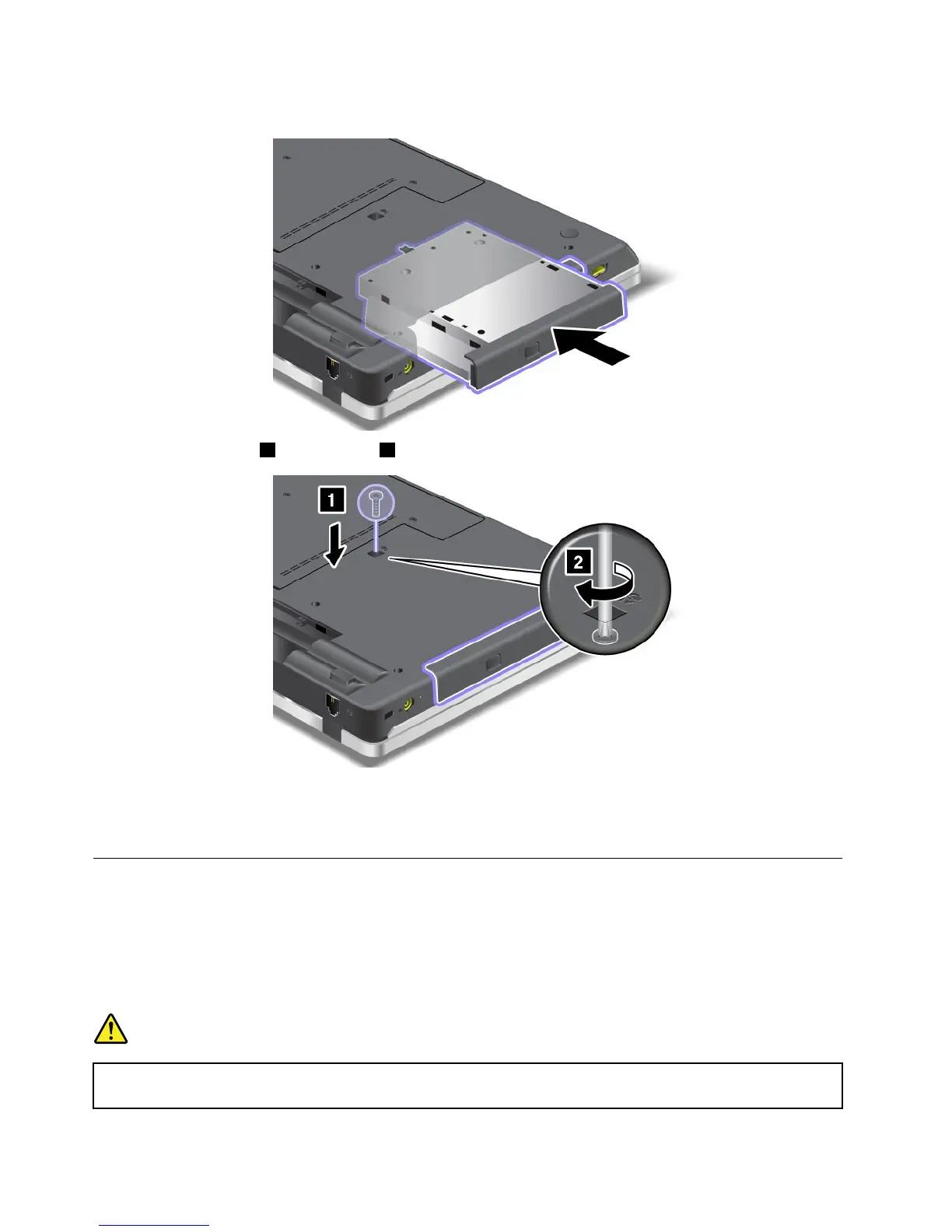
1.Insertthedriveinthebay,andthenpressitrmlytotheconnector.
2.Reinstallthescrew1,andtightenit2.
3.Putthebatteryinplace.
4.Turnthecomputeroveragain.Connecttheacpoweradapterandthecablestothecomputer;then
turniton.
InstallingandreplacingthePCIExpressMiniCardforwirelessWAN
Beforeyoustart,printtheseinstructions.
SomeThinkPadmodelshaveaPCIExpressMiniCardslotforconnectiontoawirelessWAN.Toreplacethe
PCIExpressMiniCardwithanewone,readthefollowingprerequisites.
Prerequisitesfortheprocedure
DANGER
Duringelectricalstorms,donotconnectthecabletoordisconnectitfromthetelephoneoutlet
onthewall.
86UserGuide















 To Next Page