Windowskey
Ifyoupressthiskey,theStartmenuofWindowsisdisplayedorhidden.
Ifyoupressthiskeyandanotherkeyatthesametime,theSystemPropertieswindowortheComputer(in
WindowsXP,MyComputer)windowisdisplayed.Fordetails,refertotheHelpintheWindowsoperating
system.
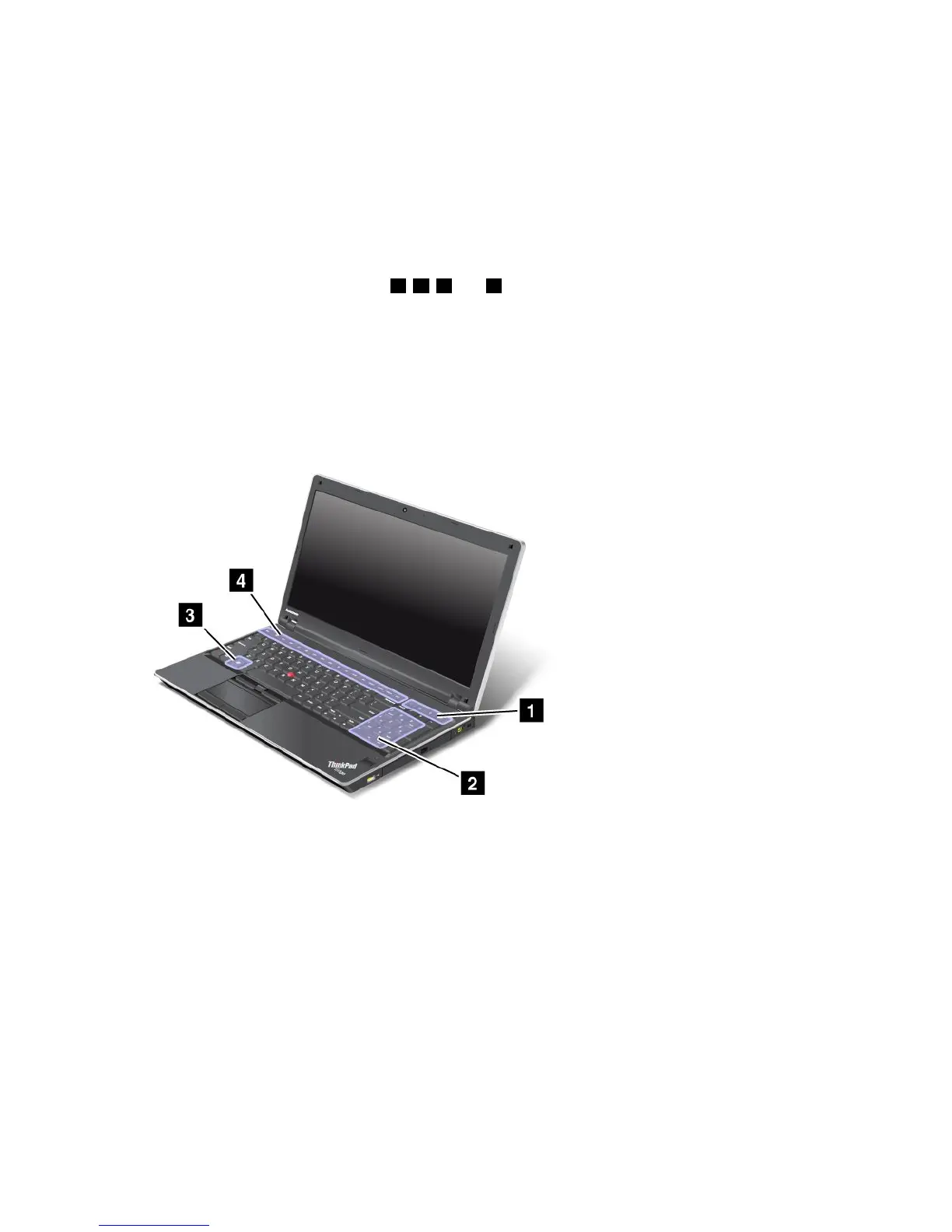
ThinkPadEdgeE520specialkeys
Yourcomputerhasseveralspecialkeys1,2,3and4.Totakeadvantageofeachfunction,directly
pressthedesiredkey.
Notes:TouseF1-F12asstandardfunctionkeys,doeitherofthefollowing:
•Inthekeyboardpropertieswindow,clicktheThinkPadF1-F12keystab,selectLegacy,andthenclick
OK.
•OntheThinkPadSetupprogrammainmenu,selectCong➙Keyboard/Mouse➙ChangetoF1-F12
keys➙Legacy.
Volumeandmutekeys
Toquicklyadjustthevolumeofthesoundfromyourcomputer,mutethesoundentirely,setthemicrophone
tomute,orcontrolthevideooutputfromtheintegratedcamera,pressoneofthefollowingkeys.
Speakermute(F1)
Speakervolumedown(F2)
Speakervolumeup(F3)
Ifyoumutethesoundandthenturnoffyourcomputer,thesoundwillremainmutedwhenyouturnonyour
computeragain.Toturnonthesound,presstheSpeakervolumeuporSpeakervolumedownkeys.
Microphonemute(F4)
Chapter2.Usingyourcomputer29















 To Next Page