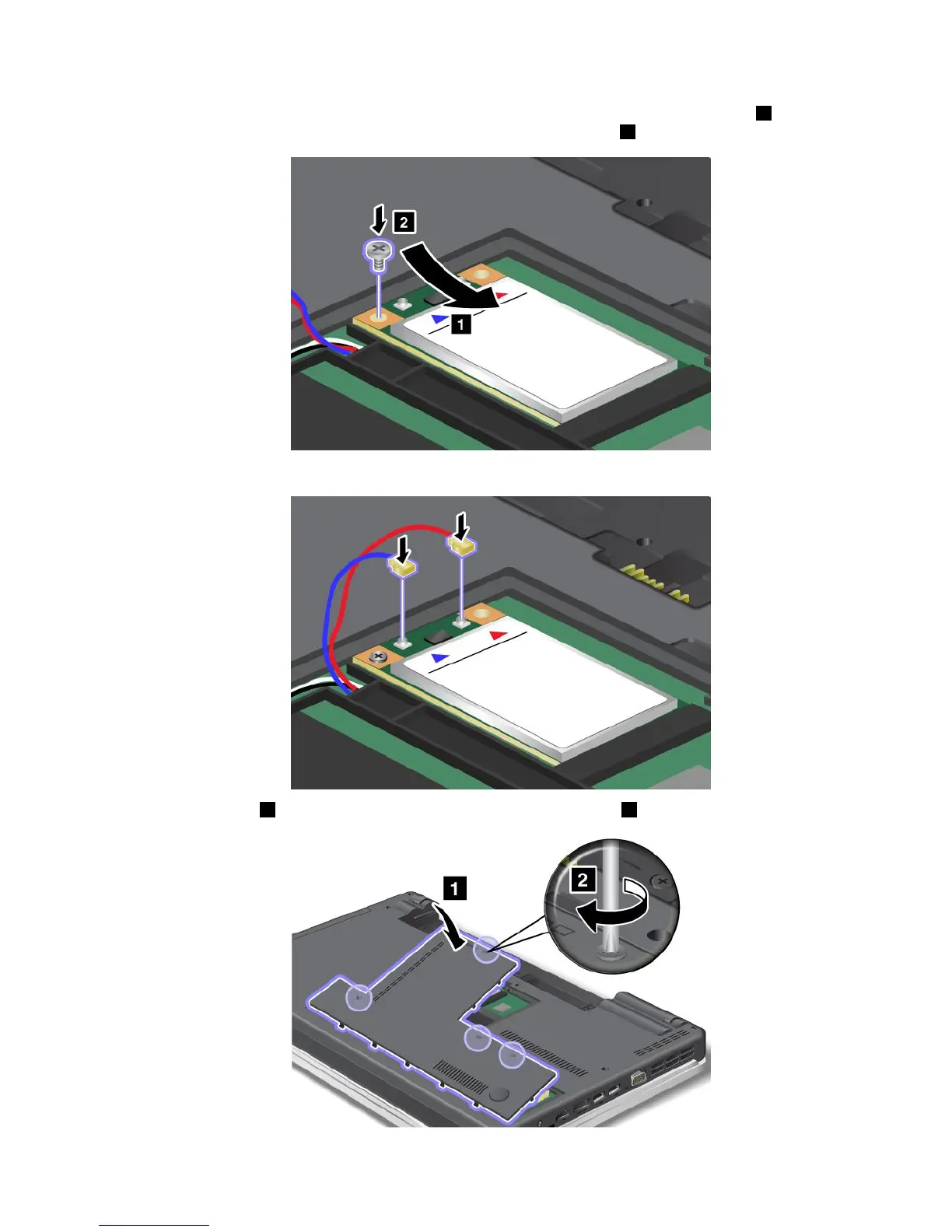
7.AlignthecontactedgeofthenewPCIExpressMiniCardwiththecorrespondingsocket1.Pivotthe
carduntilyoucansnapitintoplace.Securethecardwiththescrew2.
8.ConnecttheantennacablestothenewPCIExpressMiniCardasshowninthedrawing.
9.Attachthecover1,pivotitdownwards,andthentightenthescrews2.
Chapter6.Replacingdevices89















 To Next Page