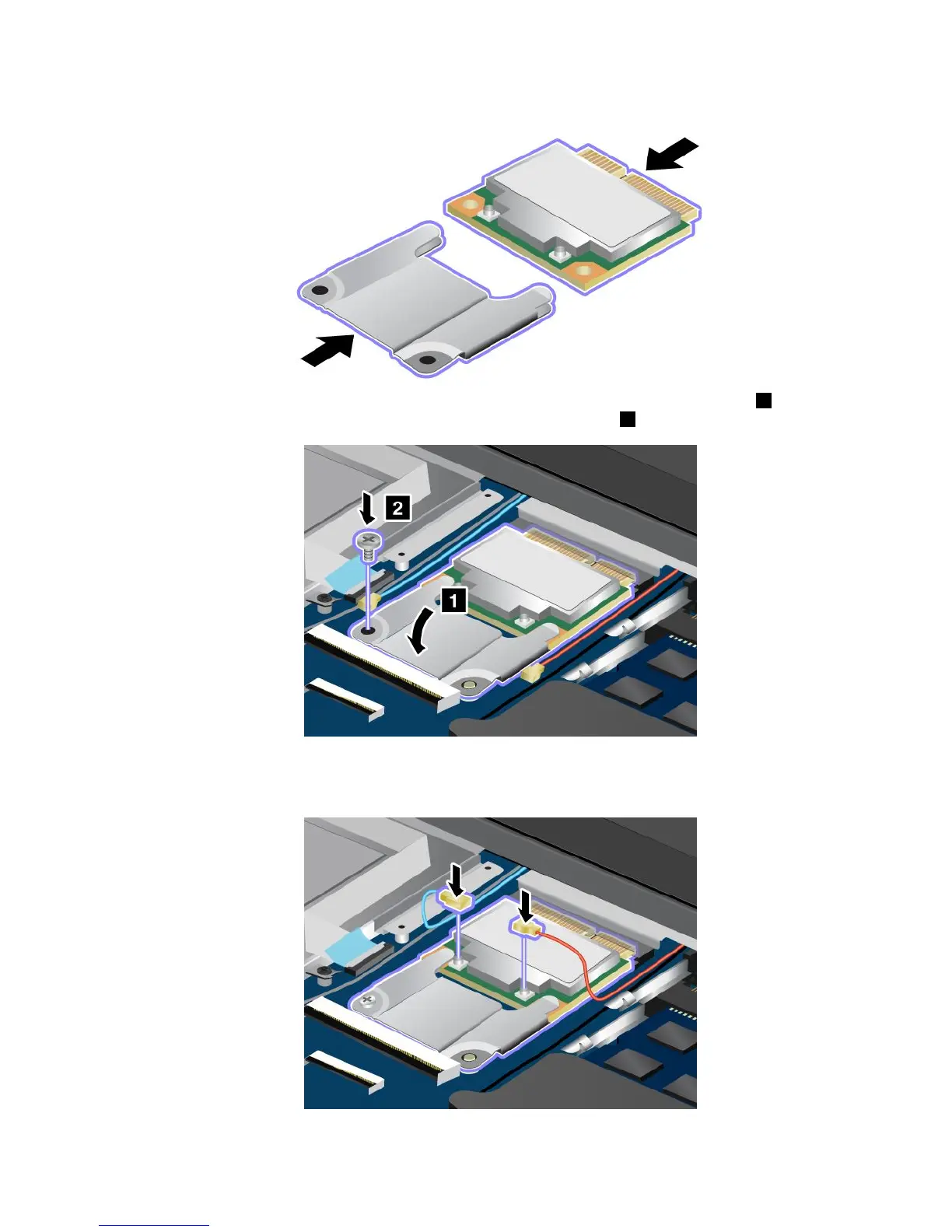
8.Insertthenewcardintothebracket.
9.AlignthecontactedgeofthenewPCIExpressMiniCardwiththecorrespondingsocket1.Pivotthe
carduntilyoucansnapitintoplace.Securethecardwiththescrew2.
10.ConnecttheantennacablestothenewPCIExpressMiniCardasshowninthedrawing.Besureto
attachtheredcabletotheconnectormarked“MAIN”OR“M”onthecard,andthebluecableto
theconnectormarked“AUX”or“A”.
Chapter6.Replacingdevices85










 To Next Page