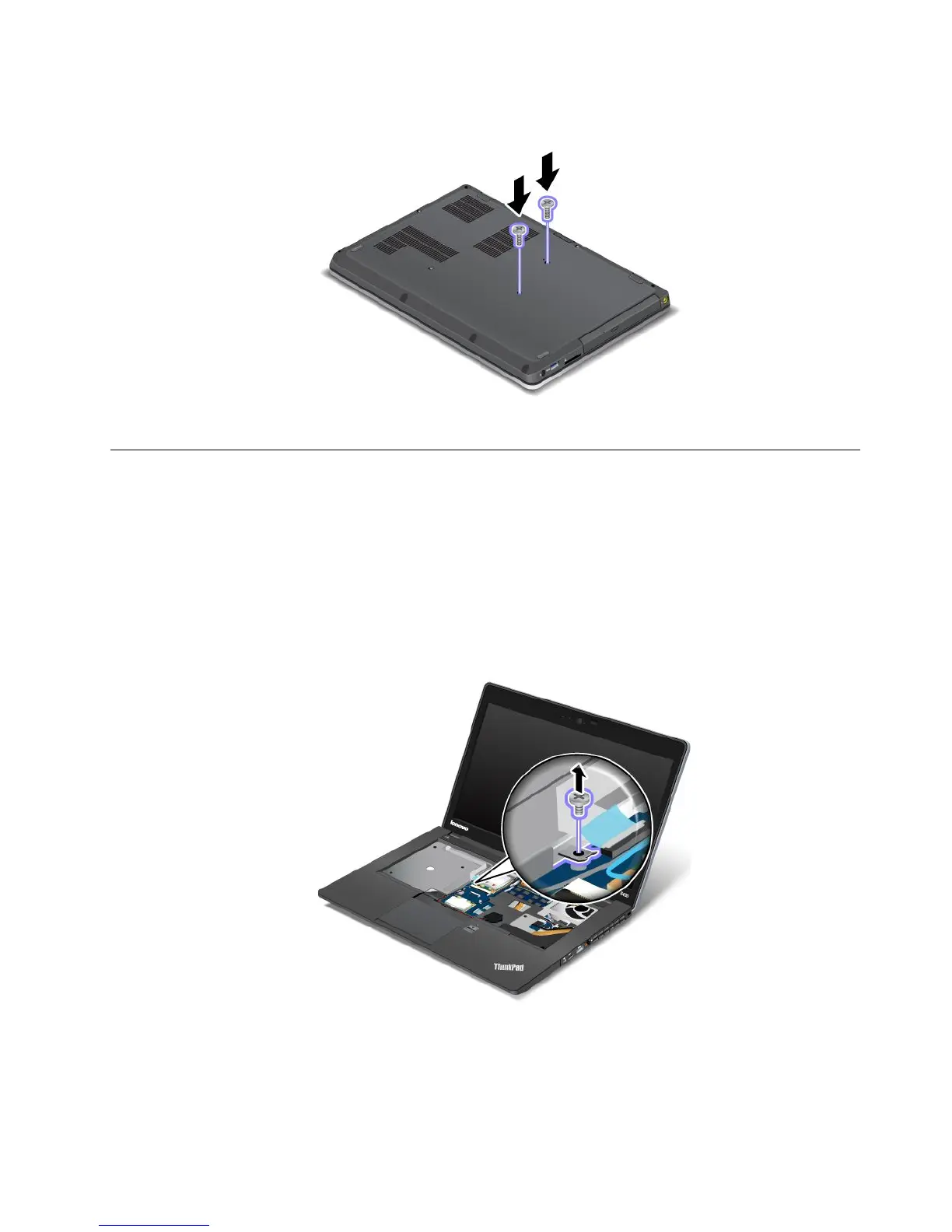
4.Closethecomputerdisplayandturnthecomputerover.Reinstallthetwoscrewsatthebottom.
5.Turnthecomputeroveragain.Connecttheacpoweradapterandallcables.
Replacingtheopticaldrive
Beforeyoustart,printtheseinstructions.
Anopticaldriveispreinstalledintheopticaldrivebay.Ifitneedstoberepaired,removeitbydoingthe
following:
1.Disablethebuilt-inbattery.See“Disablingthebuilt-inbattery”onpage67.
2.Closethecomputerdisplay,andturnthecomputerover.
3.Removethekeyboard.See“Replacingthekeyboard”onpage71.
4.Removethescrewthatsecurestheopticaldrive.
Chapter6.Replacingdevices75










 To Next Page