ReplacingtheSIMcard
Beforeyoustart,printtheseinstructions.
YourcomputermightrequireaSIMcardtoestablishwirelessWANconnections.Dependingonthecountry
ofdelivery,youmightneedtopurchaseaSIMcard,oraSIMcardmightalreadybeinstalledinyour
computer,ortheSIMcardispartoftheshippingcontentsthatcomewithyourcomputer.
IfyoundaSIMcardincludedintheshippingcontents,adummycardisinstalledintheSIMcardslot.Then
proceedwiththefollowinginstructions.
Note:TheSIMcardisidentiedbytheICchipmountedononesideofthecard.
ToreplacetheSIMcard,dothefollowing:
1.Disablethebuilt-inbattery.See“Disablingthebuilt-inbattery”onpage67.
2.Closethecomputerdisplay,andturnitover.
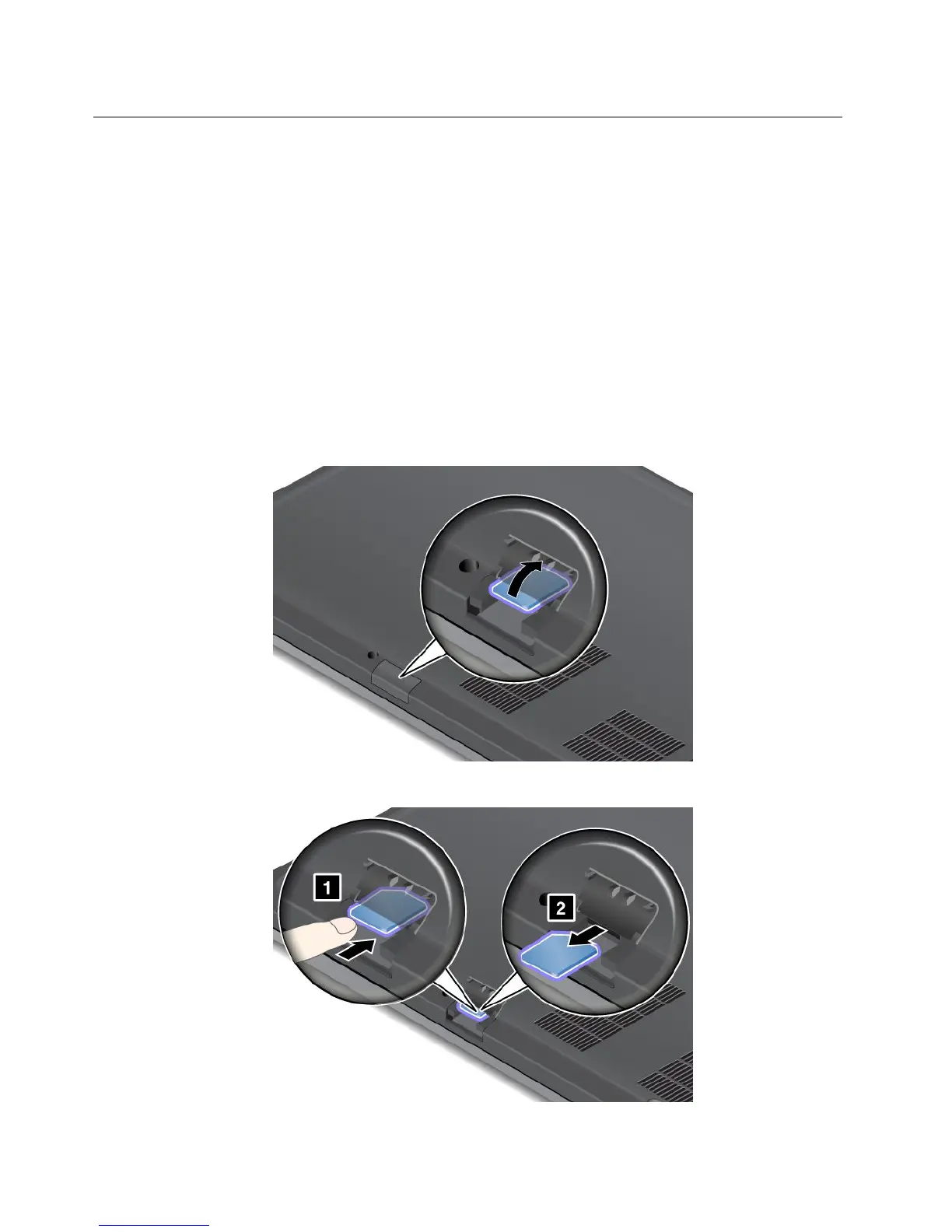
3.LocatetheSIMcarddoorattherearofthecomputer.GentlypivottheSIMcarddoorupwards.
4.Gentlypushthecardtoremoveitfromthecomputer.
68UserGuide










 To Next Page