•WhenyouattachaUSBcabletotheconnector,ensurethattheUSBmarkisfacingupward.Otherwise
theconnectormightbedamaged.
•TheUSB3.0functiononlyworksintheWindows7operatingsystem.IfyouareusingotherWindows
operatingsystemratherthanWindows7,theconnectorworksasaUSB2.0connector.
5Comboaudiojack
Tolistentothesoundfromyourcomputer,connectaheadphoneoraheadsetthathasa3.5mm4-pole
plugtothecomboaudiojack.
Notes:
•Ifyouareusingaheadsetwithafunctionswitch,forexample,aheadsetforamobiledigitaldevice,do
notpressthisswitchwhileusingtheheadset.Ifyoupressit,theheadsetmicrophonewillbedisabled,
andtheintegratedmicrophonesonthecomputerwillbeenabledinstead.
•Thecomboaudiojackdoesnotsupportaconventionalmicrophone.Formoreinformation,see“Using
audiofeatures”onpage39.
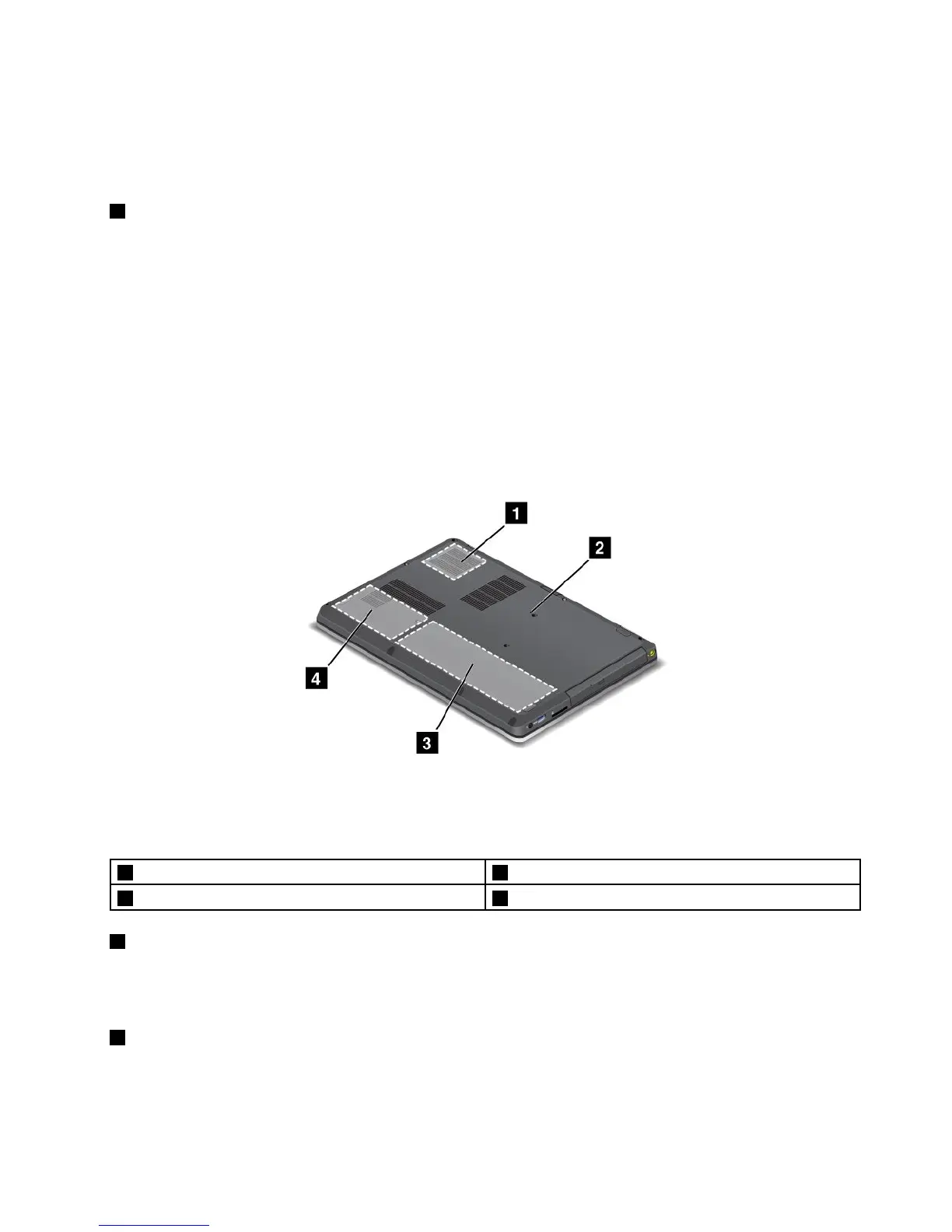
Bottomview
Figure4.ThinkPadS430bottomview
Note:Yourcomputerbottomviewmightlookslightlydifferentfromtheillustrationabove.
1Fanlouver2Emergencyresethole
3Integratedbattery4Harddiskdriveorsolidstatedrive
1Fanlouver
Theinternalfanandlouversenableairtocirculateinthecomputerandcoolthecentralprocessor.
Note:Toavoidimpedingairow,donotplaceanyobstacleinfrontofthefan.
2Emergencyresethole
Ifthecomputerdoesnotrespond,removetheacpoweradapterandresetthecomputerbyinsertinga
straightenedpaperclipintotheemergencyresetholetoturnoffthecomputer.
Chapter1.Productoverview7










 To Next Page