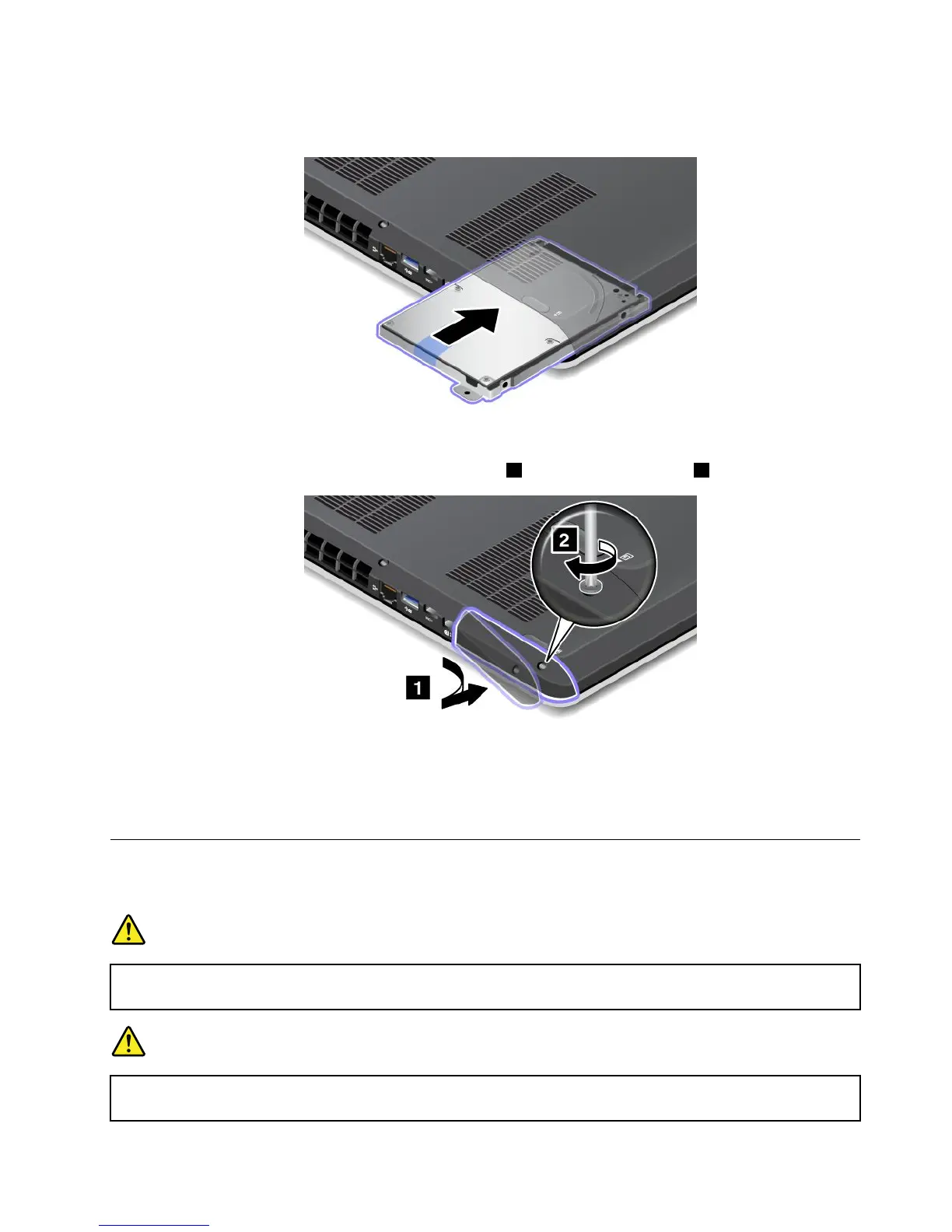
5.Inserttheharddiskdriveorsolidstatedriveintotheslotandslidetheharddiskdriveorsolidstate
drivermlyintoplace.
6.Reinstalltheharddiskdriveorsolidstatedrivedoor1.Thentightenthescrew2.
7.Turnthecomputeroveragain.Connecttheacpoweradapterandallcables.
Replacingthekeyboard
Beforeyoustart,printtheseinstructions.
DANGER
Duringelectricalstorms,donotconnectthecabletoordisconnectitfromthetelephoneoutlet
onthewall.
DANGER
Electriccurrentfrompower,telephone,andcommunicationcablesishazardous.Toavoidshock
hazard,disconnectthecablesbeforeopeningthecoverofthisslot.
Chapter6.Replacingdevices71










 To Next Page