•Beforeremovingtheharddiskdriveorsolidstatedrive,makeabackupcopyofalltheinformation
onit,andthenturnthecomputeroff.
•Neverremovetheharddiskdriveorsolidstatedrivewhilethecomputerisoperating,insleepmode,
orinhibernationmode.
Toreplacetheharddiskdriveorsolidstatedrive,dothefollowing:
1.Disablethebuilt-inbattery.See“Disablingthebuilt-inbattery”onpage67.
2.Closethecomputerdisplay,andturnthecomputerover.
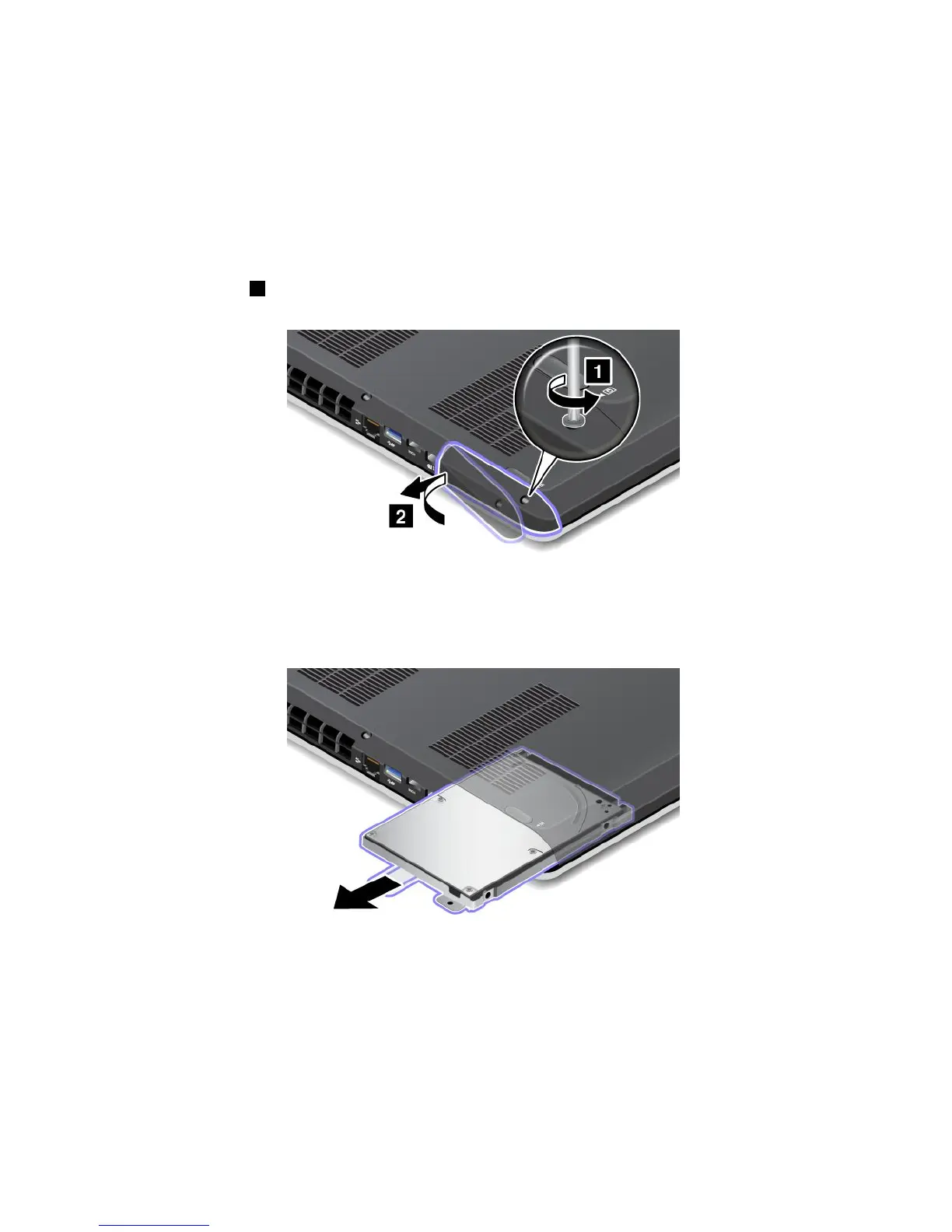
3.Loosenthescrew1thatsecurestheharddiskdriveorsolidstatedrivedoorbutdonotremoveit;then
removetheharddiskdriveorsolidstatedrivedoor.
4.Removethenewharddiskdriveorsolidstatedrivebypullingoutthetab.
70UserGuide










 To Next Page