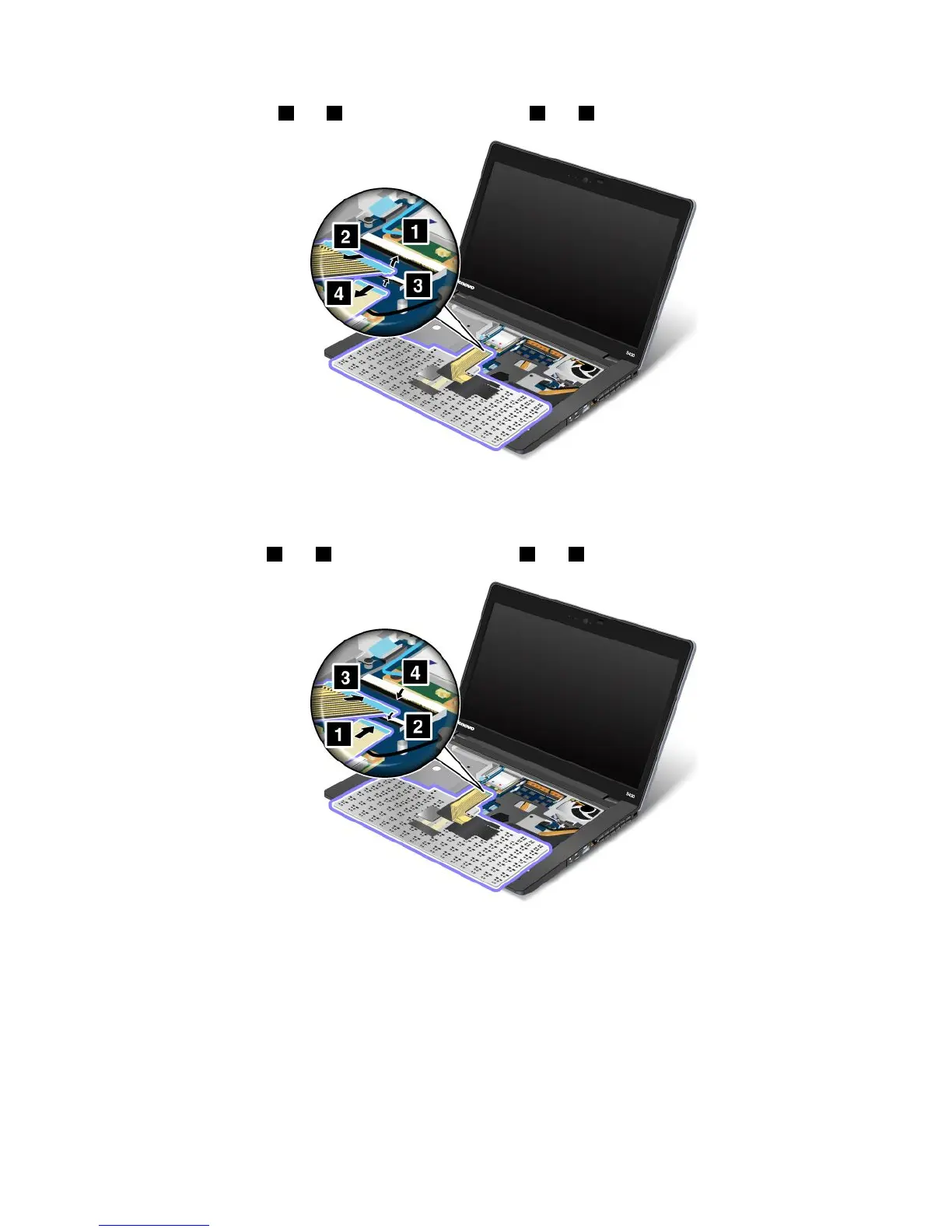
6.Removethecables2and4byippingtheconnectors1and3upwards.Removethekeyboard.
Note:Yourcomputerkeyboardmightlookdifferentfromtheillustrationabove.
Toinstallthekeyboard,dothefollowing:
1.Attachthecables1and3byippingtheconnectors2and4downwards.
Note:Yourcomputerkeyboardmightlookdifferentfromtheillustrationabove.
Chapter6.Replacingdevices73










 To Next Page