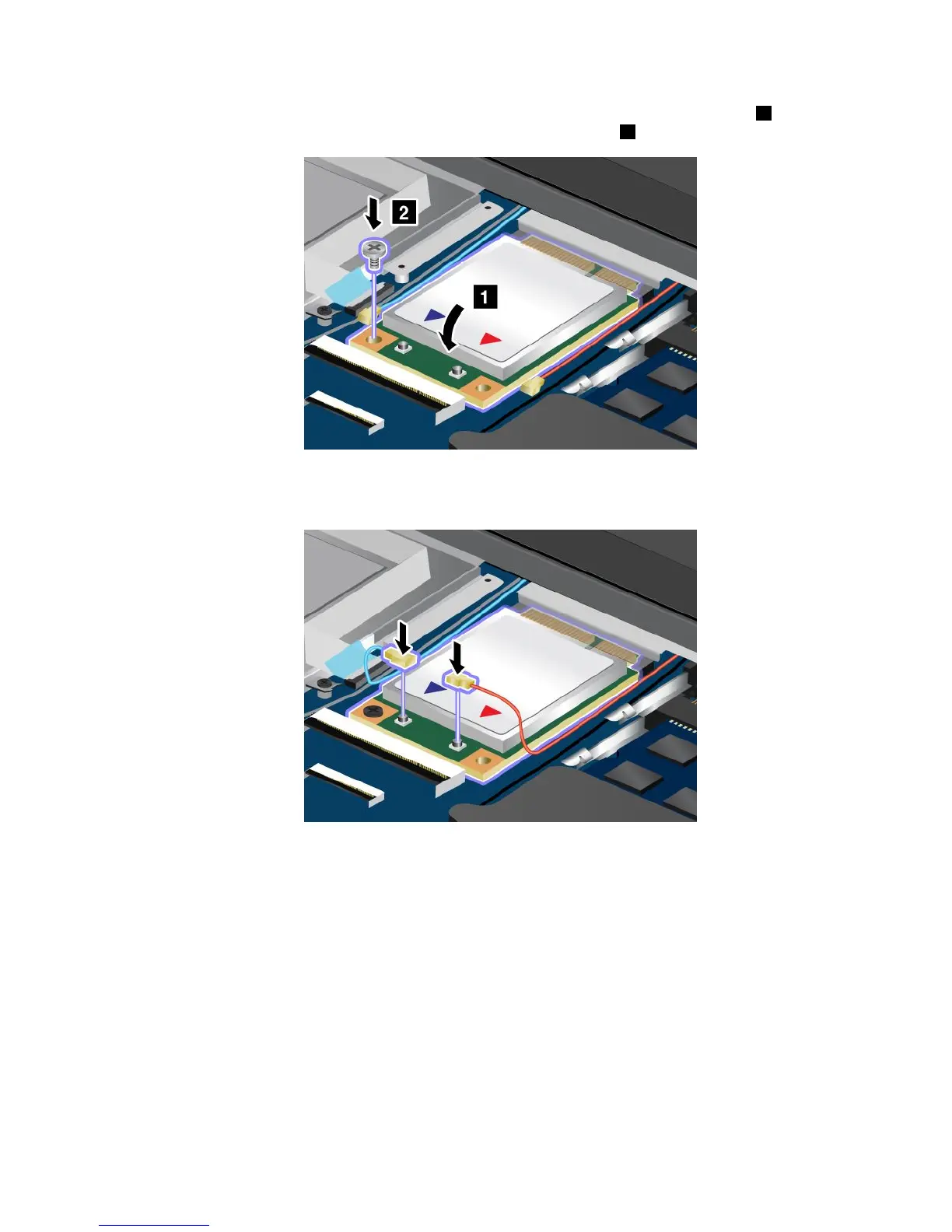
6.AlignthecontactedgeofthenewPCIExpressMiniCardwiththecorrespondingsocket1.Pivotthe
carduntilyoucansnapitintoplace.Securethecardwiththescrew2.
7.ConnecttheantennacablestothenewPCIExpressMiniCardasshowninthedrawing.Besureto
attachtheredcabletotheconnectormarked“MAIN”OR“M”onthecard,andthebluecableto
theconnectormarked“AUX”or“A”.
8.Reinstallthekeyboard.See“Replacingthekeyboard”onpage71.
9.Turnthecomputeroveragain.Connecttheacpoweradapterandallcables.
Replacingahalf-sizewirelessWANcard
Attention:BeforeyoustartinstallingaMiniPCIExpressCard,touchametaltableoragroundedmetal
object.Thisactionreducesanystaticelectricityfromyourbody.Thestaticelectricitycoulddamagethecard.
Ifyourcomputerisequippedwithahalf-sizewirelessWANcard,replacethecardbydoingthefollowing:
1.Ensurethatyouhavedisabledthebuilt-inbattery.See“Disablingthebuilt-inbattery”onpage67.
2.Turnoffthecomputer;thendisconnecttheacpoweradapterandallcablesfromthecomputer.Wait
threetoveminutestoletthecomputercool.
3.Closethecomputerdisplay,andturnthecomputerover.
4.Removethekeyboard.See“Replacingthekeyboard”onpage71.
Chapter6.Replacingdevices83










 To Next Page