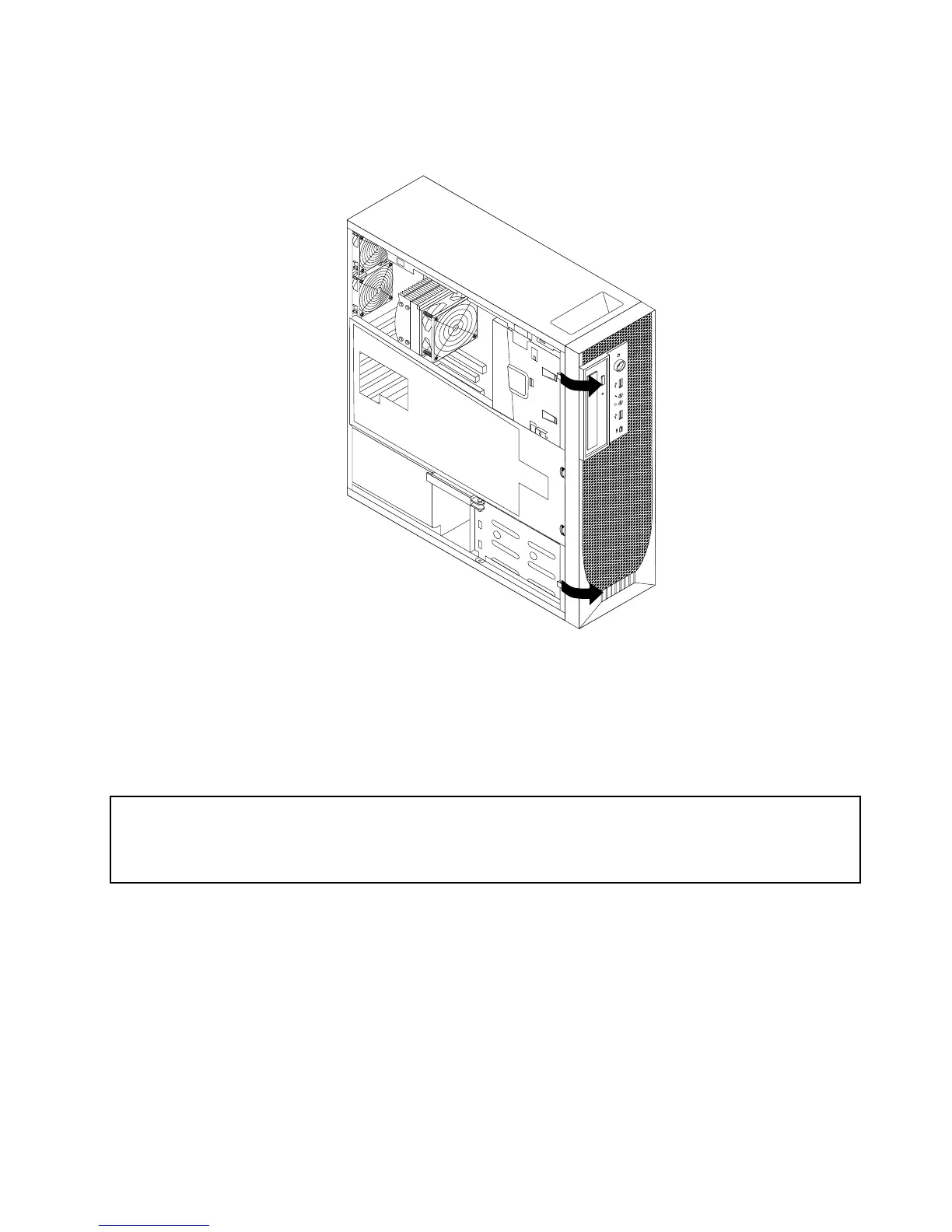
3.Removethefrontbezelbyreleasingthetwoplastictabsontheleftsideandpivotingthefrontbezel
outward.
Figure7.Removingthefrontbezel
4.Laythefrontbezelonaatsurface.
5.Toreinstallthefrontbezel,aligntheotherthreeplastictabsontherightsideofthefrontbezelwiththe
correspondingholesinthechassis,thenpivotthefrontbezelinwarduntilitsnapsintoposition.
RemovingandreinstallingthePCIcardholder
Attention:
Donotopenyourcomputerorattemptanyrepairbeforereadingandunderstandingthe“Importantsafetyinformation”
intheThinkStationSafetyandWarrantyGuidethatcamewithyourcomputer.ToobtainacopyoftheThinkStation
SafetyandWarrantyGuide,goto:
http://support.lenovo.com
ThissectionprovidesinstructionsonhowtoremoveandreinstallthePCIcardholder.
ToremoveandreinstallthePCIcardholder,dothefollowing:
1.Removeallmediafromthedrivesandturnoffallattacheddevicesandthecomputer.Then,disconnect
allpowercordsfromelectricaloutletsanddisconnectallcablesthatareconnectedtothecomputer.
2.Removethecomputercover.See“Removingthecomputercover”onpage13.
3.Removethefrontbezel.See“Removingandreinstallingthefrontbezel”onpage14.
4.Laythecomputeronitsside.
Chapter2.Installingorreplacinghardware15



 To Next Page
 Loading...












