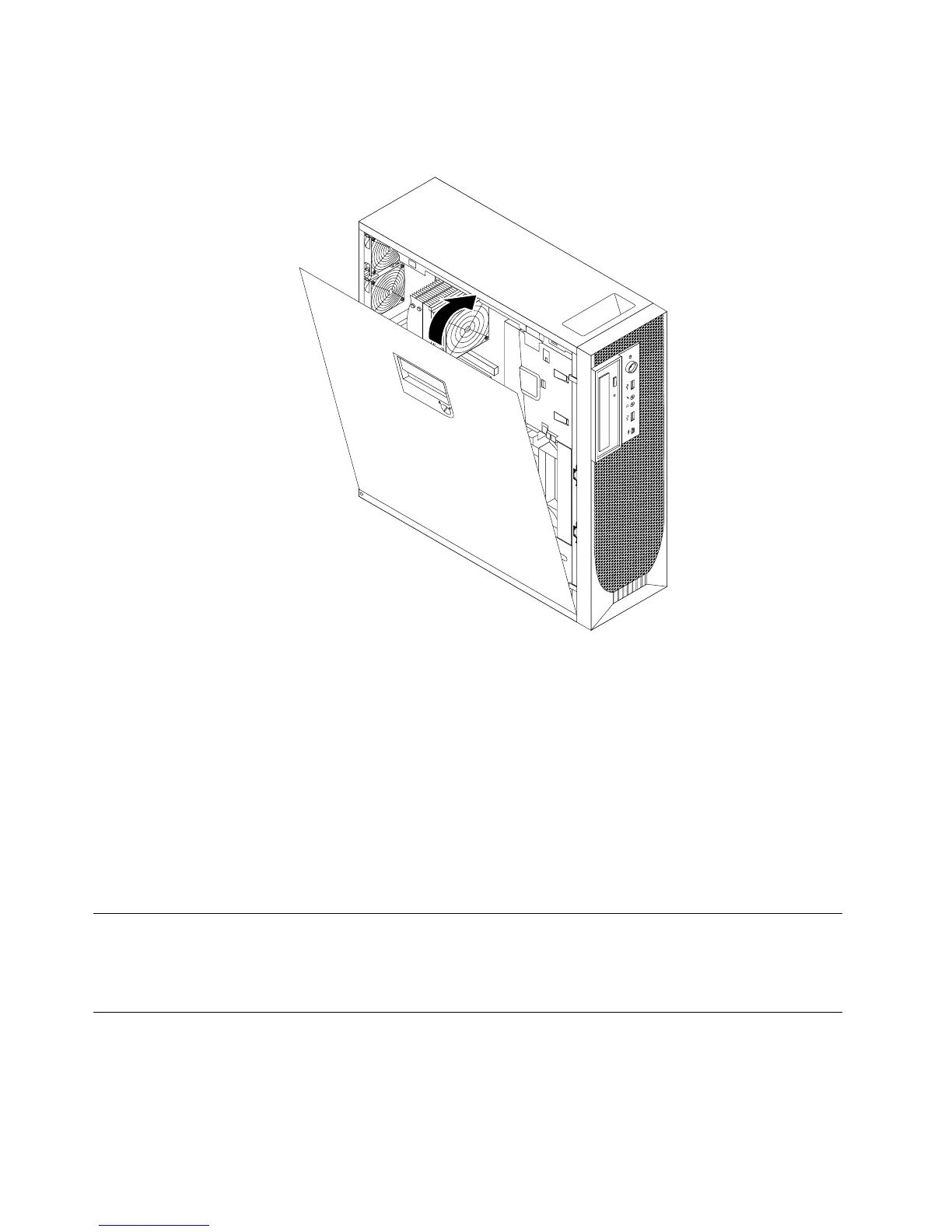
5.Positionthecomputercoveronthechassissothattherailguidesonthebottomofthecomputercover
engagewiththerailsonthechassis.Then,closethecomputercovertoengagethecover-releasebutton.
Figure34.Reinstallingthecomputercover
6.Usethekeysthatcamewithyourcomputertolockthekeylockinthecomputercover.See“Locking
devices”onpage39.
7.Lockthecomputerifyouhaveanintegratedcablelockorapadlock.See“Lockingdevices”onpage39.
8.Reconnecttheexternalcablesandpowercordtothecomputer.See“Locatingconnectorsontherear
ofyourcomputer”onpage7.
9.Dependingonthepartsyouinstalledorreplaced,youmightneedtoconrmtheupdatedinformationin
theSetupUtilityprogram.RefertoChapter4“UsingtheSetupUtilityprogram”onpage49.
Note:Inmostareasoftheworld,LenovorequiresthereturnofthedefectiveCustomerReplaceableUnit
(CRU).InformationaboutthiswillcomewiththeCRUorwillcomeafewdaysaftertheCRUarrives.
Obtainingdevicedrivers
Youcanobtaindevicedriversforoperatingsystemsthatarenotpreinstalledathttp://support.lenovo.com.
Installationinstructionsareprovidedinreadmeleswiththedevicedriverles.
Basicsecurityfeatures
Thereareseveralsecurityoptionsavailabletohelpyoupreventhardwaretheftandunauthorizedaccessto
yourcomputer.Inadditiontophysicallocks,youcanalsopreventunauthorizeduseofyourcomputerbya
softwarelockthatlocksthekeyboarduntilacorrectpasswordistypedin.
38ThinkStationUserGuide



 To Next Page
 Loading...












