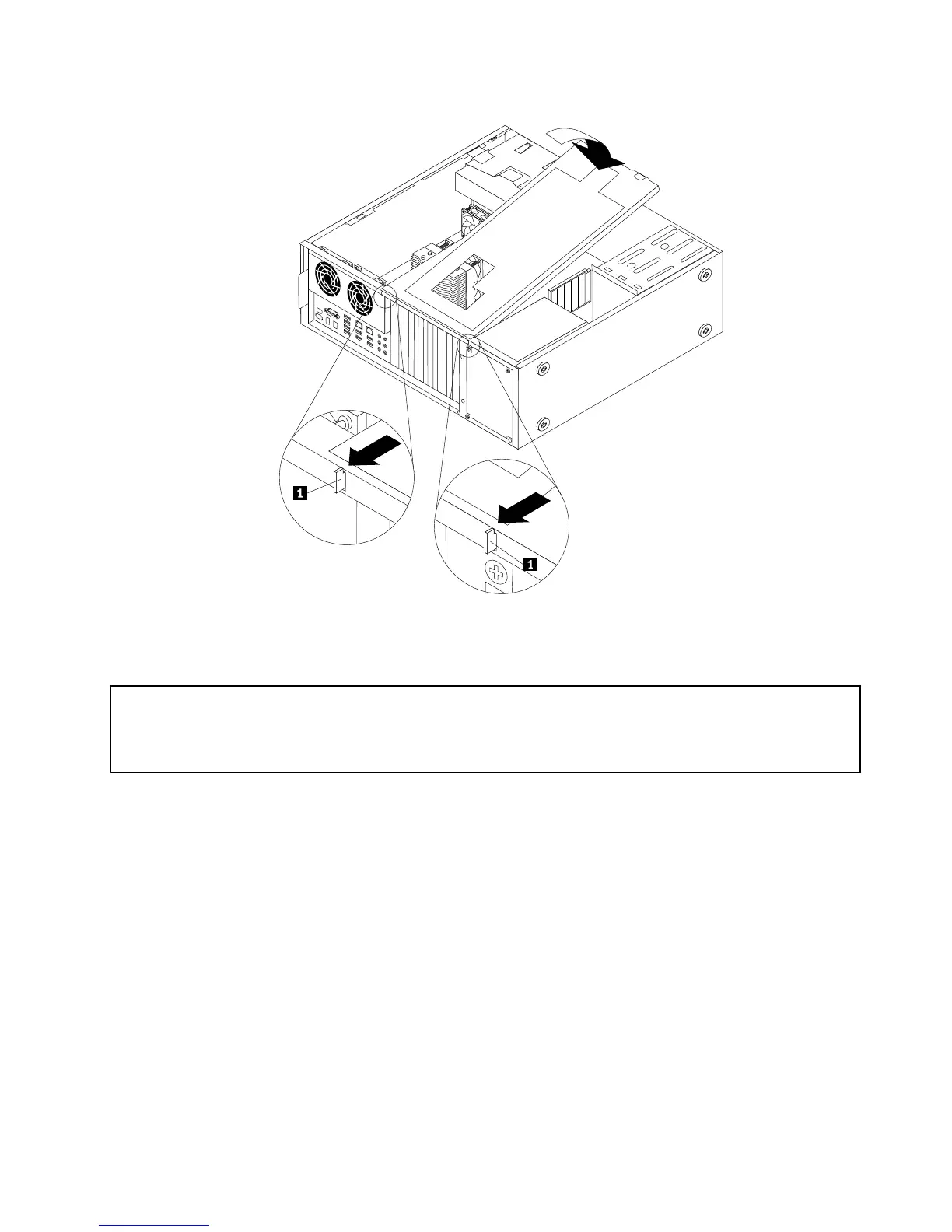
Figure9.InstallingthePCIcardholder
Installingorreplacingamemorymodule
Attention:
Donotopenyourcomputerorattemptanyrepairbeforereadingandunderstandingthe“Importantsafetyinformation”
intheThinkStationSafetyandWarrantyGuidethatcamewithyourcomputer.ToobtainacopyoftheThinkStation
SafetyandWarrantyGuide,goto:
http://support.lenovo.com
Thissectionprovidesinstructionsonhowtoinstallorreplaceamemorymodule.
Dependingonyourmodel,yourcomputerhassixor12slotsforinstallingorreplacingDDR3ECCUDIMMs
(doubledatarate3errorcorrectioncodeunbuffereddualin-linememorymodules)orDDR3ECCRDIMMs
(doubledatarate3errorcorrectioncoderegistereddualin-linememorymodules).See“Locatingparts
andconnectorsonthesystemboard”onpage9.
Wheninstallingorreplacingmemorymodules,usethefollowingguidelines:
•UseeitherDDR3ECCUDIMMsorDDR3ECCRDIMMsforyourcomputer.Donotinstallboththe
UDIMMsandRDIMMsintothesamecomputer.
•Use1GB,2GB,or4GBUDIMMsinanycombinationuptoamaximumof24GBor48GBofsystem
memory.
•Use1GB,2GB,4GB,8GB,or16GBRDIMMsinanycombinationuptoamaximumof96GBor
192GBofsystemmemory.
•AlwaysinstallDIMMsinthenumericalorderprintedonthesystemboard(DIMM1,DIMM2,DIMM3,and
soon).Installmemorymodulesintothebluememoryslotsrst.
Chapter2.Installingorreplacinghardware17



 To Next Page
 Loading...












