Note:Y oumightneedtodisconnectpowercablesforotherharddiskdrivesinstalledinyourcomputer
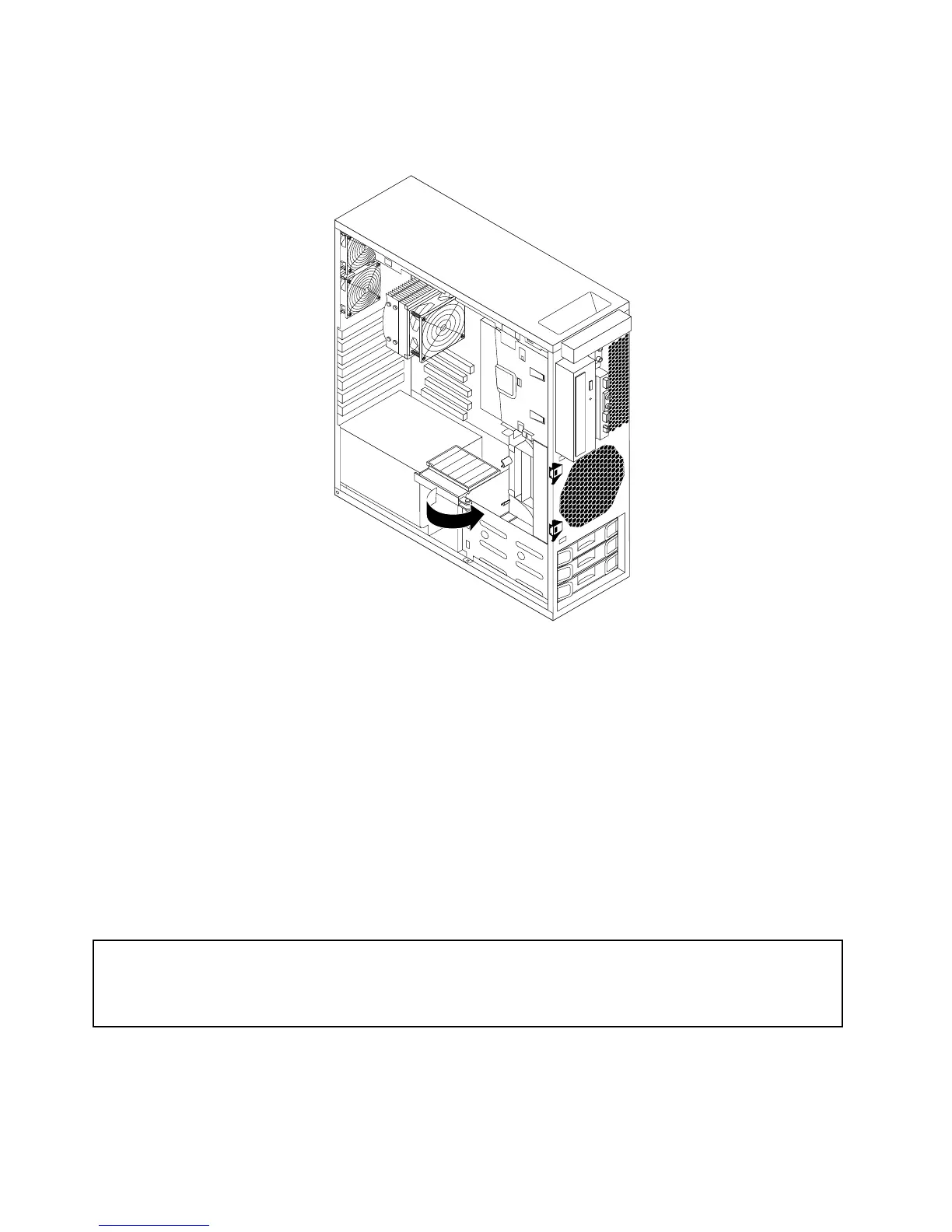
andthenrotatetheairowwalloutwardforeasieraccesstotherearofthenewharddiskdrive.
Figure22.Rotatingtheairowwall
10.Connecttheotherendofthesignalcabletooneoftheavailableharddiskdriveconnectorsonthe
systemboard.See“Locatingpartsandconnectorsonthesystemboard”onpage9.
11.Reconnectallharddiskdrivepowercablesthatyouhaveremovedandthenrotatetheairowwall
inwardintothecomputer.
12.Reinstallthefrontbezel.See“Removingandreinstallingthefrontbezel”onpage14.
13.ReinstallthePCIcardholder.See“RemovingandreinstallingthePCIcardholder”onpage15.
Whattodonext:
•Toworkwithanotherpieceofhardware,gototheappropriatesection.
•Tocompletetheinstallationorreplacement,goto“Completingthepartsreplacement”onpage37.
Replacingaharddiskdrive
Attention:
Donotopenyourcomputerorattemptanyrepairbeforereadingandunderstandingthe“Importantsafetyinformation”
intheThinkStationSafetyandWarrantyGuidethatcamewithyourcomputer.ToobtainacopyoftheThinkStation
SafetyandWarrantyGuide,goto:
http://support.lenovo.com
Thissectionprovidesinstructionsonhowtoreplaceaharddiskdrive.
Toreplaceaharddiskdrive,dothefollowing:
26ThinkStationUserGuide



 To Next Page
 Loading...












