5.RemovethenewPCIcardfromitsstatic-protectivepackage.
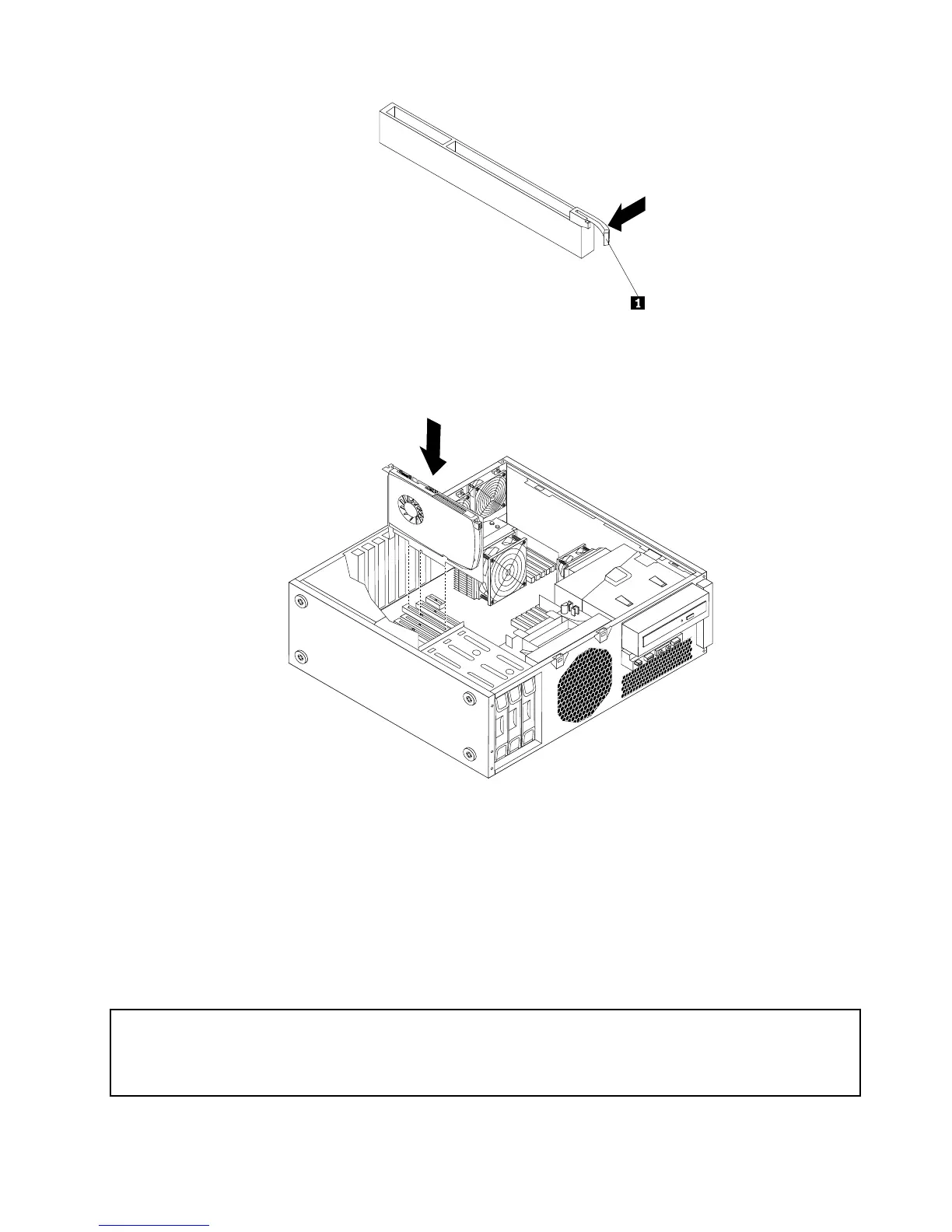
6.InstallthenewPCIcardintotheappropriateslotonthesystemboard.See“Locatingpartsand
connectorsonthesystemboard”onpage9.
Figure17.InstallinganewPCIcard
7.ReinstallthePCIcardholderintothechassis.See“RemovingandreinstallingthePCIcardholder”
onpage15.
Whattodonext:
•Toworkwithanotherpieceofhardware,gototheappropriatesection.
•Tocompletetheinstallationorreplacement,goto“Completingthepartsreplacement”onpage37.
Installinganewharddiskdrive
Attention:
Donotopenyourcomputerorattemptanyrepairbeforereadingandunderstandingthe“Importantsafetyinformation”
intheThinkStationSafetyandWarrantyGuidethatcamewithyourcomputer.ToobtainacopyoftheThinkStation
SafetyandWarrantyGuide,goto:
http://support.lenovo.com
Chapter2.Installingorreplacinghardware23



 To Next Page
 Loading...












