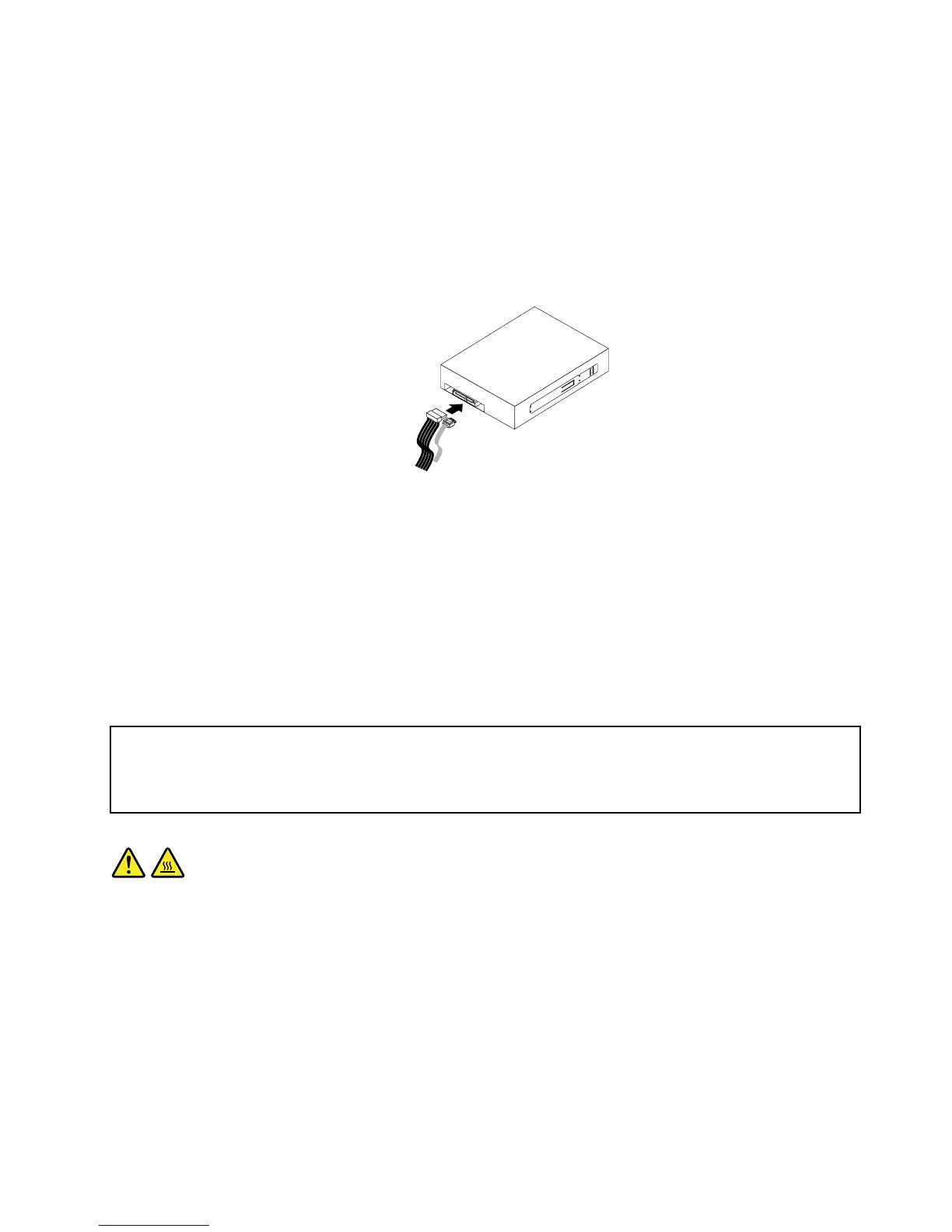
6.Connectthesignalcableandthepowercabletotherearofthenewopticaldrive.
a.Connectthesignalcabletotherearofthenewopticaldrive.
Note:Ifyouwanttoreplacethesignalcable,removethePCIcardholder.See“Removingand
reinstallingthePCIcardholder”onpage15.Then,disconnecttheoldsignalcablefromthesystem
board.Connectoneendofthenewsignalcabletotheopticaldriveandtheotherendtoanavailable
SATAconnectoronthesystemboard.See“Locatingpartsandconnectorsonthesystemboard”
onpage9.
b.Locateanavailableve-wirepowerconnectorandconnectittothenewopticaldrive.
Figure26.Connectinganewopticaldrive
7.ReinstallthePCIcardholderintothechassisifyouhaveremovedit.See“Removingandreinstallingthe
PCIcardholder”onpage15.
8.Reinstallthefrontbezel.See“Removingandreinstallingthefrontbezel”onpage14.
Whattodonext:
•Toworkwithanotherpieceofhardware,gototheappropriatesection.
•Tocompletetheinstallationorreplacement,goto“Completingthepartsreplacement”onpage37
.
Replacingtheheatsinkandfanassembly
Attention:
Donotopenyourcomputerorattemptanyrepairbeforereadingandunderstandingthe“Importantsafetyinformation”
intheThinkStationSafetyandWarrantyGuidethatcamewithyourcomputer.ToobtainacopyoftheThinkStation
SafetyandWarrantyGuide,goto:
http://support.lenovo.com
CAUTION:
Theheatsinkandfanassemblymightbeveryhot.Turnoffthecomputerandwaitthreetove
minutestoletthecomputercoolbeforeremovingthecomputercover.
Thissectionprovidesinstructionsonhowtoreplacetheheatsinkandfanassembly.
Toreplacetheheatsinkandfanassembly,dothefollowing:
1.Removeallmediafromthedrivesandturnoffallattacheddevicesandthecomputer.Then,disconnect
allpowercordsfromelectricaloutletsanddisconnectallcablesthatareconnectedtothecomputer.
2.Removethecomputercover.See“Removingthecomputercover”onpage13.
3.RemovethePCIcardholder.See“RemovingandreinstallingthePCIcardholder”onpage15.
4.Yourcomputersupportstwoheatsinkandfanassemblies.Locatetheheatsinkandfanassemblyyou
wanttoreplace.See“Locatingcomponents”onpage8.
Chapter2.Installingorreplacinghardware29



 To Next Page
 Loading...












