Note:Yourcomputersupportstworearfanassemblies.
Toreplacetherearfanassembly,dothefollowing:
1.Removeallmediafromthedrivesandturnoffallattacheddevicesandthecomputer.Then,disconnect
allpowercordsfromelectricaloutletsanddisconnectallcablesthatareconnectedtothecomputer.
2.Removethecomputercover.See“Removingthecomputercover”onpage13.
3.Removethefrontbezel.See“Removingandreinstallingthefrontbezel”onpage14.
4.RemovethePCIcardholderforeasieraccesstotherearfanassembly.See“Removingandreinstalling
thePCIcardholder”onpage15.
5.Yourcomputersupportstworearfanassemblies.Locatetherearfanassemblyyouwanttoreplace.
See“Locatingcomponents”onpage8.
6.Disconnecttherearfanassemblycablefromtheappropriaterearfanconnectoronthesystemboard.
See“Locatingpartsandconnectorsonthesystemboard”onpage9.
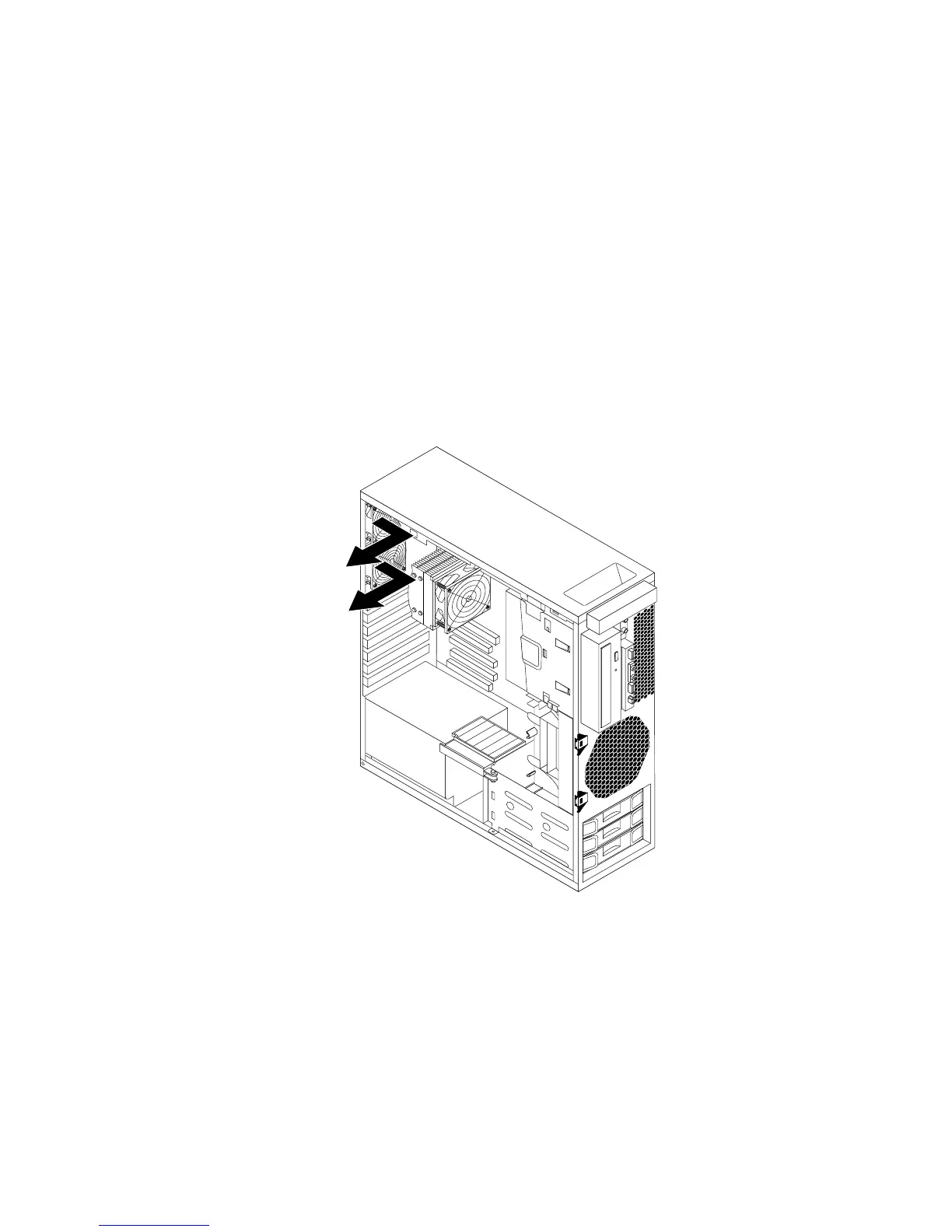
7.Therearfanassemblyisattachedtothechassisbyfourrubbermounts.Removetherearfanassembly
bybreakingorcuttingtherubbermountsandgentlypullingtherearfanassemblyoutofthechassis.
Figure31.Removingtherearfanassembly
8.Installthenewrearfanassemblybyaligningthenewrubbermountswiththecorrespondingholesinthe
chassisandpushtherubbermountsthroughtheholes.
Note:Thenewrearfanassemblyyoureceivedwillhavefournewrubbermountsattached.
Chapter2.Installingorreplacinghardware35



 To Next Page
 Loading...












