• Wi-Fi card
• Wi-Fi card shield
* for selected models
Replace a CRU
Follow the replacement procedure to replace a CRU.
Computer cover
Prerequisite
Before you start, read Appendix A “Important safety information” on page 79 and print the following
instructions.
Before you open the computer cover, turn off the computer and wait several minutes until the computer is
cool.
Replacement procedure
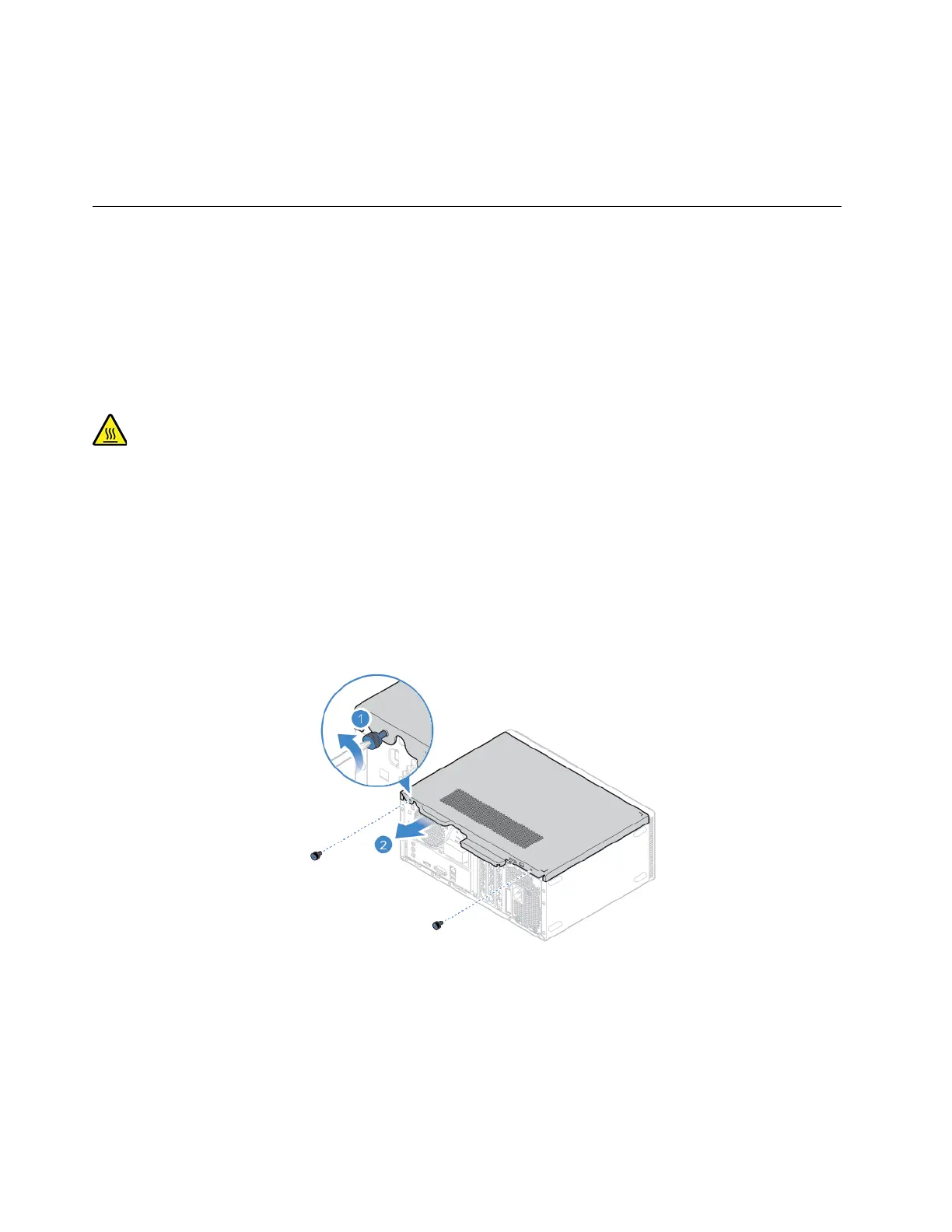
1. Turn off the computer and remove all connected devices and cables.
2. Unlock any locking device that secures the computer cover. See “Lock the computer” on page 17.
3. Remove the computer cover.
42 Lenovo V55t-15API User Guide


 To Next Page