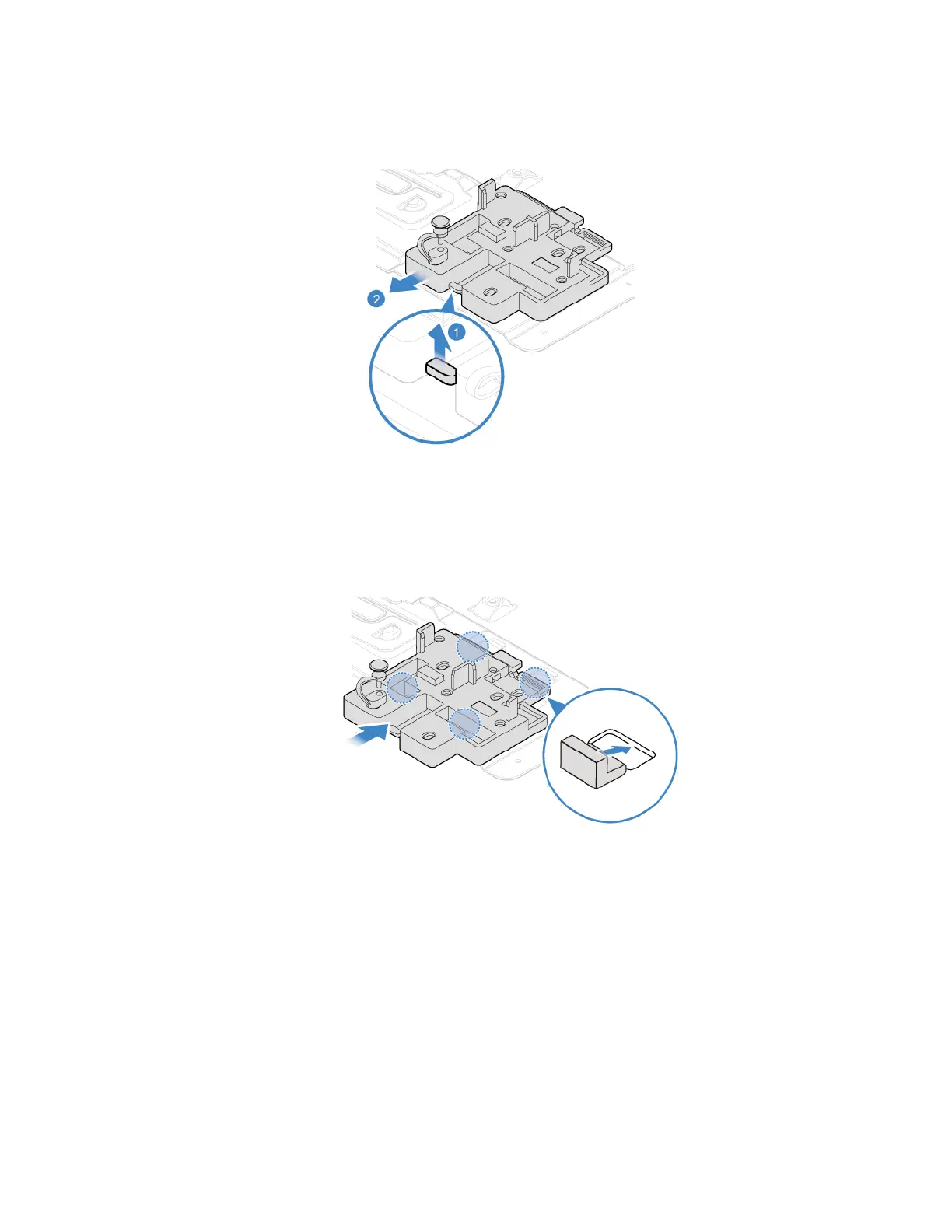
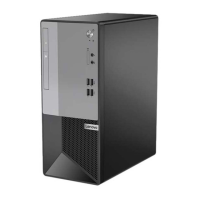
6. Install the M.2 solid-state drive bracket.
7. Reinstall all removed parts. Then, reconnect the power cord and all disconnected cables to the
computer.
Power supply assembly
Prerequisite
Before you start, read Appendix A “Important safety information” on page 79 and print the following
instructions.
Although there are no moving parts in your computer after the power cord has been disconnected, the
following warnings are required for your safety and proper Underwriters Laboratories (UL) certification.
Chapter 7. CRU replacement 71


 To Next Page