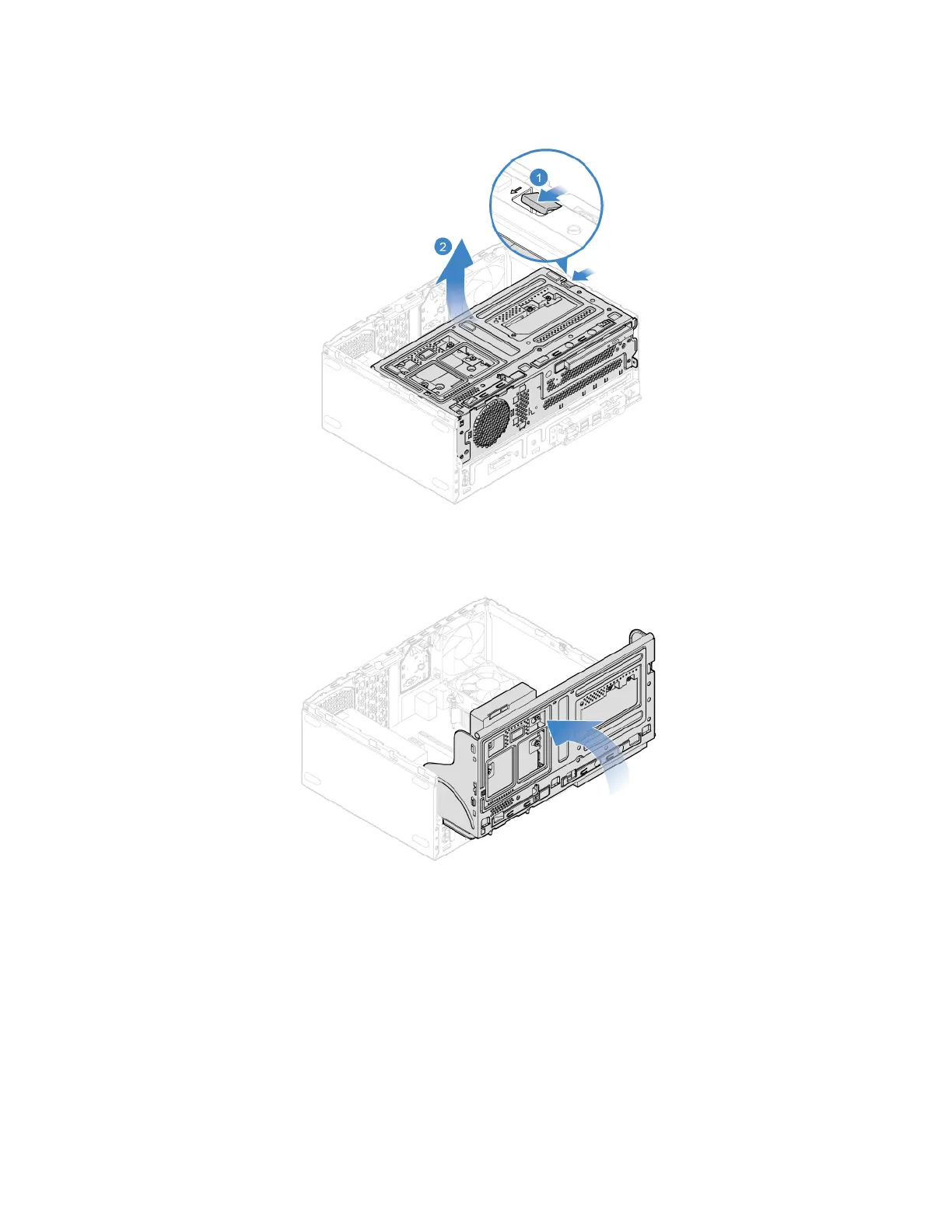
3. Pivot the drive bay assembly upward and downward.
4. Reinstall the removed parts
5. Reconnect the power cord and all disconnected cables to the computer.
Note: If a locking device is available, use it to lock the computer.
3.5-inch Storage drive
Prerequisite
Before you start, read Appendix A “Important safety information” on page 79 and print the following
instructions.
50
Lenovo V55t-15API User Guide


 To Next Page