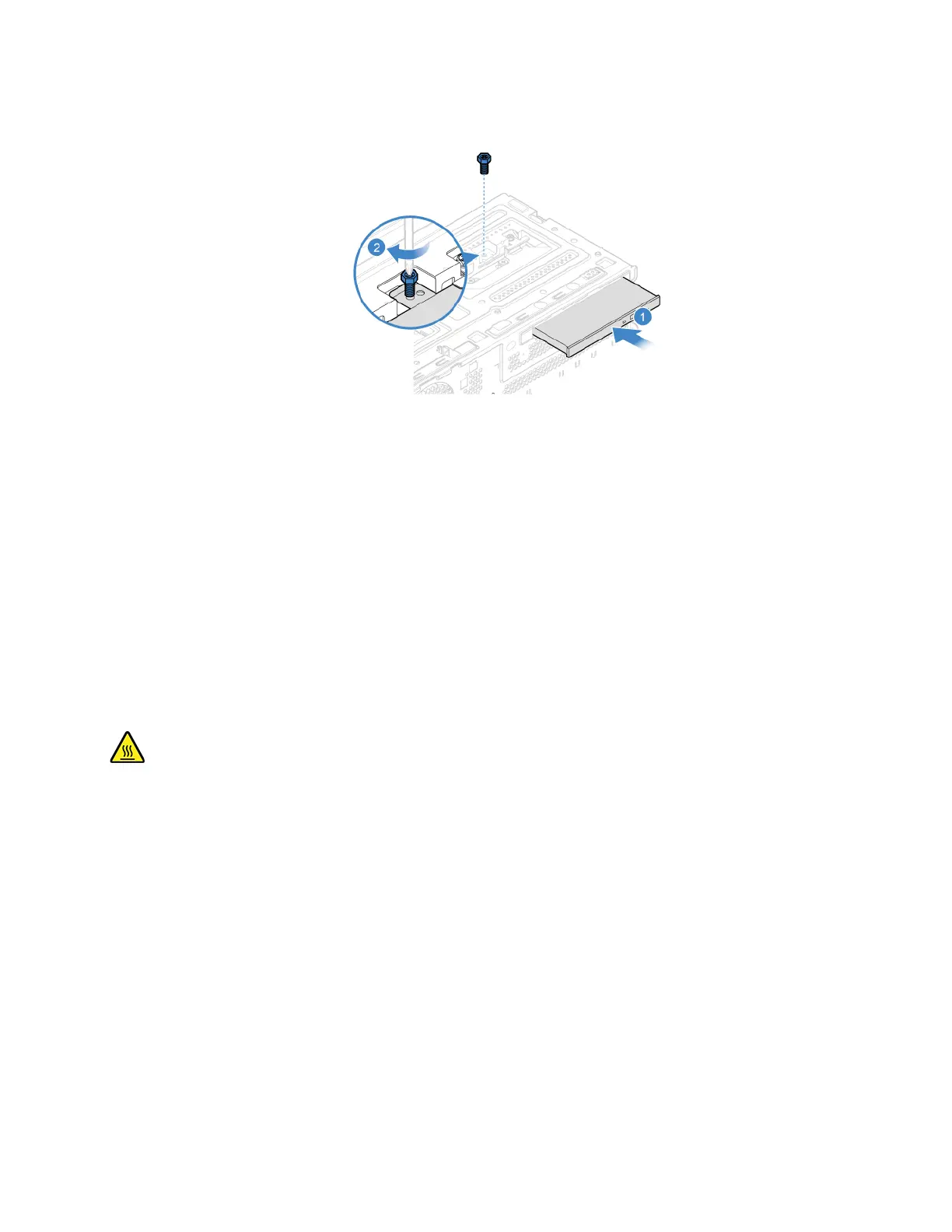
5. Connect the signal cable and the power cable to the new optical drive.
6. Reinstall the removed parts
7. Reconnect the power cord and all disconnected cables to the computer.
Note: If a locking device is available, use it to lock the computer.
Optical drive bracket (for selected models)
Prerequisite
Before you start, read Appendix A “Important safety information” on page 79 and print the following
instructions.
Before you open the computer cover, turn off the computer and wait several minutes until the computer is
cool.
Replacement procedure
1. Remove the computer cover. See “Computer cover” on page 42.
2. Remove the front bezel. See “Front bezel” on page 43.
3. Remove the optical drive. See “Optical drive (for selected models)” on page 45.
Chapter 7. CRU replacement 47


 To Next Page