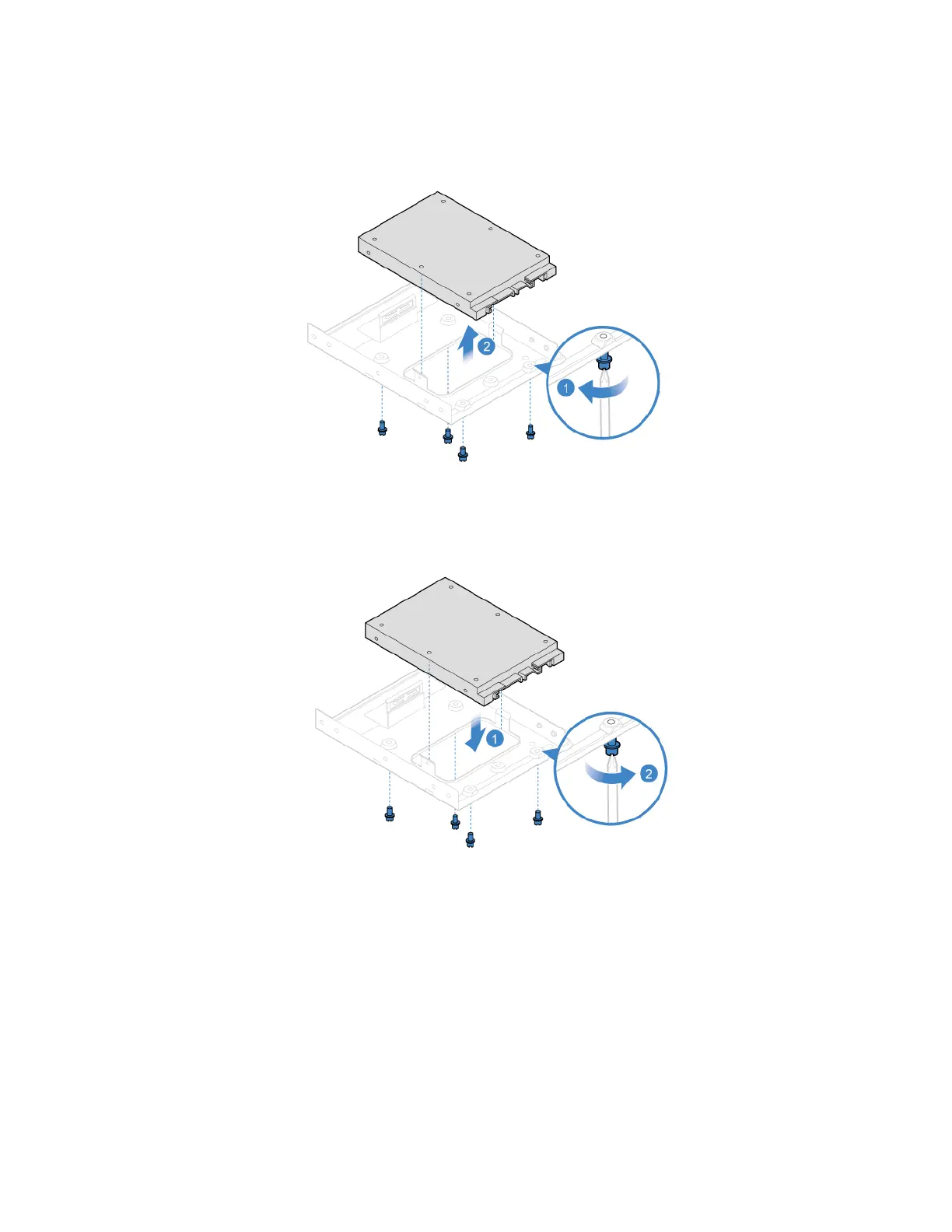
7. Replace the 2.5-inch storage drive in the storage converter.
8. Reinstall the storage converter with the 2.5-inch storage drive.
9. Connect the signal cable and the power cable to the new storage drive.
10. Reinstall all removed parts. Then, reconnect the power cord and all disconnected cables to the
computer.
Memory module
Prerequisite
Before you start, read Appendix A “Important safety information” on page 79 and print the following
instructions.
54
Lenovo V55t-15API User Guide


 To Next Page