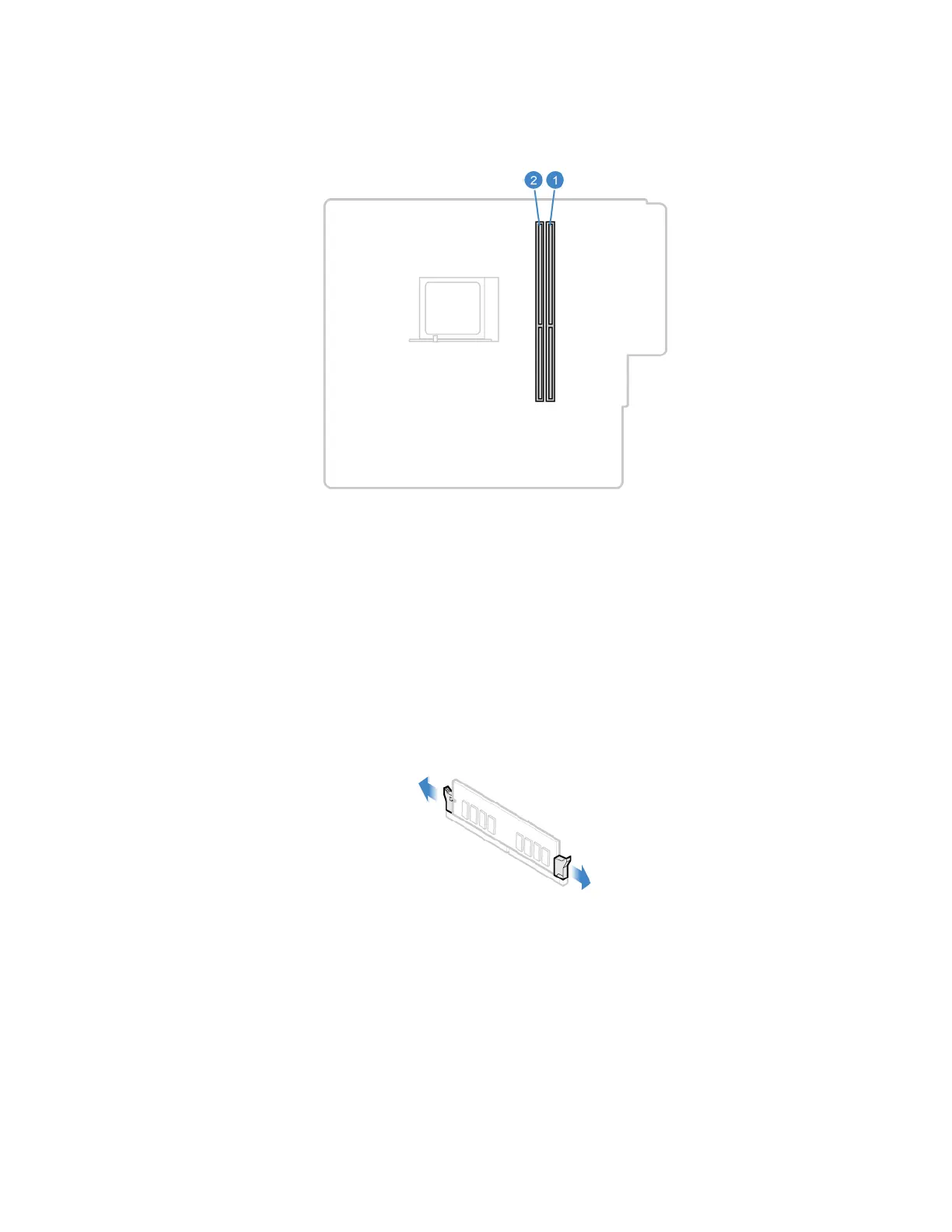
Ensure that you follow the installation order for memory modules shown in the following illustration.
Replacement procedure
1. Remove the computer cover. See “Computer cover” on page 42.
2. Remove the front bezel. See “Front bezel” on page 43.
3. Pivot the drive bay assembly upward. See “Drive bay assembly” on page 49.
4. Remove a memory module.
Chapter 7. CRU replacement 55


 To Next Page