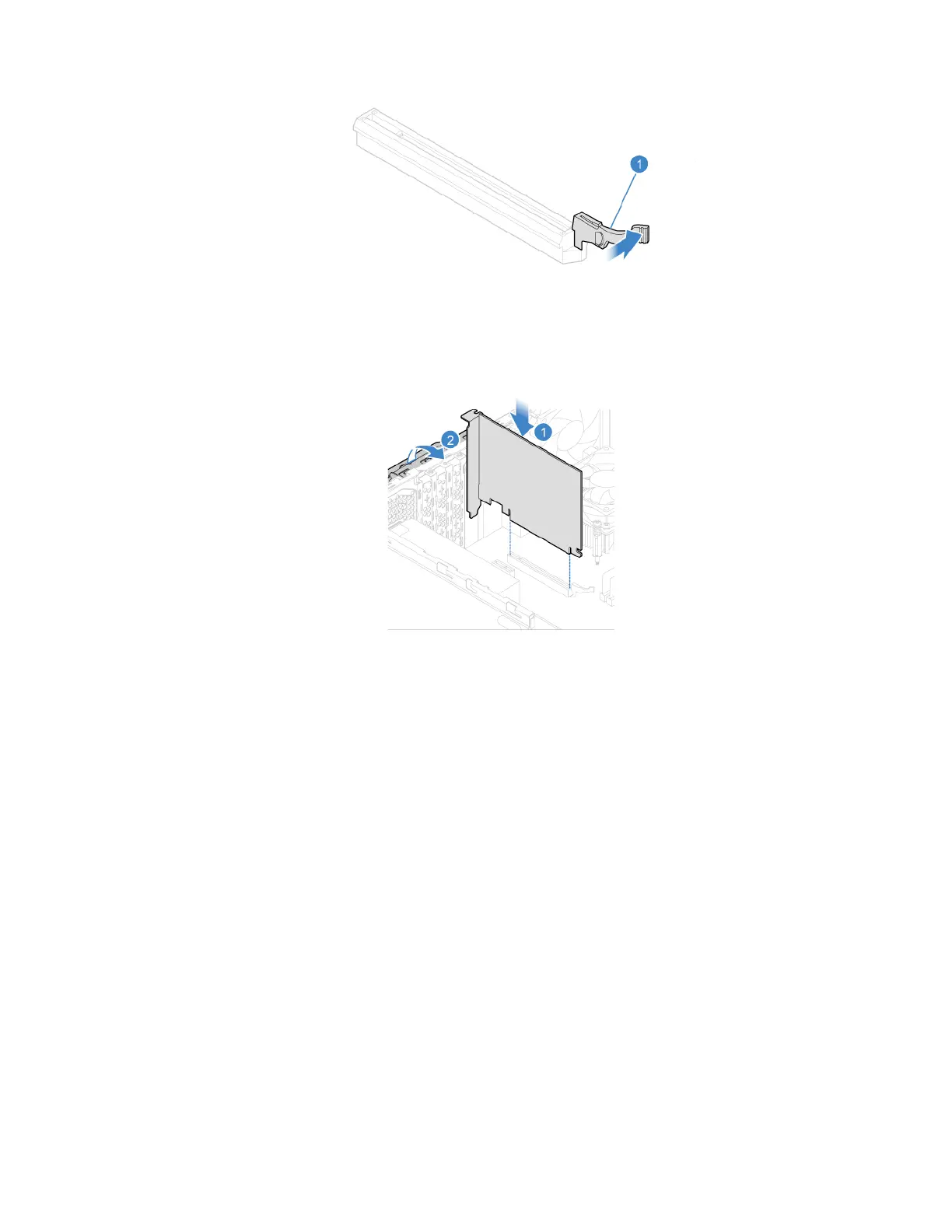
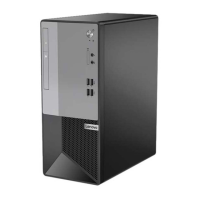
5. Install a PCI Express card.
6. Reinstall all removed parts. Then, reconnect the power cord and all disconnected cables to the
computer.
Wi-Fi card
Prerequisite
Before you start, read Appendix A “Important safety information” on page 79 and print the following
instructions.
Replacement procedure
1. Remove the computer cover. See “Computer cover” on page 42.
2. Remove the front bezel. See “Front bezel” on page 43.
3. Pivot the drive bay assembly upward. See “Drive bay assembly” on page 49.
4. Depending on your computer model, refer to one of the following to replace the Wi-Fi card.
• Type 1
Chapter 7. CRU replacement 61


 To Next Page