CAUTION:
Never remove the cover on a power supply or any part that has the following label attached.
Hazardous voltage, current, and energy levels are present inside any component that has this label
attached. There are no serviceable parts inside these components. If you suspect a problem with one
of these parts, contact a service technician.
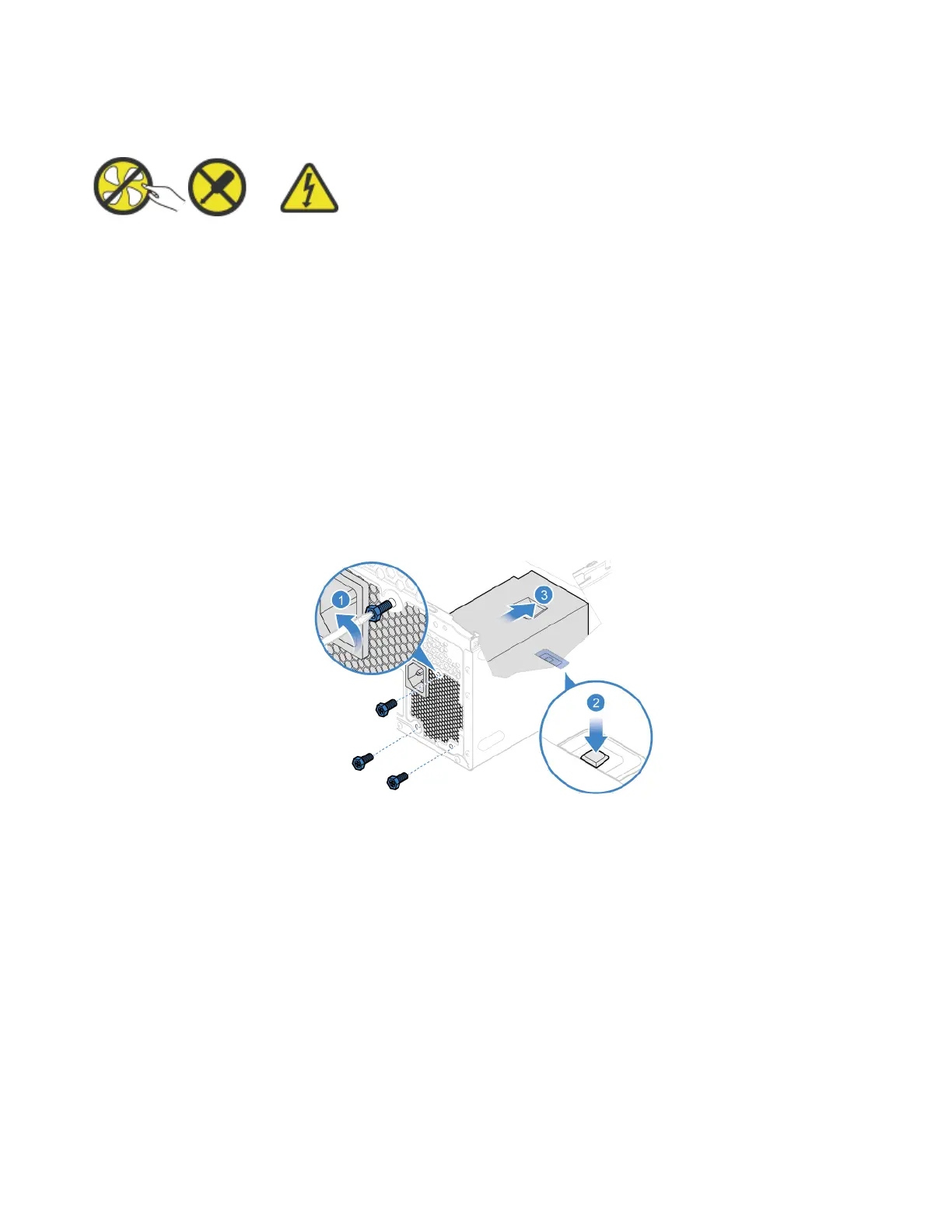
Replacement procedure
1. Remove the computer cover. See “Computer cover” on page 42.
2. Remove the front bezel. See “Front bezel” on page 43.
3. Pivot the drive bay assembly upward. See “Drive bay assembly” on page 49.
4. Disconnect the power supply assembly cables from the system board.
5. Remove the power supply assembly.
6. Install the power supply assembly.
72
Lenovo V55t-15API User Guide


 To Next Page
 Loading...