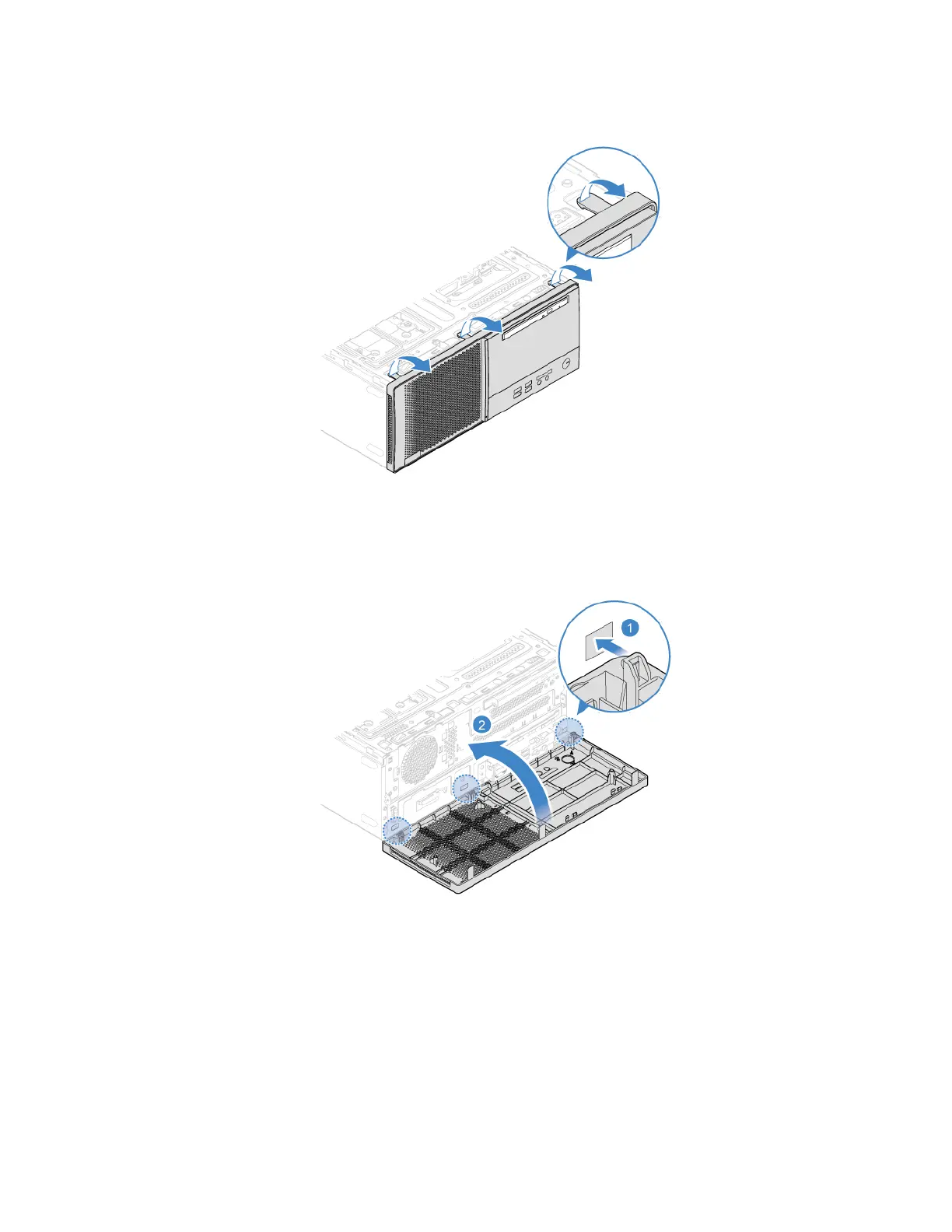
2. Remove the front bezel.
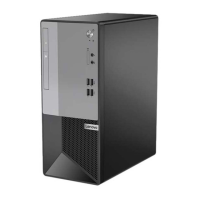
3. Install the front bezel.
4. Reinstall the computer cover. See “Computer cover” on page 42.
5. Reconnect the power cord and all disconnected cables to the computer.
Note: If a locking device is available, use it to lock the computer.
44
Lenovo V55t-15API User Guide


 To Next Page