The coin-cell battery normally requires no charging or maintenance throughout its life; however, no coin-cell
battery lasts forever. If the coin-cell battery fails, the date, time, and configuration information (including
passwords) is lost. An error message is displayed when you turn on the computer.
Replacement procedure
1. Remove the computer cover. See “Computer cover” on page 42.
2. Remove the front bezel. See “Front bezel” on page 43.
3. Pivot the drive bay assembly upward. See “Drive bay assembly” on page 49.
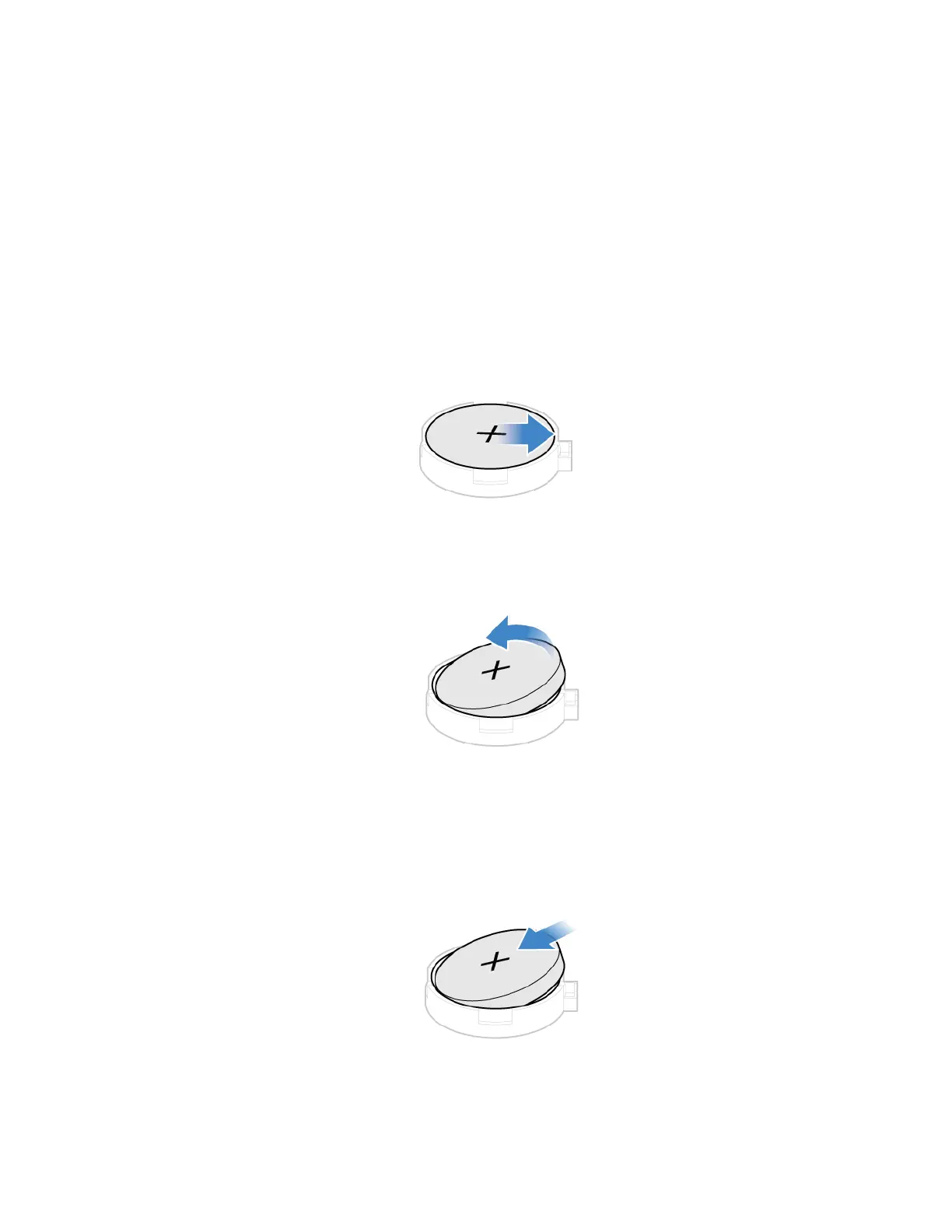
4. Remove the coin-cell battery.
5. Install the coin-cell battery.
Chapter 7. CRU replacement 59


 To Next Page