EasyManua.ls Logo

Lenze E82MV152_4B - User Manual

Lenze E82MV152_4B
270 pages
Print Icon
To Next Page IconTo Next Page
Loading...
L
Operating Instructions
EDB82MV752
.5eI
Global Drive
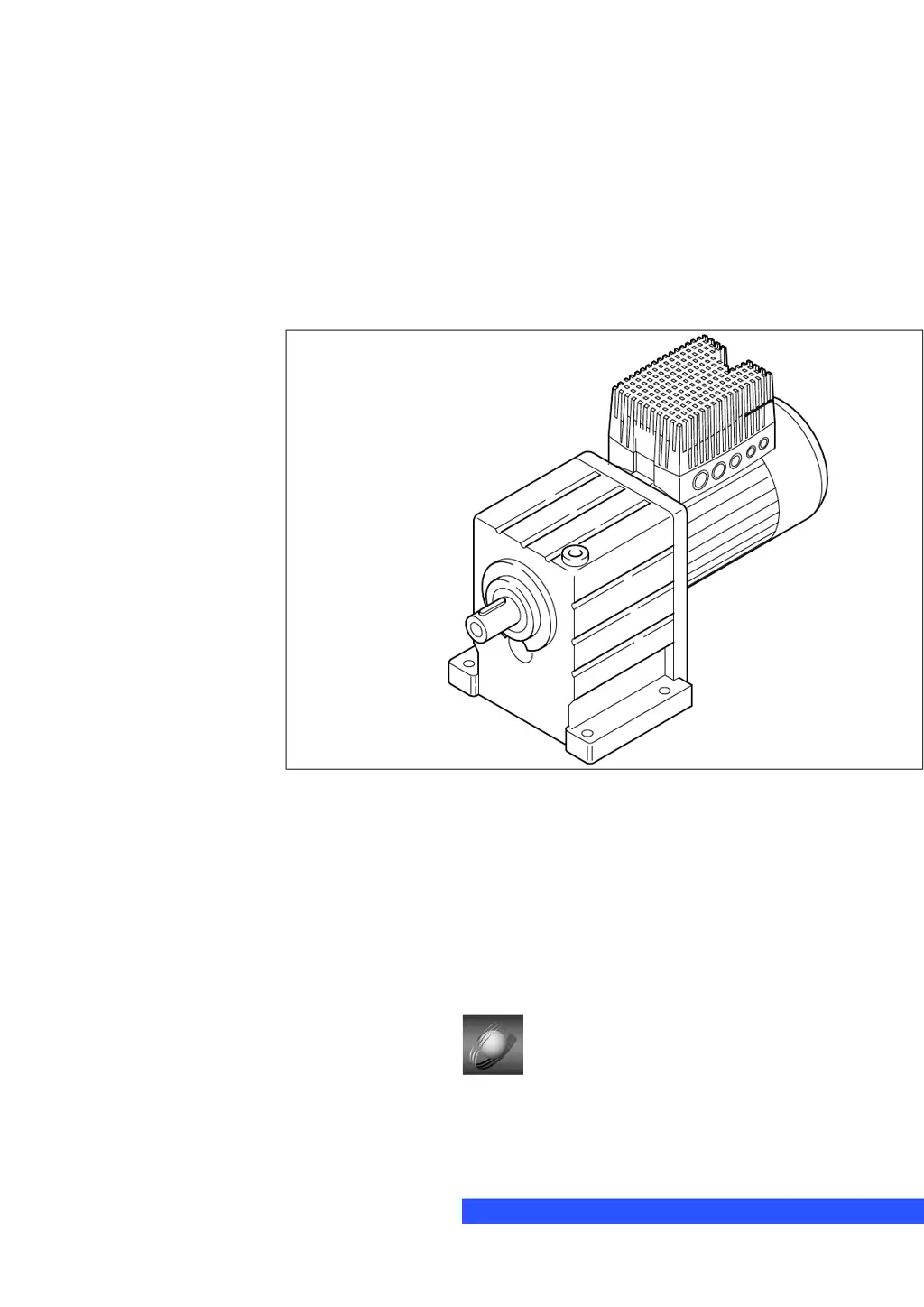
8200 motec frequency inverter
0.25 kW ... 7.5 kW
Ä.5eIä

Table of Contents

Questions and Answers

  • M
    Meghan BenitezAug 20, 2025
    What to do if Lenze DC Drives controller does not transmit telegrams?
    • J
      Jeffrey ShafferAug 20, 2025
      If the Lenze DC Drives controller does not transmit telegrams, first check if the yellow LED TxD is blinking. If it's not, verify the LECOM baud rate (C0125) of both nodes and adjust them to be the same if needed. Avoid using device addresses 00, 10, ..., 90. If the yellow LED TxD is blinking, then check the wiring to the host.
  • T
    toddlewisAug 22, 2025
    What to do if Lenze DC Drives controller does not receive any telegrams?
    • C
      courtneymontgomeryAug 22, 2025
      If the Lenze DC Drives controller does not receive telegrams, and the yellow LED RxD is not blinking, check the wiring to the host. Also, ensure that the host is transmitting telegrams using the correct interface. You can test this by having the host transmit telegrams cyclically, for example, with GDC in online operation.
  • M
    Margaret WhiteAug 25, 2025
    Why Lenze DC Drives motor does not rotate?
    • G
      gloganAug 25, 2025
      If the motor does not rotate when using Lenze DC Drives, it could be due to several reasons. Here are some things to check: * The DC-bus voltage may be too low, so check the mains voltage. * The controller may be inhibited, so remove the controller inhibit. * The quick stop may be active, so remove the quick stop. * The setpoint may be 0, so select a setpoint. * An active fault may be present, so eliminate the fault.
  • V
    Vanessa ColemanAug 26, 2025
    How to fix Lenze DC Drives motor that does not rotate smoothly?
    • S
      ssilvaAug 26, 2025
      If your Lenze DC Drives motor isn't rotating smoothly, start by checking the motor cable for any defects. Also, make sure that the maximum current settings (C0022, C0023) are appropriately adapted to the application.
  • Q
    qpetersAug 27, 2025
    How to troubleshoot no communication with Lenze DC Drives controller?
    • V
      Victoria StricklandAug 27, 2025
      If the Lenze DC Drives controller is switched off, supply the controller with voltage. If the communication module has no voltage, check the connection with the controller.
  • E
    eandersonAug 29, 2025
    Why Lenze DC Drives controller transmits positive acknowledgement but does not execute write request?
    • M
      mguerraAug 30, 2025
      If the Lenze DC Drives controller transmits a positive acknowledgement (ACK response) but does not execute the write request, it might be operating with a different parameter set. Try changing over to the correct parameter set.
  • R
    Richard GouldAug 31, 2025
    What to do if Lenze DC Drives motor does not rotate because automatic start is inhibited?
    • M
      Melissa FischerAug 31, 2025
      If the motor does not rotate when using Lenze DC Drives and the automatic start is inhibited, correct the start condition (C0142). Apply a LOW-HIGH edge at X3/28 if necessary.
  • C
    Christopher LarsonSep 2, 2025
    What to do if Lenze DC Drives motor does not rotate because DC injection brake is active?
    • J
      Joan DavisSep 2, 2025
      If the Lenze DC Drives motor does not rotate and the DC injection brake (DCB) is active, deactivate the DC injection brake.
  • I
    Isaiah StephensSep 4, 2025
    What to do if Lenze DC Drives motor does not rotate because mechanical motor brake is not released?
    • R
      Robert MarshallSep 4, 2025
      If the Lenze DC Drives motor does not rotate and the mechanical motor brake is not released, manually or electrically release the mechanical motor brake.
  • L
    Lauren AguilarSep 6, 2025
    What to do if Lenze DC Drives motor does not rotate because JOG frequency is 0?
    • J
      Jesse CobbSep 6, 2025
      If the Lenze DC Drives motor does not rotate and the JOG setpoint is activated but the JOG frequency is 0, select a JOG setpoint (C0037 ... C0039).

Summary

1 Preface and general information

2 Safety information

2.1 General safety and application instructions for Lenze controllers

Provides essential safety guidelines for installing and operating Lenze controllers.

2.2 General safety and application instructions for Lenze motors

Details safety precautions and application guidelines specific to Lenze motors.

2.3 Residual hazards

Lists residual hazards associated with the product and how to avoid them.

3 Technical data

4 Installation

4.1 Mechanical installation

Covers important notes and mechanical design aspects for installing the inverter.

4.2 Electrical installation

Details important notes for electrical installation, including protection, EMC, and power/control connections.

5 Commissioning

5.1 Before you start

Outlines necessary checks and important drive parameters to set before enabling the controller.

5.2 Before switching on

Details a special commissioning procedure after long-time storage due to DC-bus capacitors.

5.2.2 Changing and saving parameters

Describes the step-by-step process for changing and saving parameters using the keypad.

5.3 Selection of the correct control mode

Helps select the appropriate control mode (V/f, vector, sensorless torque) for standard applications.

6 Parameter setting

6.2 Parameter setting via keypad

Describes how to set parameters using the E82ZBB diagnosis terminal keyboard.

7 Function library

7.2 Optimising the operating behaviour

Covers methods for optimizing drive performance, including slip compensation and frequency settings.

7.3 Behaviour in the event of mains switching, mains failure or controller inhibit

Describes controller behavior during mains switching, failure, or inhibit conditions.

7.5 Acceleration, deceleration, braking, stopping

Explains how to set acceleration, deceleration, braking, and stopping parameters, including S-shaped ramps.

7.7 Automatic detection of motor data

Explains the process of automatic detection or manual entry of motor parameters.

8 Troubleshooting and fault elimination

8.1 Troubleshooting

Provides methods for detecting and analyzing failures using controller LEDs and history buffer.

8.3 Drive performance in case of errors

Describes controller responses to different fault types: TRIP, message, and warning.

8.4 Error elimination

Lists common drive malfunctions, their causes, and recommended remedies.

8.5 Resetting error messages

Explains how to reset TRIP error messages manually or automatically after eliminating the cause.

11 Braking operation

Lenze E82MV152_4B Specifications

General IconGeneral
BrandLenze
ModelE82MV152_4B
CategoryDC Drives
LanguageEnglish

Related product manuals