LPC 48 / 96 Users Manual
Page 11
2 Startup
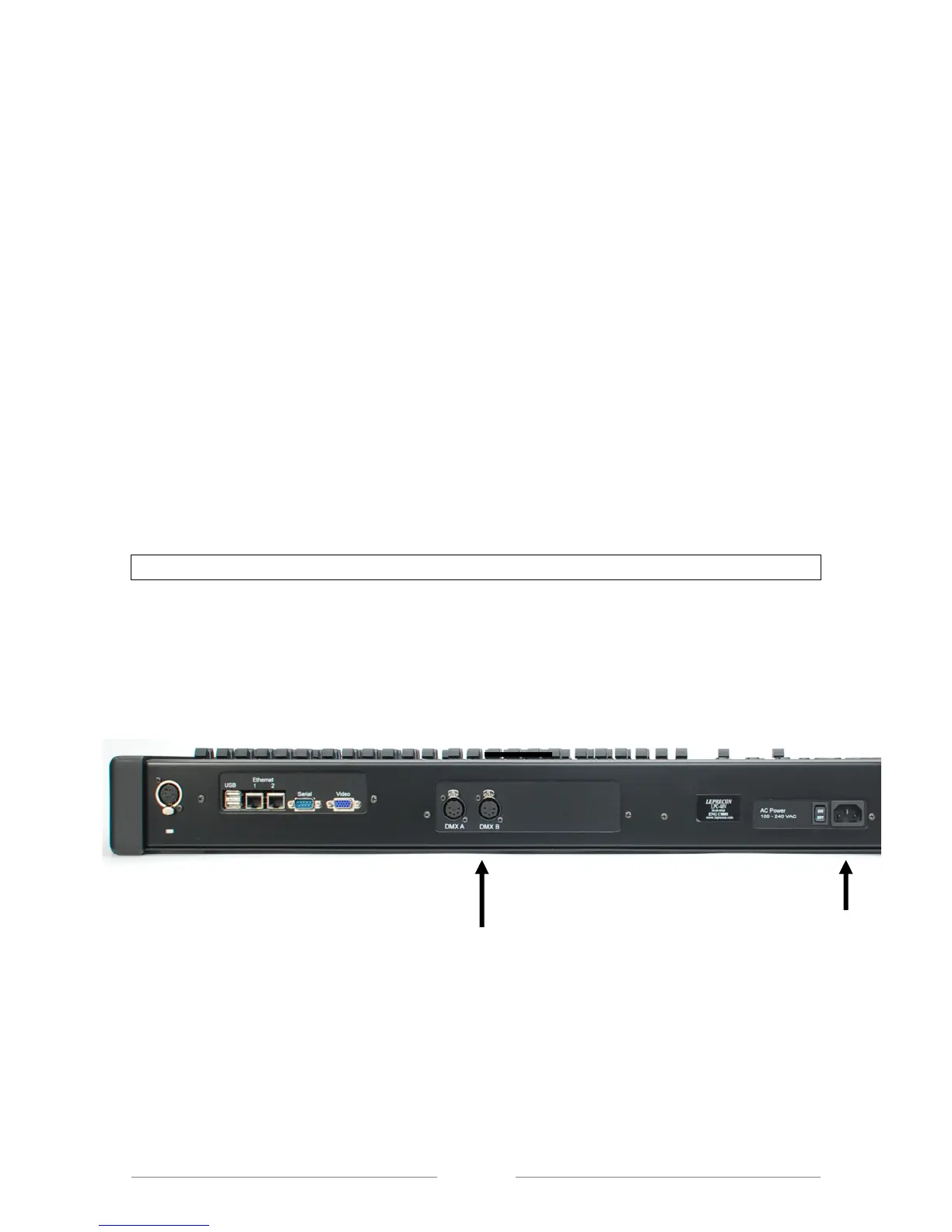
2.1 Connecting to your system
1. Connect the monitor to the Video port. The LPC requires a minimum
monitor resolution of 1024 x 768 (Standard VGA)
2. Connect a USB mouse and keyboard, if needed.
3. If an ELO touch screen is being used, connect the monitor using a USB
(A to B) cable from touch screen monitor.
4. Connect 5 pin DMX data cable(s) to DMX A or B connector(s).
5. Connect the AC power cord.
6. Turn on the Power switch.
If using the optional wireless DMX transmitter see section 12
2.2 Back Panel Connections
Figure 1: Back Panel Connections
DMX Outputs line A & B
AC Power and Switch



 To Next Page