LPC 48 / 96 Users Manual
Page 54
6.3 Cue List
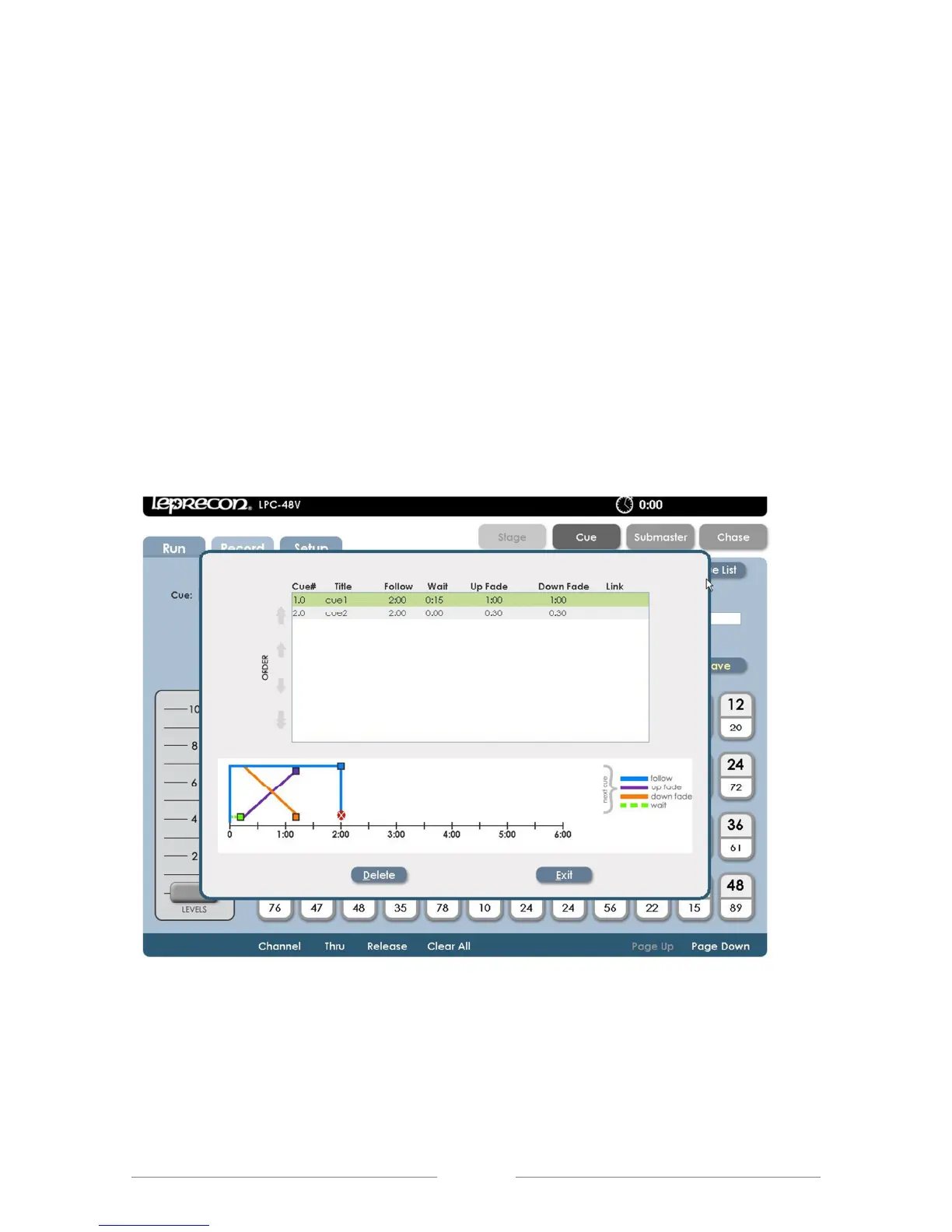
From the Cue Record screen, clicking or touching the Cue List control will open
the Cue List screen.
This screen shows a summary of current cue timing parameters, and the cue
order. The graphic at the bottom of the screen represents scene timing values.
Future releases will enable timing to be changed by dragging the timelines.
Cue Order can be changed by selecting a cue. Using the up and down arrows
on the left side of the screen will move a cue up or down the list, (See figure 30).
Any of the displayed timing values for cues can be changed in the Cue List as
well.
Figure 30: Cue List Screen
6.4 Cue Playback
Opening the Cue Run screen shows Cue status, with graphic displays for active
fades. The top part of the screen shows current Cue information and the bottom



 To Next Page