LPC 48 / 96 Users Manual
Page 39
When a Submaster is turned on with Latch mode, it will fade up and down using
Submaster fade times.
4.3 Using the Keypad
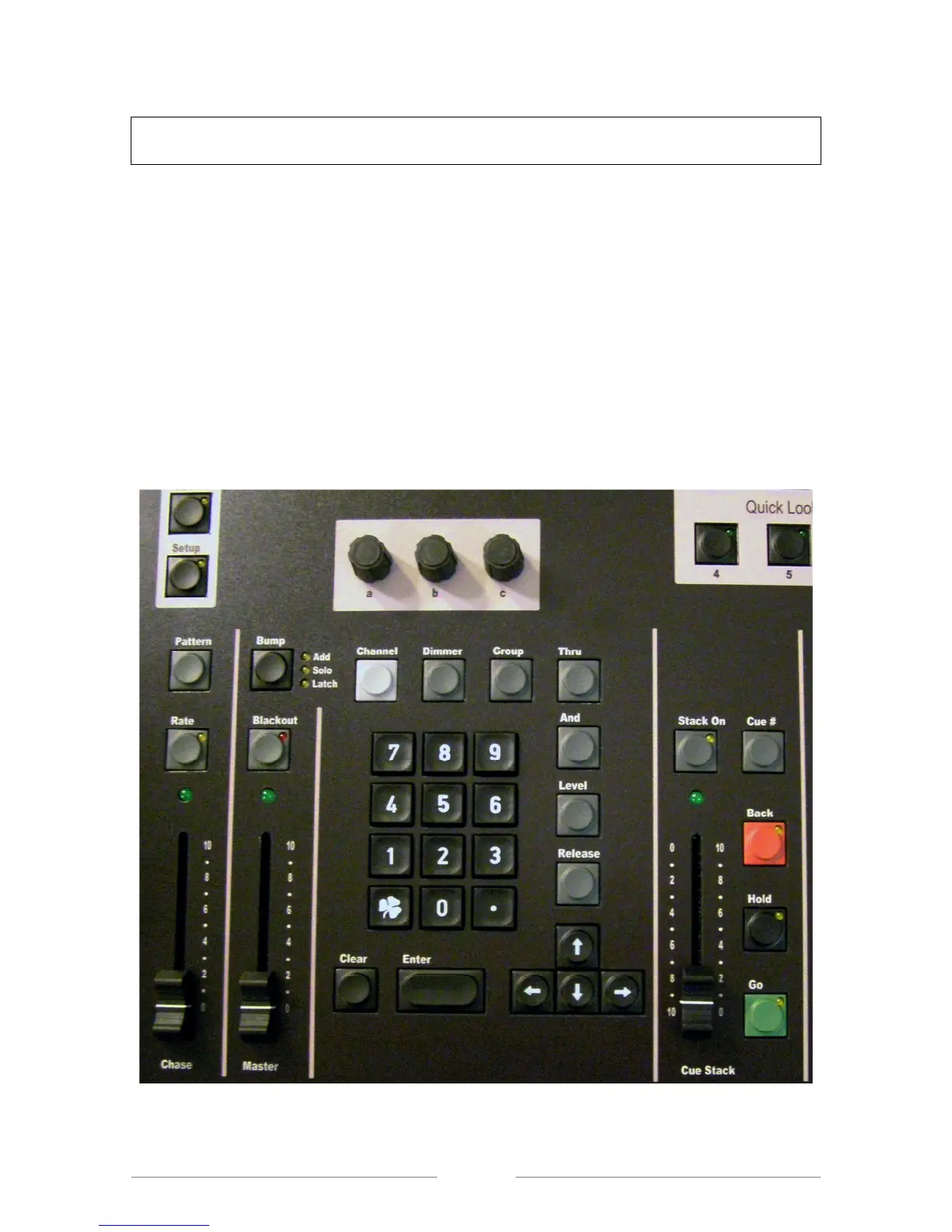
LPC includes a numeric keypad and function keys to set channel levels.
Pressing the Channel key brings up the dialog for selecting and setting channel
levels.
Example: Channel xx Thru xx at Level xx Enter.
With channels selected, use the level slider to tweak levels.
Repeating the channel selection process allows a new group of channels to be
selected, (See Figure 19).
Figure 19: Keypad



 To Next Page