LPC 48 / 96 Users Manual
Page 47
5.5 Submaster Playback
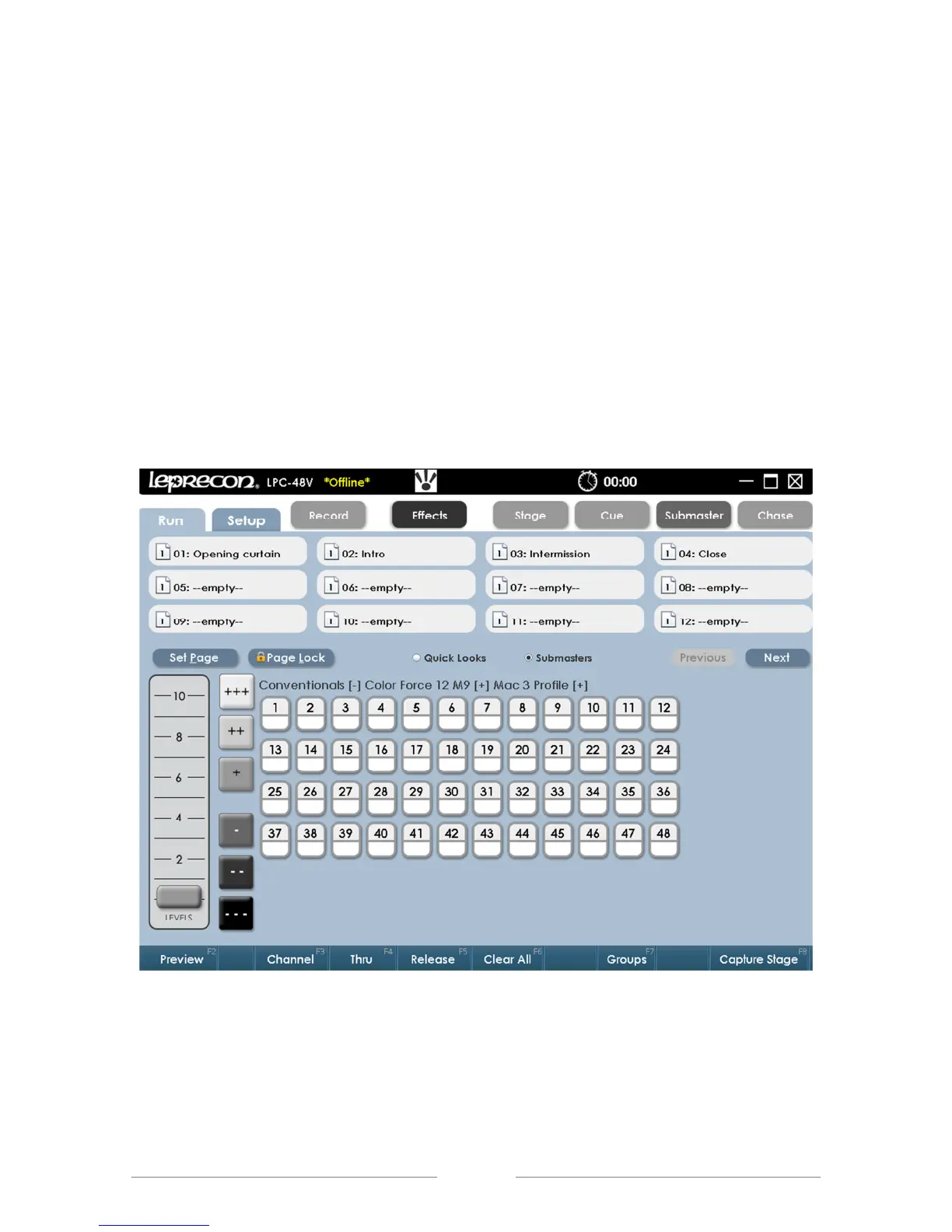
The Submaster Run screen shows the status of all LPC Submasters. The
display at the top includes Submaster name, current level, and page status.
Stage view channel levels are shown below the Submaster status display.
Next and Previous scroll controls allow viewing the complete set of 24
Submasters.
The active Submaster page can be changed from the Run screen.
Submaster Run screen allows access to manual channels as well.
Use the bottom bank of faders on the LPC to control the corresponding
Submaster playbacks.
Figure 27: Submaster Run Screen



 To Next Page