Friedrich Leutert GmbH & Co. KG 15
Digital Pressure Indicator DPI - Bedienungsanleitung
3.2.2 Transfer engine parameters to the handheld device
1) Connect the handheld device to the PC by means of the USB ca-
ble. The handheld device switches on automatically and the battery
charging process begins.
2) A green LED symbol in the status bar of the DPI software indicates
that the handheld device is connected to the PC.
NOTICE
If the handheld device is connected to the PC or the battery
charger via USB button operation is not possible.
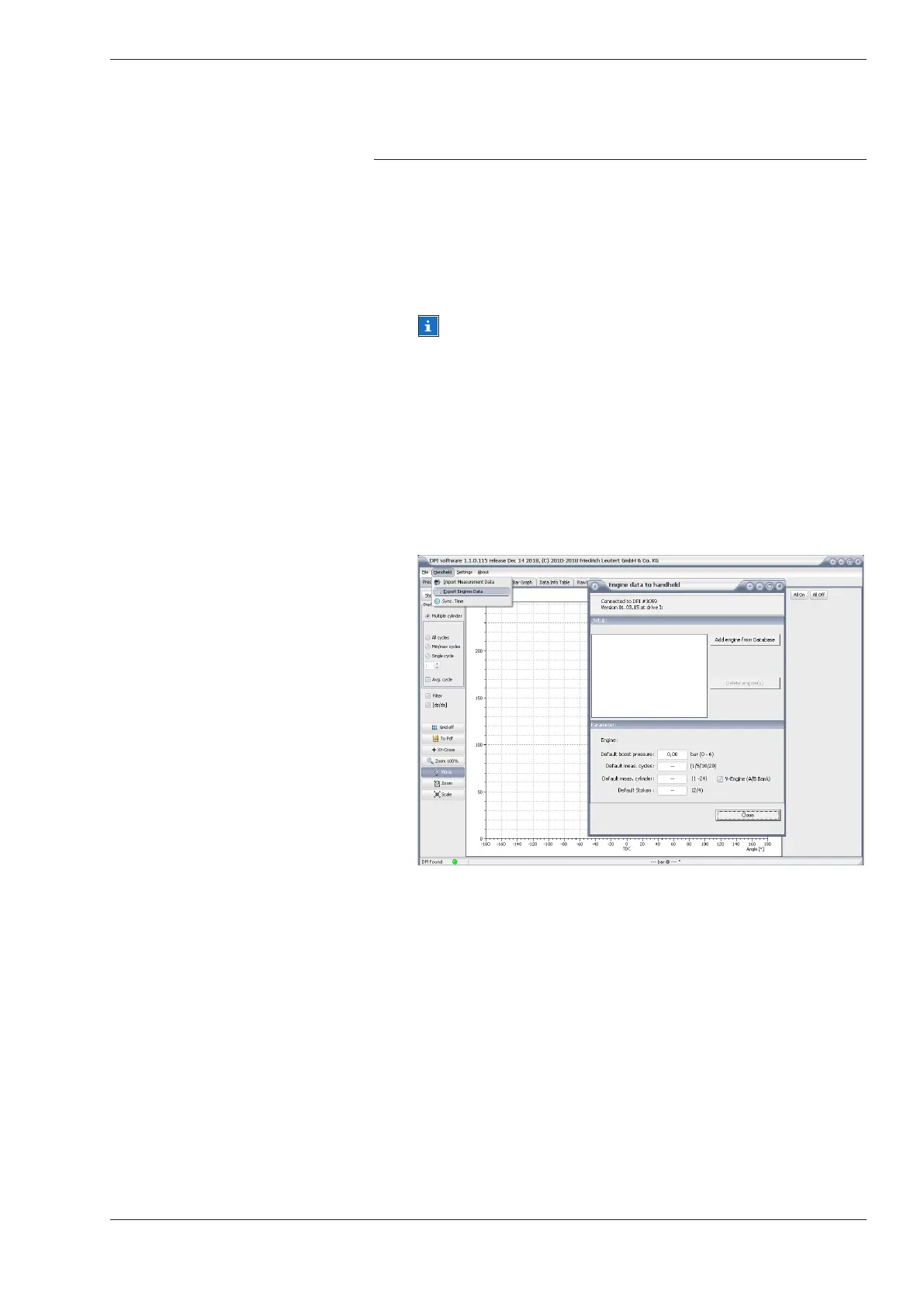
3) Open the [Export Engines Data] command in the [Handheld] menu.
In the upper ‘Setup’ area the datasets are displayed which are al-
ready stored in the handheld device. If you mark an engine with the
mouse you will see the assigned “parameters” in the lower window
area. If no engine data has been saved yet in the handheld device
the following window would be empty.
4) Click the [Add Engine from Database] button.


 To Next Page