Leuze electronic webConfig tool – Extended configuration
Leuze electronic BPS 300i 58
• User management
• Backup/Restore
9.3.2
CONFIGURATION
function
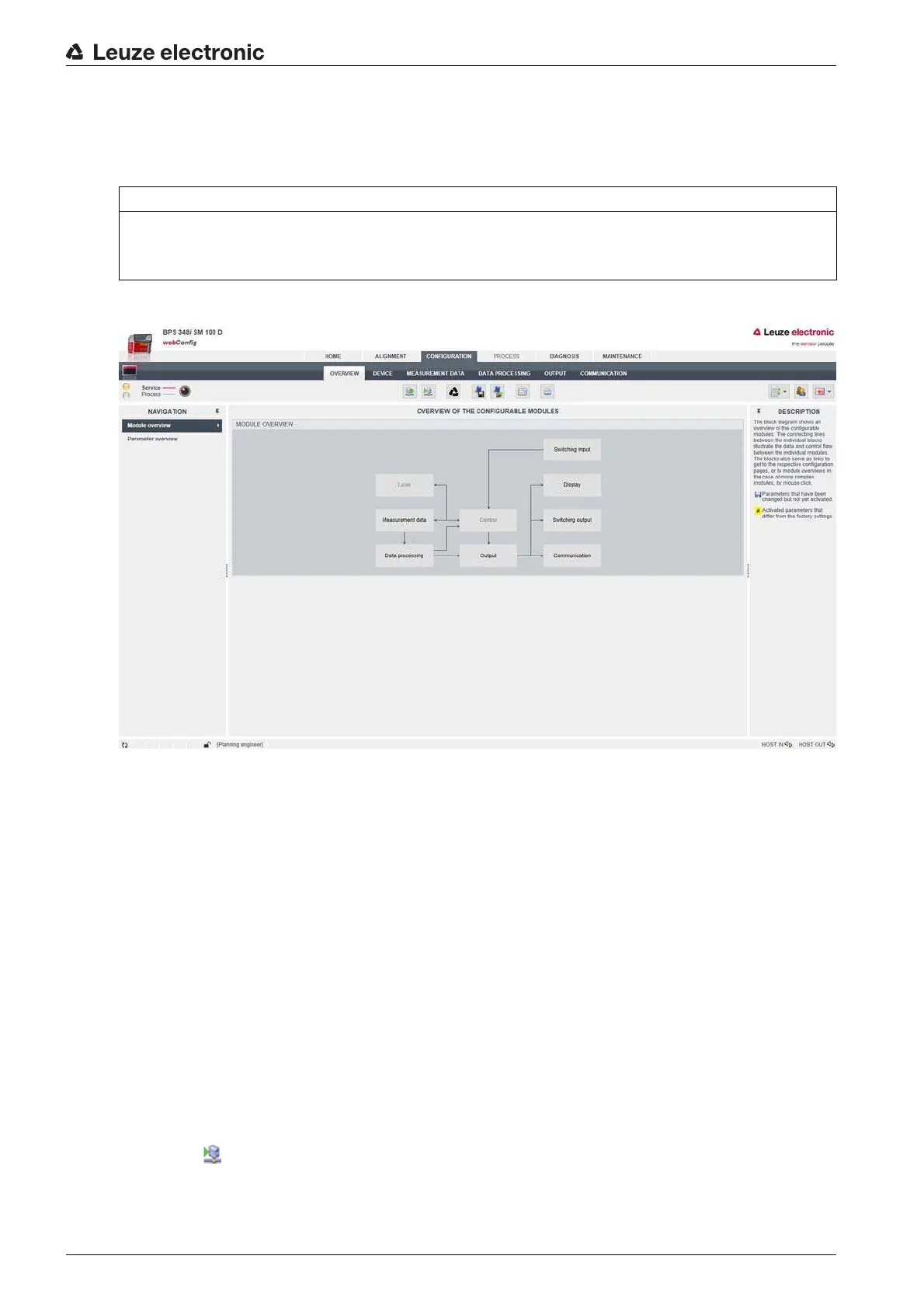
Overview of the webConfig configuration functions
Figure 9.2:
CONFIGURATION
webConfig function
Configuration of the switching inputs/outputs (
DEVICE
tab)
• I/O mode: switching input or switching output
• Output function
• Input function
• Timing functions
• Signal delay
• Pulse duration
• Switch-on/switch-off delay
• Debounce time
• Inversion yes/no
Configuring switching outputs
Select the function symbol for activation of the switching output in the
Functions
area.
Use the left mouse button to drag the function symbol into the
Activation
window.
Configure the timing; see chapter "Timing functions of the switching inputs/outputs".
Save the configuration of the switching outputs in the device.
Click the symbol.
NOTICE
Configuration changes only in the
Service
operating mode!
Changes made using the
CONFIGURATION
function can only be performed in the
Service
operating
mode.


 To Next Page