The default login ID and password for the Administrator are:
Login ID Password
root
NOTE: ID and password are case sensitive.
NOTE: It is strongly advised that administrator’s password be
altered for the security concerns. Refer to section 4.3.2
Security for further details.
Additionally, users can change the IP Camera’s network property, either DHCP
or Static IP directly in the device finding list. Refer to the following section for
changing the IP Camera’s network property.
Example of Changing IP Camera’s Network Property
Users can directly change an IP Camera’s network property, ex. from static IP
to DHCP, in the finding device list. The way to change the IP Camera’s network
property is specified below:
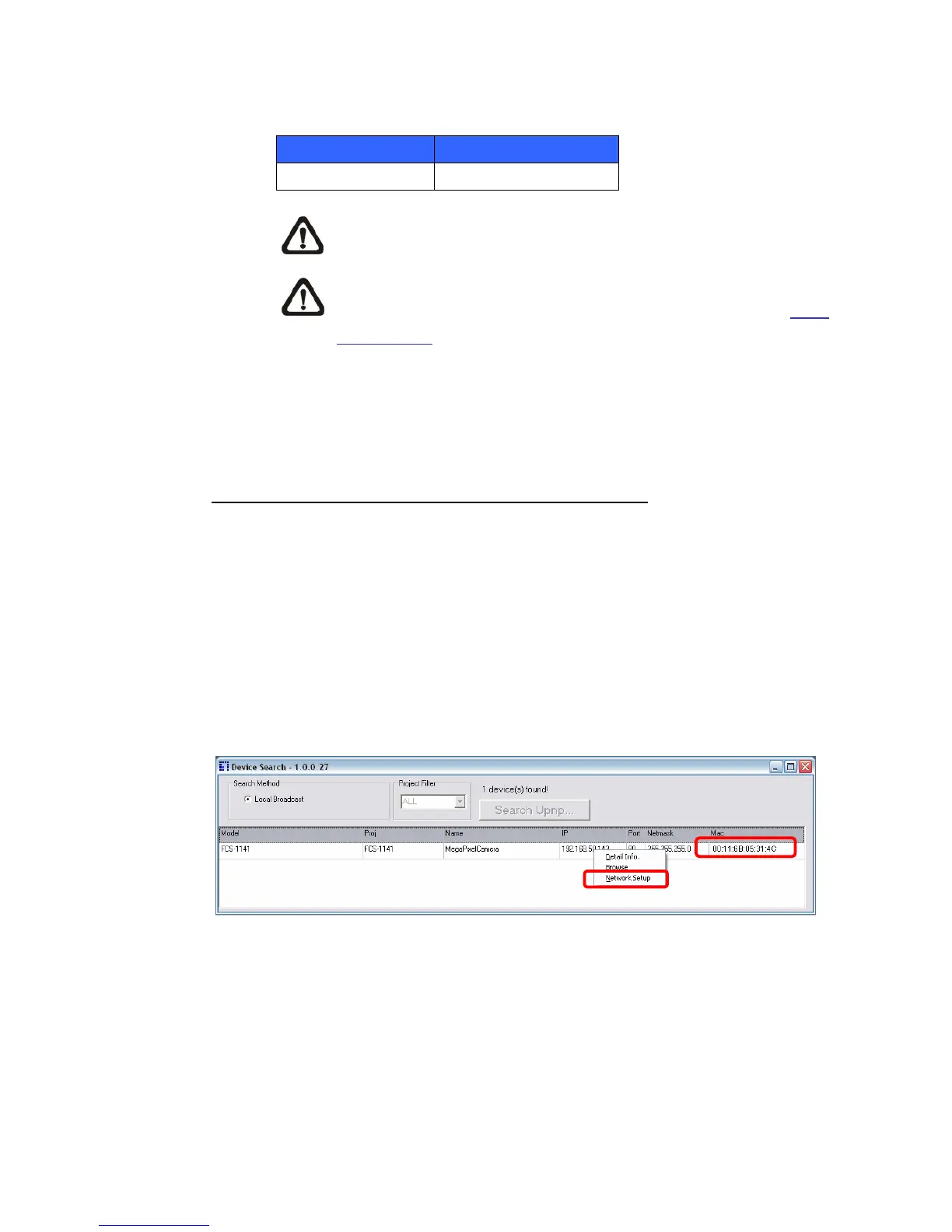
Step 1: In the finding device list, click on the IP Camera that you would like to
change its network property. On the selected item, right click and select
“Network Setup.” Meanwhile, record the IP Camera’s MAC address, for
future identification.
Step 2: The “Network Setup” page will come out. Select “DHCP,” and press
“Apply” button down the page.















 To Next Page