29
4.3.3 Network
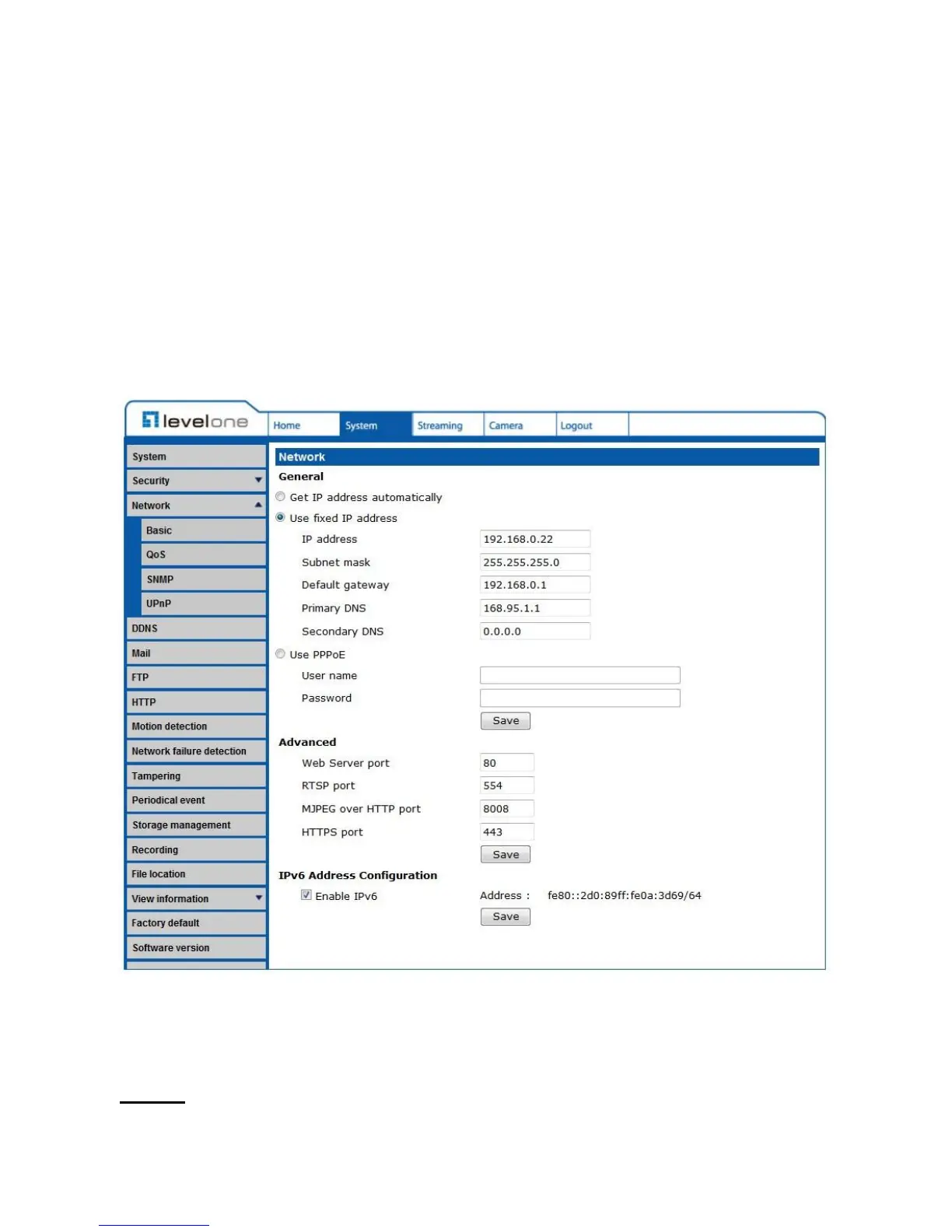
The Network setting can be found under this path: System> Network.
Click on the <Network> category, there will be a drop-down menu with tabs including
<Basic>, <QoS>, <SNMP>, and <UPnP>.
4.3.3.1 Basic
The Basic setting can be found under this path: System> Network> Basic.
Users can choose to connect to the IP Camera with fixed or dynamic (DHCP) IP address.
The IP Camera also provides PPPoE support for users who connect to the network via PPP
over Ethernet (PPPoE).
General















 To Next Page