8
3. Accessing Camera
For initial access to the IP Camera, users can search the camera through the installer
program: DeviceSearch.exe, which can be found in “DeviceSearch” folder in the supplied
CD.
Device Search Software
Step 1:
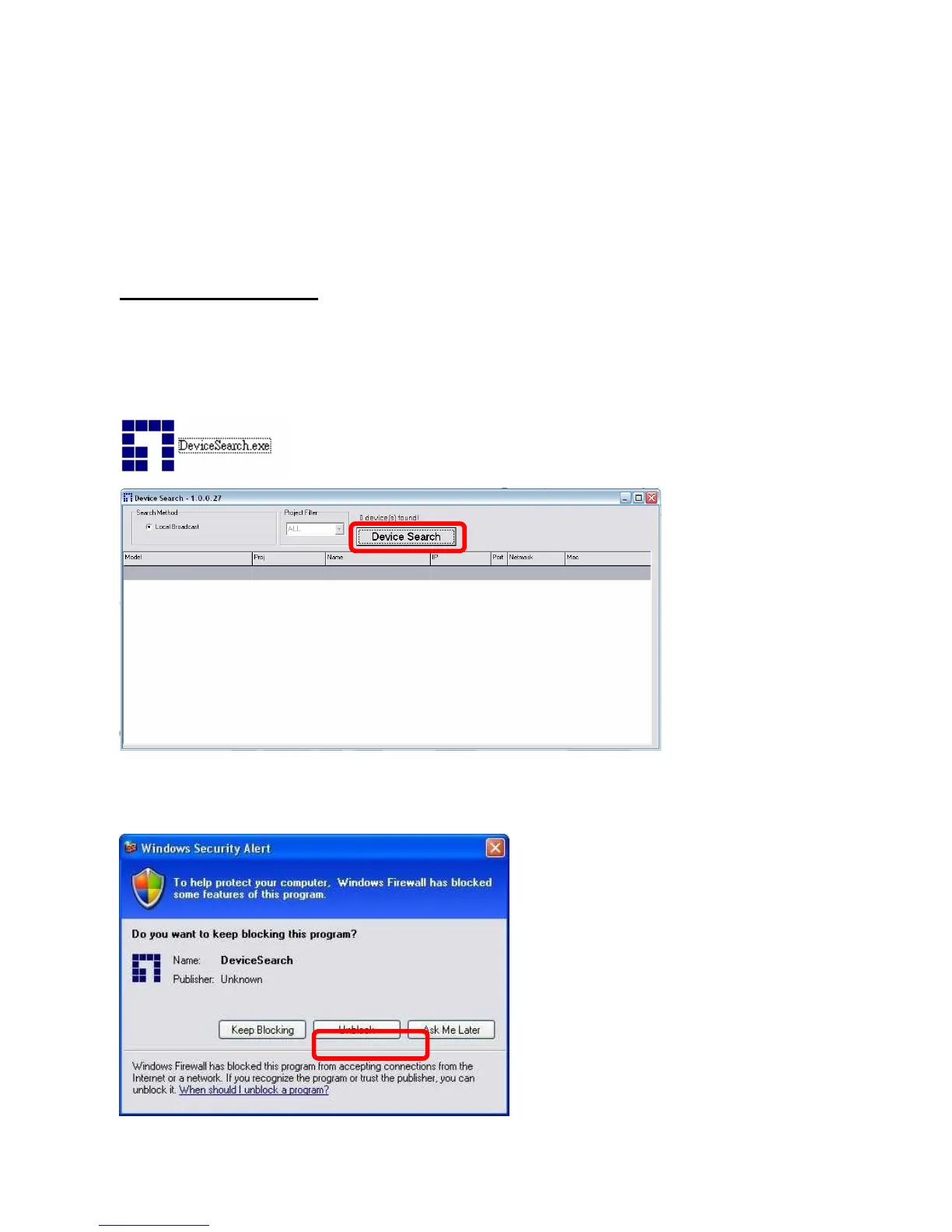
Double click on the program Device Search.exe (see the icon below); its window will appear
as shown below. Then click the “Device Search” button.
Step 2:
The security alert window will pop up. Click “Unblock” to continue.















 To Next Page