82
Appendix A: Internet Security Settings
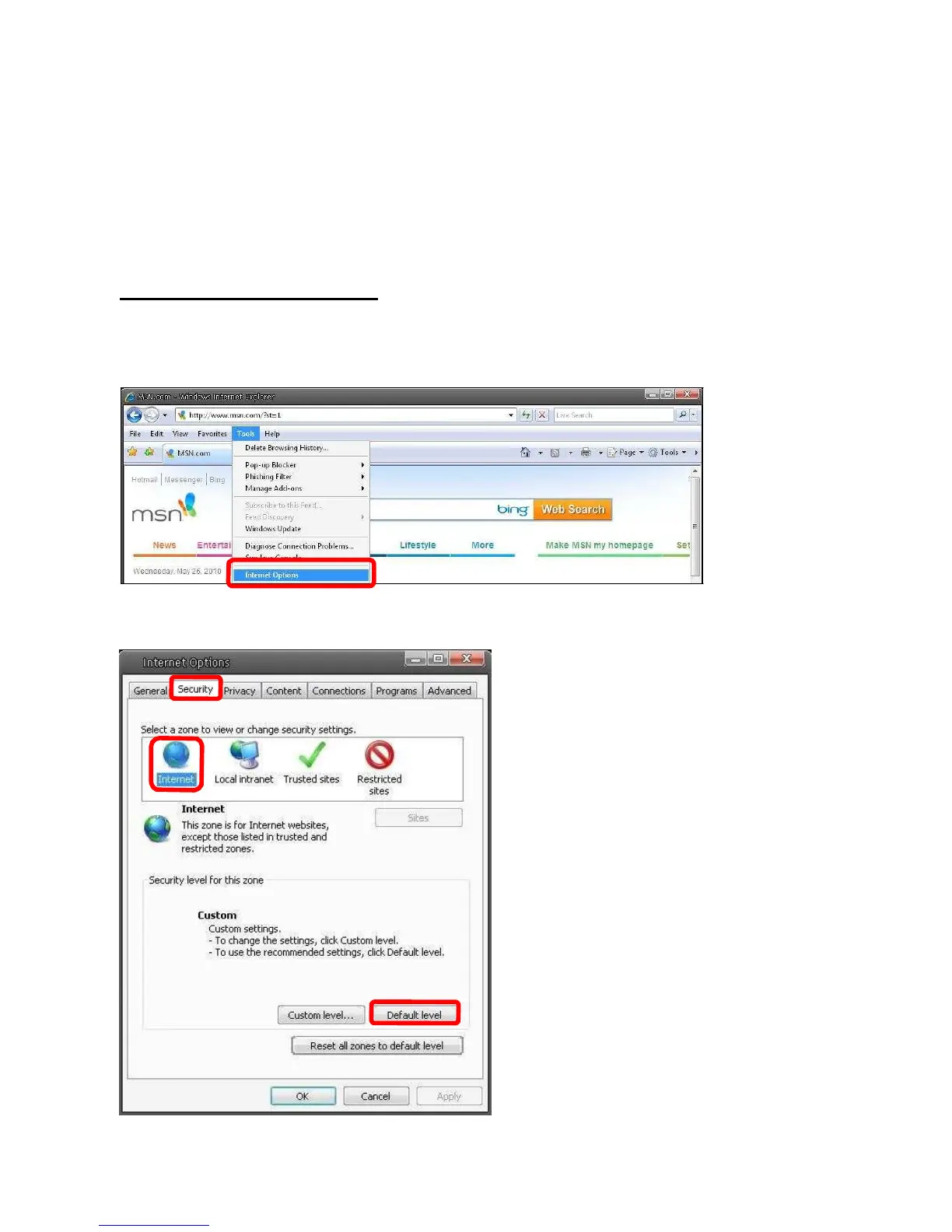
If ActiveX control installation is blocked, please either set Internet security level to default or
change ActiveX controls and plug-ins settings.
Internet Security Level: Default
Step 1: Start the Internet Explorer (IE).
Step 2: Select <Tools> from the main menu of the browser. Then Click <Internet Options>.
Step 3: Click the <Security> tab, and select <Internet>.















 To Next Page