11
4. Access
Camera
For initial access to the network Speed Dome Camera, users can search the
camera through the installer program: DeviceSearch.exe, which can be found in
“Device Search” folder in the supplied CD.
Device Search Software Setup
Step 1: Double click on the program Device Search.exe. After its window will
appear, click on the <Device Search> button on the top side.
Step 2: The security alert window will pop up. Click on <Unblock> to continue.
Device Search
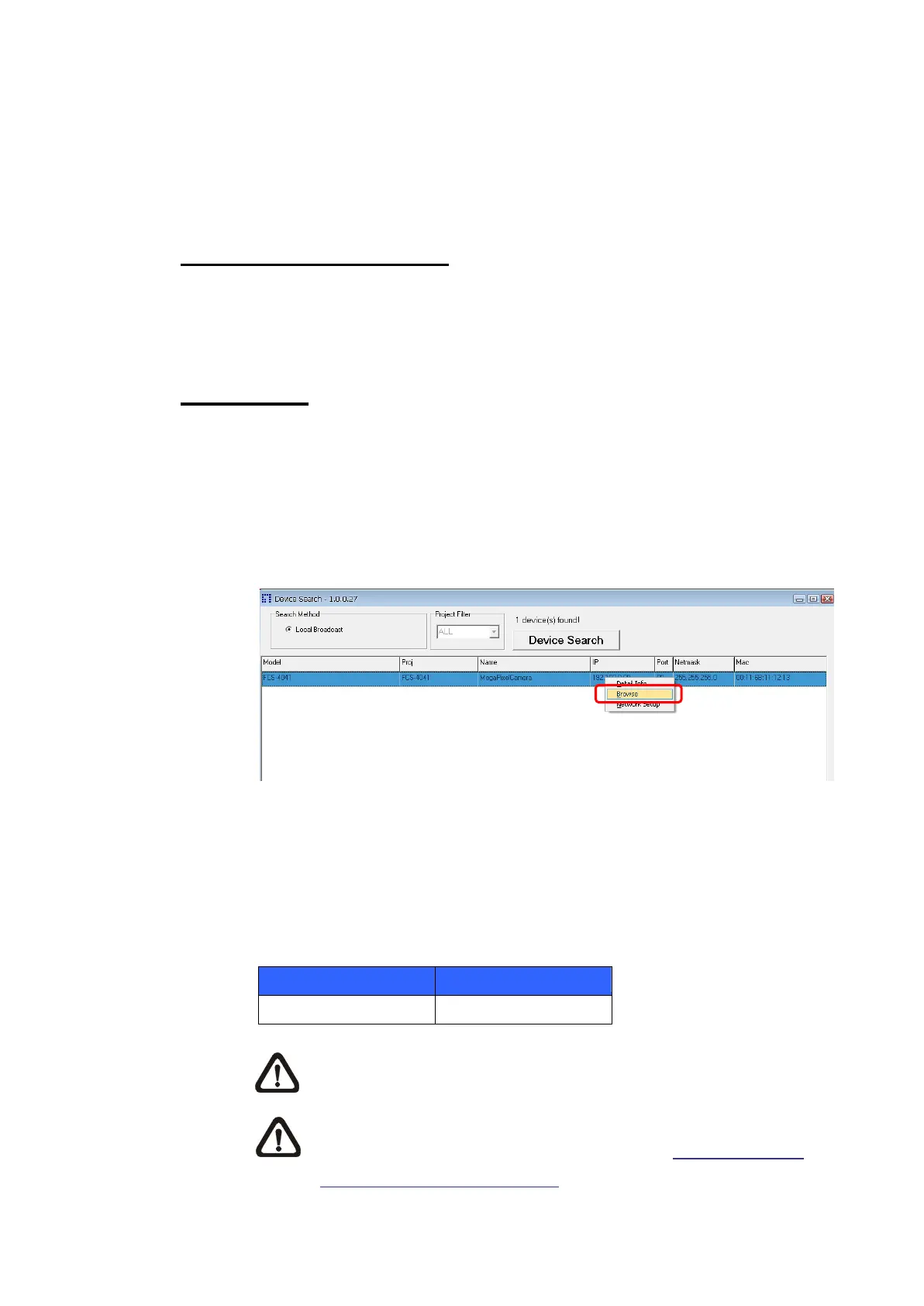
Step 3: Click on <Device Search> again, and all the finding IP devices will be
listed in the page. The network Speed Dome Camera’s default IP
address is: 192.168.0.250.
Step 4: Double click or right click and select <Browse> to access the camera
directly via web browser.
Step 5: Then the prompt window of request for entering default username
and password will appear for logging in to the network Speed Dome
Camera.
The default login ID and password for the Administrator are:
NOTE: ID and password are case sensitive.
NOTE: It is strongly advised that administrator’s password be
altered for the security concerns. Refer to Full HD Speed
Dome IP Camera Menu Tree for further details.















 To Next Page