13
The Information Bar (just below the URL bar) may come out and ask for
permission to install the ActiveX Control for displaying video in browser. Right
click on the Information Bar and select <Install ActiveX Control…> to allow the
installation. Then the security warning window will pop up. Click on <Install> to
carry on software installation.
Click on <Finish> to close the DC Viewer window when download is finished.
For the detailed software download procedure, please refer to DC Viewer
Download Procedure.
NOTE: If the Live Video Pane on Home Page can not be shown for
users who have installed the DC Viewer in the PC previously. Please
refer to Upgrade the DC Viewer.
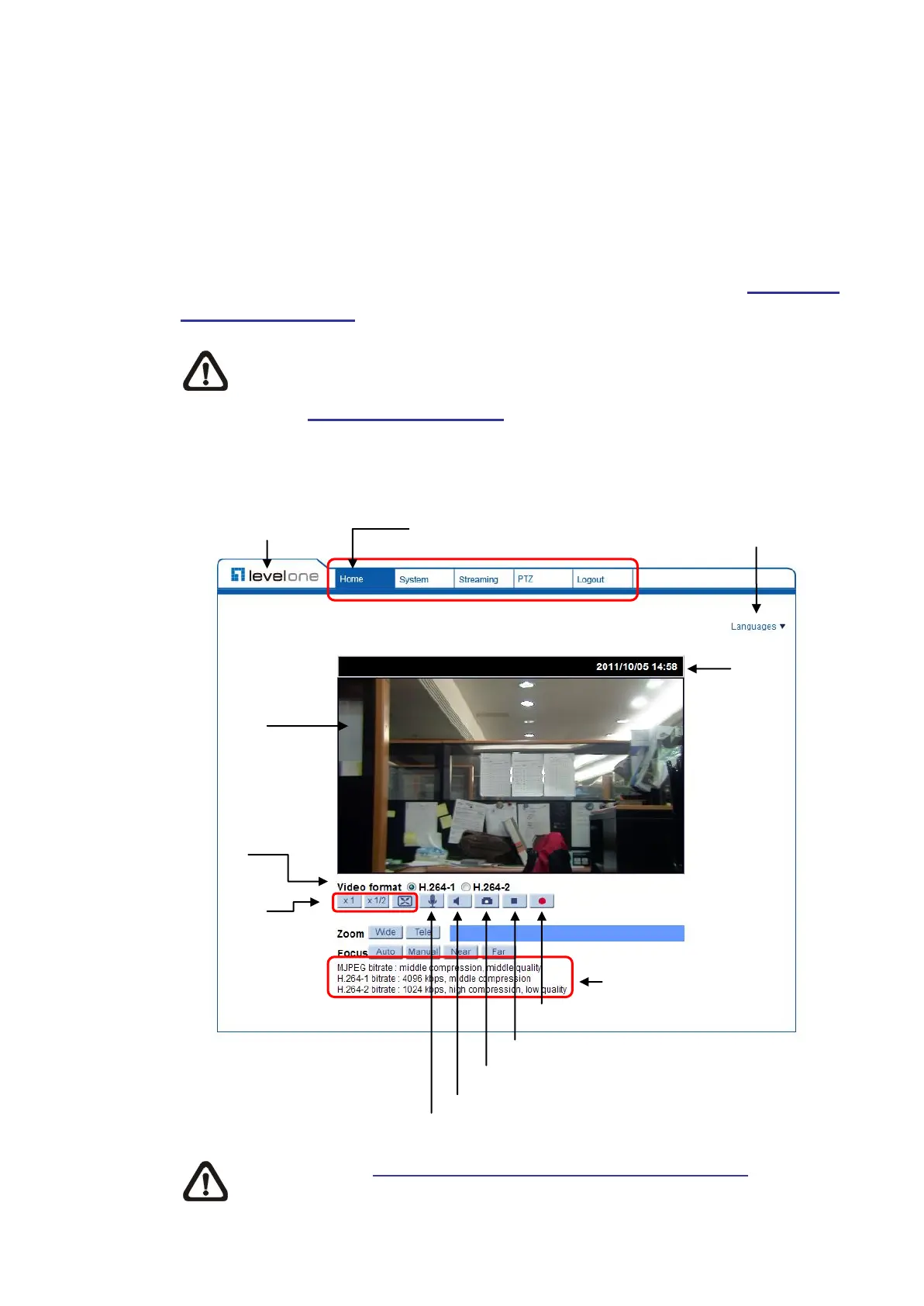
Once login to the network Speed Dome Camera, users will see the Home page
as shown below:
Viewer Window Main Tabs Language Selection
NOTE: Refer to Full HD Speed Dome IP Camera Menu Tree for further
button/ function details.
Video Streaming Pause Button















 To Next Page