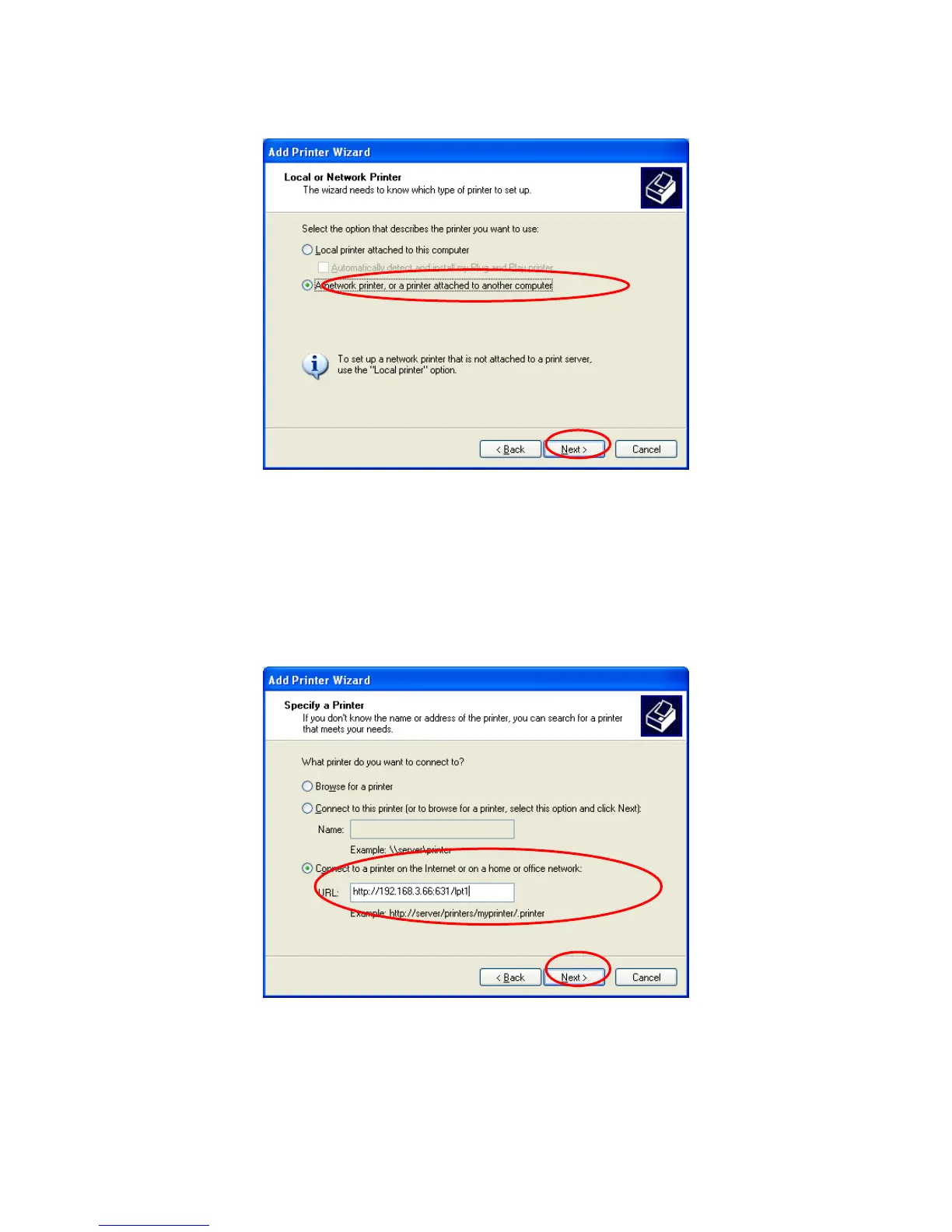
Step4. Select “A network printer, or a printer attached to another computer”. Click “Next”.
Step5. Select “Connect to a printer on the Internet or on a home or office network” and enter the
URL of printer server. The URL format is “http://IP:631/Port Name”. The IP should be the printer
server’s IP. The number 631 is IPP standard port number. Port Name is the port name of printer
server that your printer is connected to. The default port name is “lpt1”. One example of the URL is
http://192.168.3.66:631/lpt1. After entering the URL of printer server, click “Next”.
Step6. Select a suitable printer manufacturer and the printer model and click “Next”. If your
105



 To Next Page