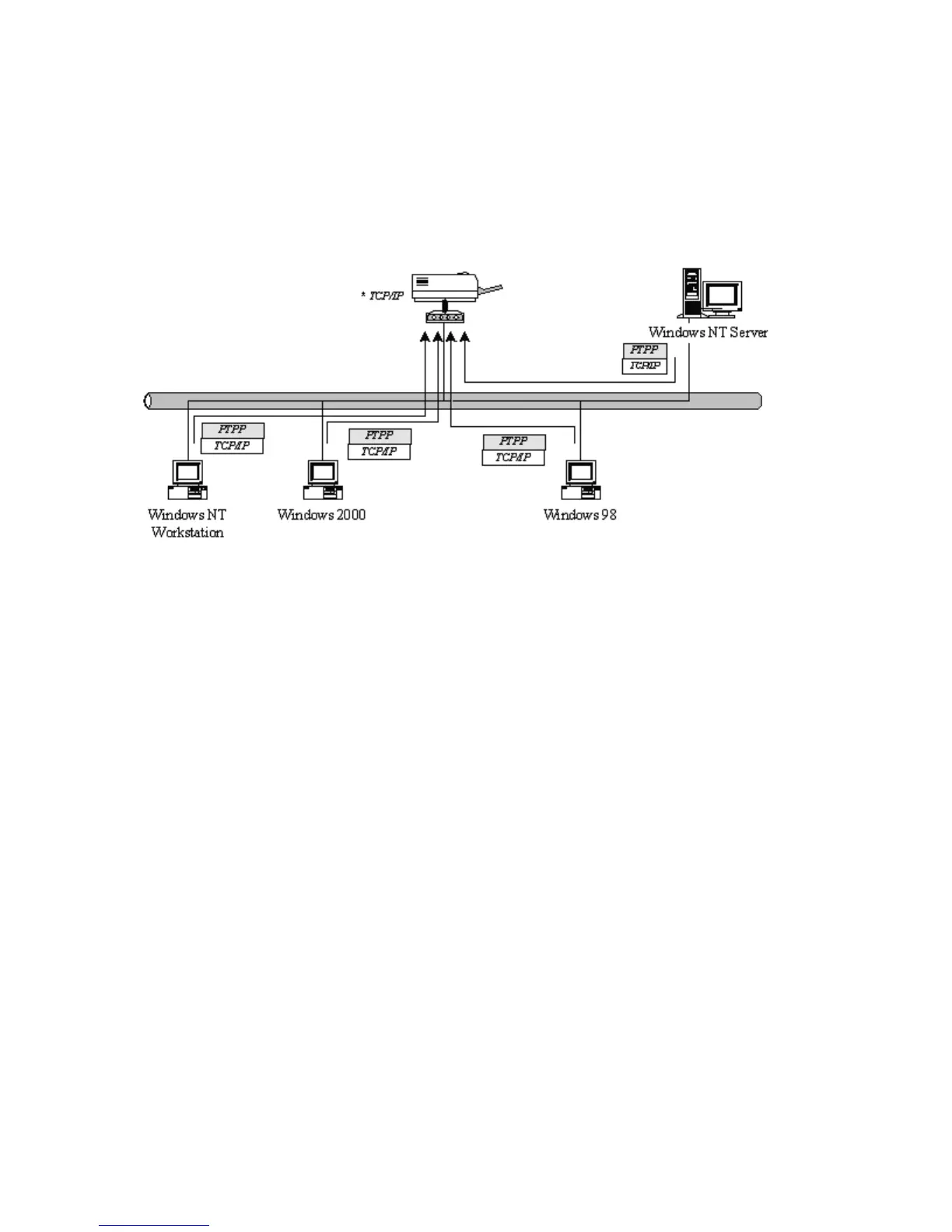
3.1 System Architecture
Printer server supports Windows Peer-to-Peer network printing mode, which is suitable for most
medium and small network environments. Through quick and simple installation procedure, users
can immediately enjoy the convenience of network printing.
Installation procedure is separated into following two parts:
1. Administrator Installation and Setup (refer to section 2 for more detailed information).
System administrators must:
Install administrator’s utilities into his/her computer.
Configure printer server from administrator’s configuration utility.
2. Client Installation and Configuration (refer to section 3 for more detailed information).
Client users must install Windows PTPP driver (Peer-to-Peer Printing) for network printing.
In addition, after PTPP is installed, the system will automatically search for all printer servers on
the network, and add the printing port of the printer servers into Windows’ printing port (refer to
Network Printing Architecture in section 1.4 for more detailed information).
15



 To Next Page