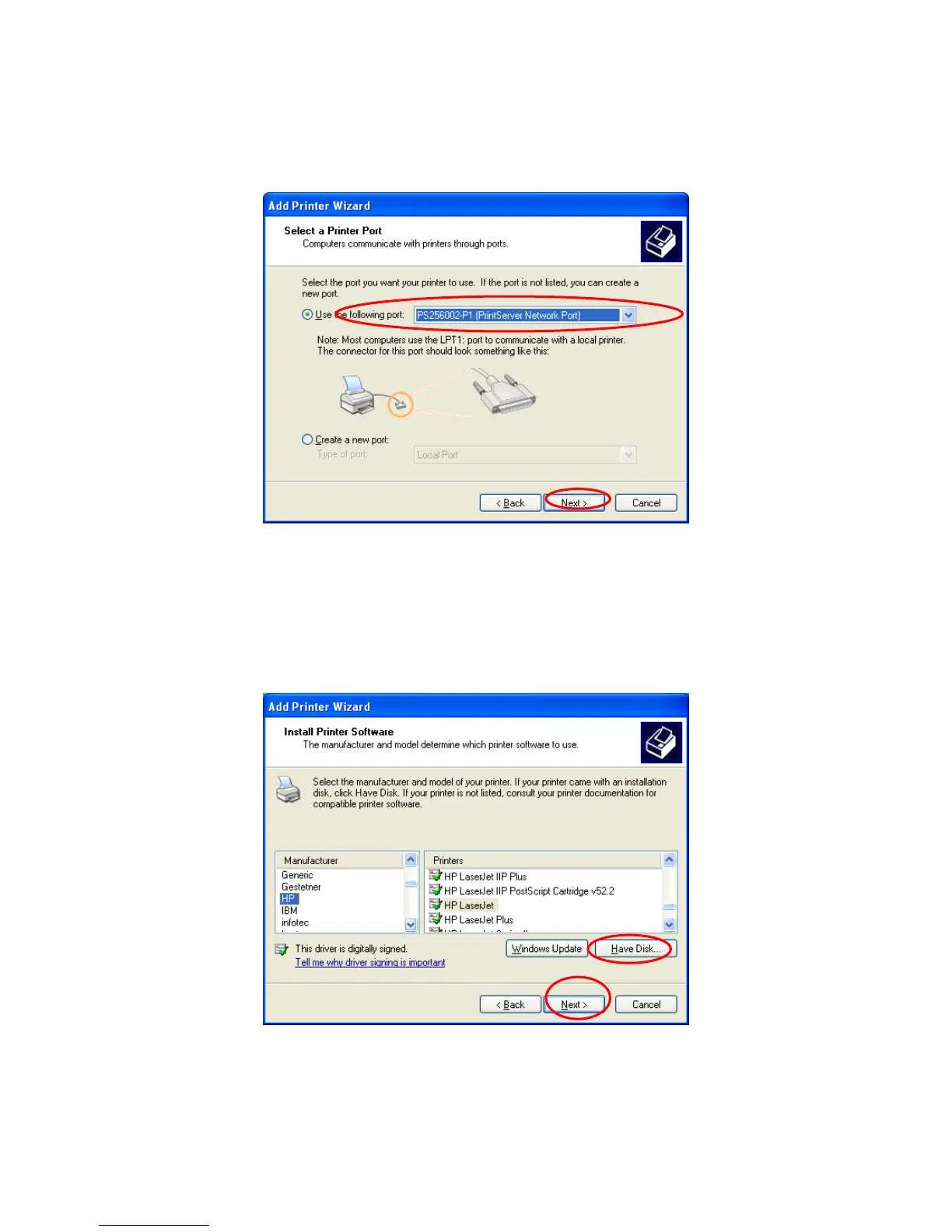
Step5. Choose the suitable “Printer server Network Port” which was created by the Administrator
Installation or Client Installation process and click “Next”.
Step6. Select a suitable printer manufacturer and the printer model and click “Next”. If your
printer is not in the list, click “Have Disk…” to install the driver of the printer. After installation, the
printer model will be added to the list.
35



 To Next Page