3.3 Status
This selection enables you to view the status of the router LAN, WAN connections,
and view logs and statistics pertaining to connections and packet transfers.
3.3.1 Device Information
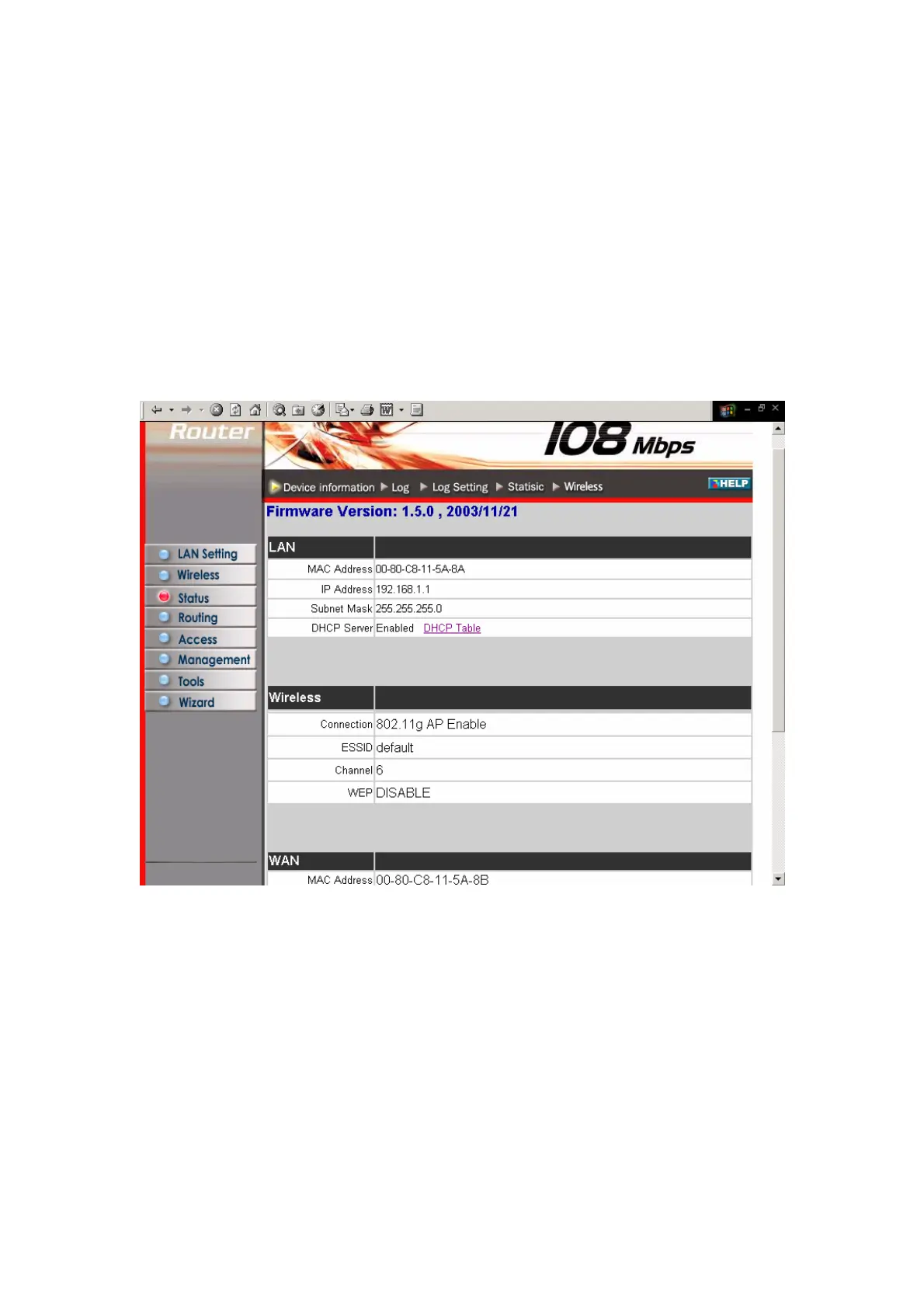
This screen enables you to view the router LAN, Wireless and WAN configuration.
Firmware Version: Displays the latest build of the router firmware interface. After
updating the firmware in Tools - Firmware, check this to ensure that your firmware
was successfully updated.
LAN: This field displays the router's LAN interface MAC address, IP address, subnet
mask, and DHCP server status. Click DHCP Table to view a list of client stations
currently connected to the router LAN interface.
Wireless: Displays the router's wireless connection information, including the router's
wireless interface MAC address, the connection status, the SSID status, which
channel is being used, and whether WEP is enabled or not.
WAN: This field displays the router's WAN interface MAC address, DHCP client
27



 To Next Page