3.6 Management
Management enables you to set up SNMP and Remote Management feature.
3.6.1 SNMP
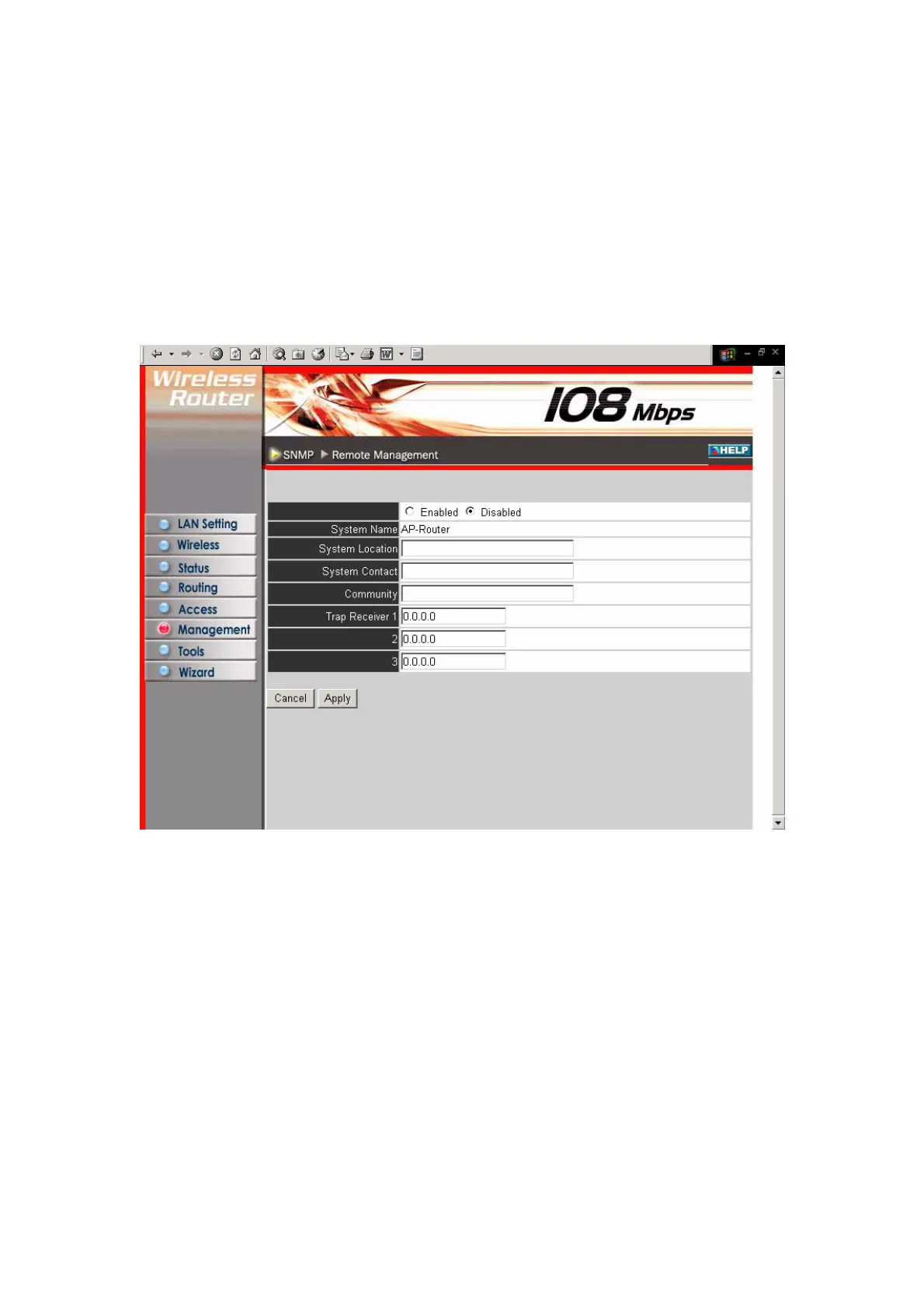
This screen enables you to configure SNMP.
Enabled/Disabled: Click to enable or disable SNMP.
System Name: Displays the name given to the router.
System Location: Displays the location of the router (normally, the DNS name).
System Contact: Displays the contact information for the person responsible for the
router.
Community: SNMP system name for exchanging SNMP community messages. The
name can be used to limit SNMP messages passing through the network. The default
name is 'public.'
Trap Receiver: Type the name of the destination PC that will receive trap messages.
46



 To Next Page