Note: Displays the IP address of the communication
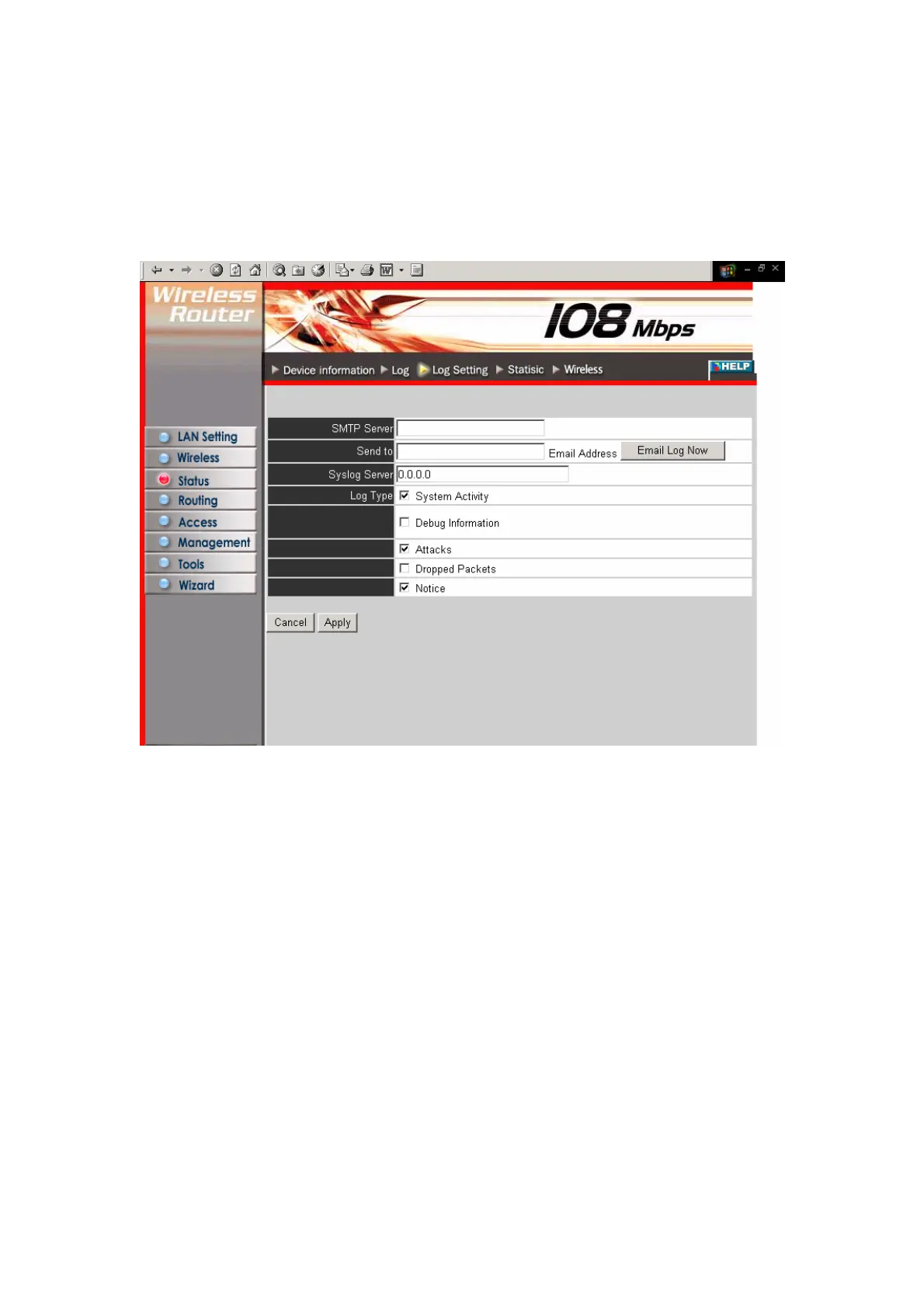
3.3.3 Log Setting
This screen enables you to set router logging parameters.
SMTP Server: Type the SMTP server address for the email that the log will be sent to
in the next field.
Send to: Type an email address for the log to be sent to. Click Email Log Now to
immediately send the current log.
Syslog Server: Type the IP address of the Syslog Server if you want the router to
listen and receive incoming Syslog messages.
Log Type: Enables you to select what items will be included in the log:
● System Activity: Displays information related to router operation.
● Debug Information: Displays information related to errors and system malfunction.
● Attacks: Displays information about any malicious activity on the network.
● Dropped Packets: Displays information about packets that have not been transferred
successfully.
● Notice: Displays important notices by the system administrator.
29



 To Next Page