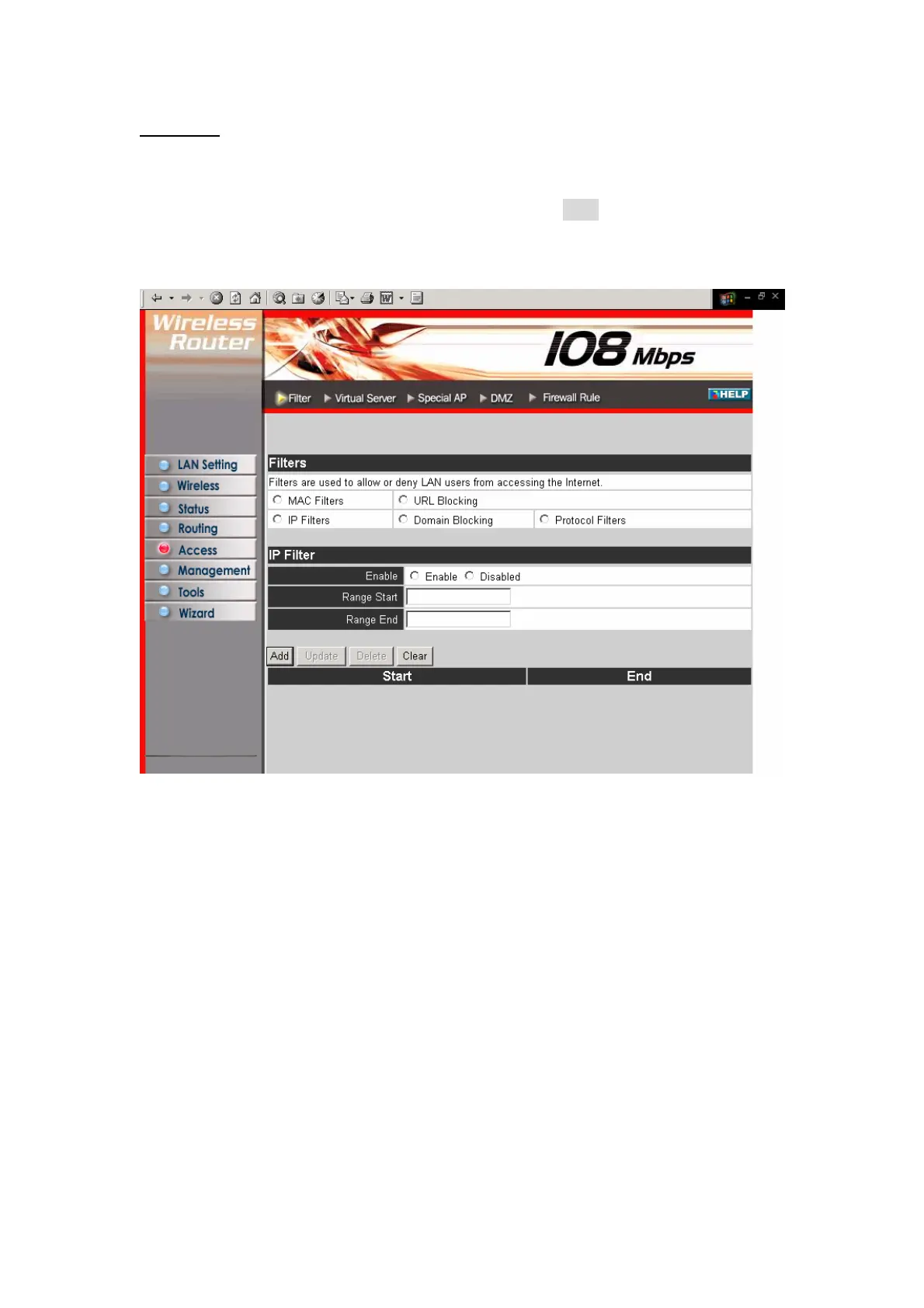
IP Filters:
This screen enables you to define a minimum and maximum IP address range filter;
all IP addresses falling in the range are not allowed Internet access. The IP filter
profiles are listed in the table at the bottom of the page. (Note: Click anywhere in the
item. Once the line is selected, the fields automatically load the item's parameters,
which you can edit.)
Enable: Click to enable or disable the IP address filter.
Range Start: Type the minimum address for the IP range. IP addresses falling
between this value and the Range End are not allowed to access the Internet.
Range End: Type the minimum address for the IP range. IP addresses falling between
this value and the Range Start are not allowed to access the Internet.
Add: Click to add the IP range to the table at the bottom of the screen.
Update: Click to update information for the range if you have selected a list item and
have made changes.
Delete: Select a list item and click Delete to remove the item from the list.
New: Click New to erase all fields and enter new information.
37



 To Next Page